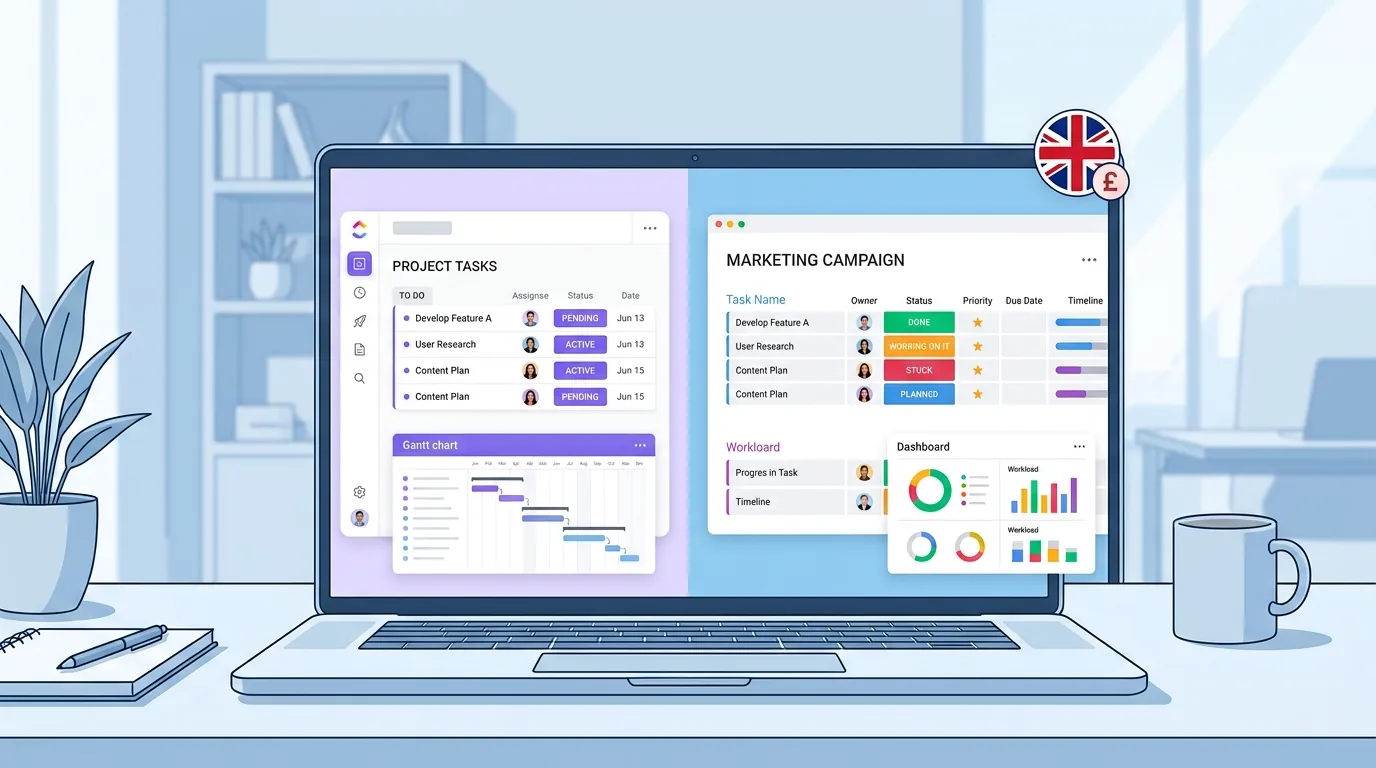
For most UK small businesses, monday.com is the easier tool to adopt on day one, while ClickUp gives more features per pound once your team is comfortable setting it up. If budget matters more than polish, ClickUp usually wins. If your team needs to be productive within a week with no training, monday.com usually wins.
Both platforms do the same core job: they help you plan tasks, track projects and keep a small team pointed in the same direction. The difference is in pricing structure, learning curve and how much customisation you actually need. This guide breaks both down in GBP, with real numbers for a small UK team, so you can decide without booking a demo call first.

ClickUp vs Monday.com: At a Glance
| ClickUp | monday.com | |
|---|---|---|
| Free plan | Yes, unlimited members, 100MB storage | Yes, up to 2 seats, 500MB storage |
| Entry paid price | From around £6–7 per user/month | From around £8–9 per seat/month (3-seat minimum) |
| Integrations | 1,000+ | 200+ |
| Best for | Small teams on a budget who don’t mind setup | Small teams who want to start working immediately |
| Learning curve | Steeper | Gentler |
| Native time tracking | Yes, on paid plans | Only from the Pro plan |
| AI assistant | ClickUp Brain | monday sidekick, agents and vibe |
Prices change often, so treat these as a starting point and check both vendors’ pricing pages before you commit. If you’re still deciding whether you need a dedicated tool at all, our guide to the best task management apps for UK small business covers lighter-weight options too.
What Is ClickUp?
ClickUp is a project management platform built around a nested structure of Workspaces, Spaces, Folders and Lists. It’s designed to replace several tools at once — task tracking, docs, goals and basic time tracking — inside one customisable workspace.
Small teams choose ClickUp when they want flexibility and are happy to spend an afternoon setting it up properly. It rewards teams who like building their own systems rather than following a fixed template.
What Is Monday.com?
Monday.com is a visual work management platform built around colour-coded boards. Each board represents a project or process, and you track progress by updating status columns rather than ticking off items in a list.
Small teams choose monday.com when they want something that looks good and works immediately, without a steep setup phase. It’s particularly popular with marketing teams, agencies and client-facing businesses that like clear visual reporting.
Pricing Compared in GBP for UK Small Teams
ClickUp is generally the cheaper option per seat, but monday.com enforces a minimum of three paid seats, which changes the real-world cost for very small teams.
ClickUp Pricing (Approximate GBP)
| Plan | Price | Notes |
|---|---|---|
| Free Forever | £0 | Unlimited members, 100MB storage |
| Unlimited | From ~£6–7/user/month | No seat minimum |
| Business | From ~£10–12/user/month | Advanced automations, time tracking |
| Enterprise | Custom pricing | For larger, complex teams |
Monday.com Pricing (Approximate GBP)
| Plan | Price | Notes |
|---|---|---|
| Free | £0 | Capped at 2 seats |
| Basic | From ~£8–9/seat/month | 3-seat minimum |
| Standard | From ~£10–12/seat/month | Timeline, Gantt, 250 automations/month |
| Pro | From ~£16–19/seat/month | Time tracking, more automations |
| Enterprise | Custom pricing | For scaling organisations |
Real Cost Example: 5-Person UK Team
A five-person team on ClickUp’s Unlimited plan pays roughly £30–35 a month. The same team on monday.com’s Standard plan, with its per-seat pricing and typical bundling, comes out closer to £50–60 a month — partly because monday.com’s tiers are built with slightly larger teams in mind.
If you’re a solo founder or a two-person team, monday.com’s free plan may actually cover you completely, since it supports two seats at no cost. ClickUp’s free plan supports unlimited members but caps storage tightly, which becomes a problem the moment you start attaching files or images to tasks.
Ease of Use and Learning Curve
Monday.com is easier to learn than ClickUp for most first-time users. On G2, monday.com consistently scores higher for ease of use and ease of setup, while ClickUp scores slightly lower in the same categories, largely because of its steeper initial configuration.
ClickUp’s flexibility is also its biggest usability challenge. New users are handed a blank canvas and have to decide how to structure Workspaces, Spaces and Lists before they can start working. Teams who invest that setup time tend to end up with a system that fits them precisely. Teams who don’t often abandon half-built boards within a month.
Monday.com’s board-based interface is closer to a spreadsheet with colour, which most non-technical staff pick up within an hour. If your team is resistant to new software or has high staff turnover, that gentler curve matters more than extra features.
Features for Small Business Workflows
Views, Boards and Templates
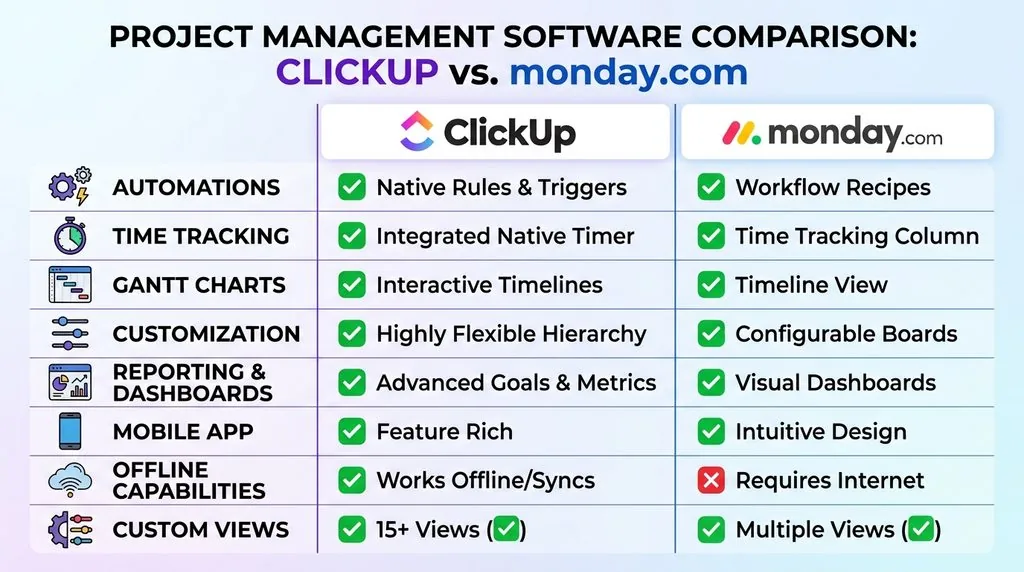
Both platforms offer Kanban boards, calendars, timelines and Gantt-style views, and both let you switch between them without rebuilding your project. ClickUp adds mind maps and whiteboards; monday.com adds map and workload views. For a small business running standard projects — client work, marketing campaigns, product launches — either set of views is more than enough.
Automations
ClickUp’s free plan includes 100 automations a month, rising to unlimited on paid tiers. Monday.com gates automations behind its Standard plan and caps them at 250 actions a month, rising with each tier. Monday.com’s automation builder uses a fill-in-the-blank sentence format that’s easier for non-technical staff to configure without help.
Time Tracking
ClickUp includes native time tracking on its paid plans from the entry tier upward. Monday.com only unlocks native time tracking on its Pro plan, so teams that bill by the hour on a tighter budget often lean toward ClickUp or connect a dedicated tool like Toggl or Harvest instead.
AI Capabilities Compared
ClickUp uses a single AI layer called ClickUp Brain, available as a paid add-on, which handles writing, summarising and answering questions inside tasks and docs. Monday.com spreads its AI across several products — sidekick, agents, and a no-code app builder called vibe — giving it a broader but more fragmented AI toolkit.
Neither platform’s AI is a reason on its own to choose one over the other for a small team. If AI-assisted work is a priority beyond project management, it’s worth reading our wider guide to AI tools for UK small business or our breakdown of ChatGPT for UK SMEs before paying extra for either tool’s AI add-on.
Integrations and UK Tool Stack Fit
ClickUp offers over 1,000 native integrations. Monday.com offers over 200. In practice, both connect to the tools a UK small business actually uses day to day — Slack, Google Drive, Gmail, Microsoft Teams and Zapier — so the raw integration count matters less than how easy each one is to set up.
Several G2 reviewers, including small business owners, report that ClickUp’s integrations can be fiddly to configure correctly, particularly around which lists or folders an automation applies to. Monday.com’s integrations are generally described as more straightforward, though there are fewer of them to choose from.
If your business already runs on Microsoft or Google tools, check our comparison of Google Workspace vs Microsoft 365 for UK small business first, since your existing setup will shape which integrations actually matter. Teams using Slack day to day should also see our Slack vs Microsoft Teams comparison for context on how each connects.
Free Plan Comparison
Monday.com’s free plan is capped at two seats, which suits a founder-plus-one setup but nothing bigger. ClickUp’s free plan allows unlimited members, which sounds better on paper but comes with a 100MB storage limit that fills up fast once you’re attaching documents or images to tasks.
Quick answer: if you’re two people or fewer, monday.com’s free plan is more generous. If you’re a larger team on a tight budget who won’t need much file storage, ClickUp’s free plan stretches further.
Customer Support and Onboarding
Both platforms offer 24/7 support, and both score similarly on independent review sites — typically in the high 8s out of 10. Monday.com’s support is often praised for going beyond scripted answers, including custom workaround videos for specific problems. ClickUp’s support is generally rated as fast, and it’s available to free-plan users too, whereas monday.com reserves priority support for paid tiers.
Neither platform requires you to hand over IT to set up. If you’re also weighing up your wider communication stack while you’re at it, our guide to video conferencing software for UK small business is a useful companion read.
Switching Between ClickUp and Monday.com
Yes, you can move from one platform to the other, though there’s no direct one-click migration between them. Here’s the practical process:
- Export your data. Both platforms let you export tasks and boards as a CSV or Excel file from your account settings.
- Clean the file. Remove columns that don’t map cleanly between the two systems — custom fields rarely transfer 1:1.
- Import into the new platform. Both ClickUp and monday.com support importing from Excel/CSV directly.
- Rebuild automations manually. Automations, integrations and custom views don’t transfer and need to be recreated in the new tool.
- Run both in parallel for two weeks. Keep the old tool live until your team confirms the new one is fully working, especially for active client projects.
For teams with more complex boards, a Zapier-based sync during the transition period reduces the risk of lost data, though it takes longer to set up than a straight export.
ClickUp vs Monday.com: Which Should a UK Small Business Choose?
Choose ClickUp If…
- Your budget is the deciding factor and you’re comfortable with some setup time
- You bill clients hourly and want time tracking without upgrading to a top-tier plan
- You have more than two team members and want a genuinely free plan to start on
- You want the flexibility to build custom workflows exactly your way
Choose Monday.com If…
- You want your team working productively within a day, with no training
- You’re a two-person team and can use the free plan long-term
- You value visual, colour-coded reporting for client or stakeholder updates
- You’d rather pay slightly more for a smoother, more stable experience
Whichever you choose, treat the first month as a trial. Set up one real project, not a demo board, and see how your team actually uses it before rolling it out further. If you’re mapping out growth beyond project management tools, our guide on how to scale a small business in the UK covers the operational side that usually comes next.
Frequently Asked Questions
Is ClickUp or monday.com better for a UK small business?
It depends on your budget and team size. ClickUp is generally cheaper per seat and better suited to teams willing to spend time on setup. Monday.com costs more but is faster to learn, making it a better fit for small teams with limited time for training.
How much does ClickUp cost in the UK?
ClickUp’s paid plans start from roughly £6–7 per user per month for the Unlimited plan, with a free plan also available. Always check ClickUp’s live pricing page, as rates change periodically and may be billed in USD by default.
What is the main difference between ClickUp and monday.com?
ClickUp is a flexible, list-based platform with deep customisation options, while monday.com is a visual, board-based platform designed for quick setup and clear reporting. ClickUp suits teams who want control; monday.com suits teams who want simplicity.
Can I switch from ClickUp to monday.com, or the other way round?
Yes. Export your data as a CSV or Excel file, then import it into the new platform. Automations, custom fields and integrations need to be rebuilt manually, since they don’t transfer automatically.
Which has a better free plan?
Monday.com’s free plan supports up to two seats with 500MB of storage. ClickUp’s free plan supports unlimited members but only 100MB of storage. Choose based on whether team size or storage matters more to you.
Is ClickUp too complicated for a small team?
Not necessarily, but it does have a steeper learning curve than monday.com. Teams that set aside time upfront to structure their Workspace properly tend to get more value from ClickUp long-term than those who try to use it without a plan.