
If you’re a UK small business owner weighing up Slack against Microsoft Teams, the honest answer is that price lists alone won’t settle it. The real decision hinges on what you already pay for, how your team likes to work, and whether “unbundling” Teams from Microsoft 365 actually saves you money once you add Slack on top.
The Quick Verdict: Ecosystem Alignment Over Feature Counts
Choose Microsoft Teams if you already run Microsoft 365 for email and Office apps. You’re already paying for it, and adding Slack on top means paying twice for chat. Choose Slack if you run Google Workspace, a mixed software stack, or you value search and notification quality above all else. Slack’s per-seat premium buys you a noticeably faster, cleaner day-to-day experience — but only businesses without a Microsoft 365 subscription get that value without a duplicate cost.
Neither tool wins on features alone. Teams has closed most of the functional gap since 2023. What hasn’t changed is the maths: Teams is close to free if you’re already inside Microsoft 365, and Slack is a genuine added cost if you are.
UK Pricing Deep Dive: Standalone Slack vs. Microsoft’s Integrated Value
Slack’s 2026 UK Pricing and Free Tier Guardrails
Slack’s free plan is usable but tightly capped: 90 days of searchable message history, up to 10 app integrations, and huddles limited to one-to-one calls only. Once a growing team needs to search back further than three months, or wants group video huddles, the free plan stops working.
Here’s the detail most UK guides skip: Slack bills UK customers in US dollars, even on its UK pricing page (slack.com/intl/en-gb/pricing). Pro costs $7.25 per user per month on the annual plan, or $8.75 billed monthly. At the exchange rate in late July 2026 (roughly $1.33 to the pound), that works out to about £5.45 per user per month — but this figure moves every time sterling moves against the dollar, because Slack doesn’t lock in a GBP rate for self-serve customers. Business+ runs $15 per user per month annually, or roughly £11.28, and adds SAML-based single sign-on, data residency options, and SCIM provisioning.
If your business buys through a reseller under the UK government’s G-Cloud framework, fixed-GBP enterprise pricing exists — Slack Pro through Insight Direct (UK) Ltd is listed at £68.83 per user per year, or about £5.74 per month, close to the current dollar-converted rate. For most small teams signing up directly, though, budget in dollars and expect your invoice to shift slightly with the currency.
Microsoft 365 and Unbundled Teams SKUs (July 2026 Updates)
Microsoft raised most commercial Microsoft 365 prices worldwide from 1 July 2026, with increases of roughly 12–17% on the Business Basic and Business Standard tiers. Confirmed current UK list prices, ex VAT, annual commitment, are:
| Plan | With Teams | Without Teams |
|---|---|---|
| Microsoft 365 Business Basic | £4.60/user/month | £3.40/user/month |
| Microsoft 365 Business Standard | £9.60/user/month | £7.10/user/month |
| Microsoft 365 Business Premium | £16.90/user/month | Not offered without Teams |
| Microsoft Teams Essentials (standalone) | — | £3.10/user/month |
The “no Teams” column exists because of a genuine regulatory story, not a Microsoft feature choice. Following a 2020 complaint from Salesforce-owned Slack, the European Commission investigated Microsoft for bundling Teams into Office 365. Microsoft began selling Teams-free versions of its suites in the EEA and Switzerland in 2023, then extended the same unbundled SKUs worldwide from 1 April 2024. In 2025, the European Commission accepted Microsoft’s commitments and closed the case without a fine.
What this means practically: if you’re moving to Slack, buy the “no Teams” Microsoft 365 SKU and save the difference — £1.20 per user per month on Business Basic, or £2.50 on Business Standard. If you’re staying on Teams, the “with Teams” SKUs already include everything, so a standalone Teams Essentials purchase is only worth it if you don’t want the wider Office apps at all.
The 10-User Cost Comparison (Excluding VAT)
Here’s the maths most competitor articles skip entirely — a real 10-person UK team, priced on 2026 list rates, annual commitment, ex VAT:
| Setup | Annual Cost (10 users) |
|---|---|
| Microsoft 365 Business Basic (with Teams) only | £552 |
| Microsoft 365 Business Basic (no Teams) + Slack Pro | £1,062 |
| Microsoft 365 Business Standard (with Teams) only | £1,152 |
| Microsoft 365 Business Standard (no Teams) + Slack Pro | £1,506 |
| Microsoft 365 Business Standard (with Teams) + Slack Pro (double-paying for chat) | £1,806 |
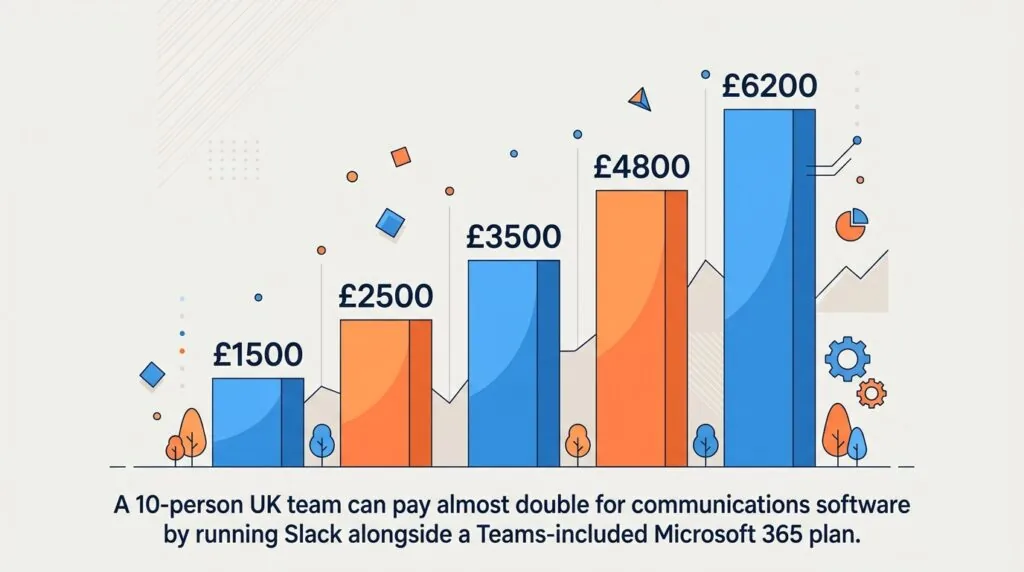
Swapping Teams for Slack on top of a basic Microsoft 365 plan very nearly doubles your communications and productivity spend for a 10-person team — about £510 more a year. And if you keep the Teams-included SKU while also paying for Slack, you’re wasting roughly £300 a year on a chat tool nobody uses. Always switch to the “no Teams” SKU the moment Slack becomes the primary chat tool.
Messaging, Search, and Everyday UX: Why Startups Pay a Slack Premium
Slack Channels, Huddles, and Snappy Workflows
Slack’s interface is built around channels, threads, and instant huddles that open in under a second. Search returns results fast even in busy workspaces, and Slack Connect lets you invite up to 250 external organisations into shared channels on Pro — useful for improving team communication across a growing UK small business that works closely with freelancers or agencies. Workflow Builder lets non-technical staff automate routine tasks without code, and pairs well with automating UK small business tasks using Zapier for anything Slack can’t do natively.
Because Salesforce owns Slack, it also folds basic CRM features — deal tracking, case management — directly into channels on Business+, which is worth comparing against dedicated options in our guide to the best CRM tools for UK small businesses.
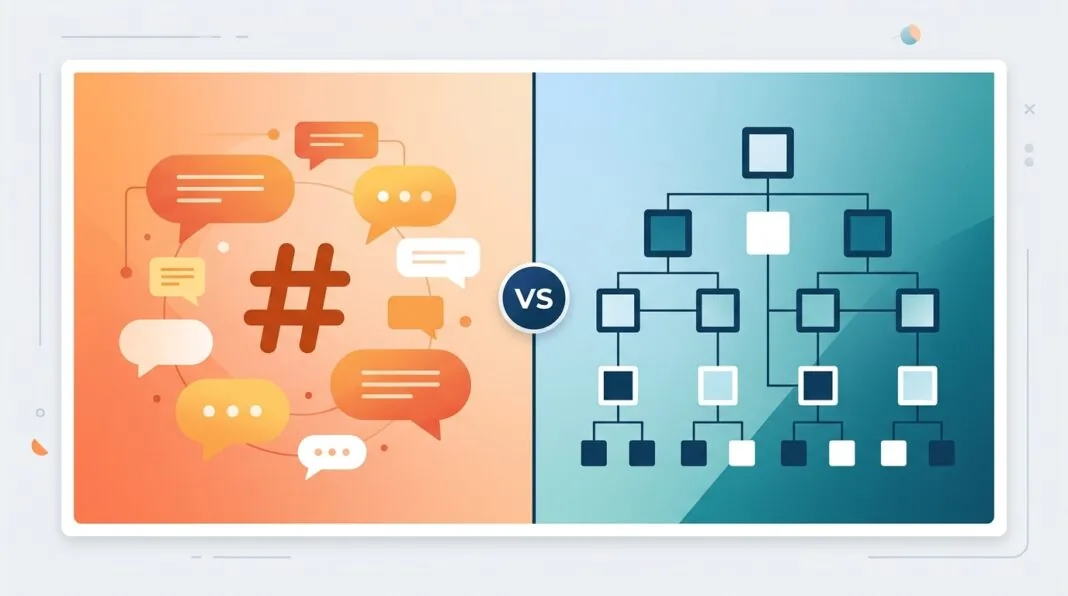
Microsoft Teams’ Structured Hierarchy and “Clunkiness” Factors
Teams organises work around Teams and Channels nested inside them, which suits larger, more formal organisations but adds friction for a five-person startup that just wants to talk. Notifications and search have historically lagged Slack’s speed, and switching between chat, calls, and files inside Teams still involves more clicks than Slack’s flatter layout. Meeting notes and transcripts are solid on paid plans, though many UK teams pair Teams with dedicated tools like Otter.ai for business meetings for sharper summaries.
Video Meetings and Screen Sharing: Scale vs. Spontaneity
Direct answer: Teams wins on scale, Slack wins on spontaneity. Microsoft Teams’ free tier caps group meetings at 60 minutes and 100 participants; any paid Microsoft 365 or Teams Essentials plan lifts this to 300 participants and 30-hour meetings, with enterprise plans reaching 1,000. Slack huddles are built for quick, informal calls rather than scheduled webinars — there’s no meeting-length cap, but huddles aren’t designed to host large all-hands sessions the way Teams is.
If video is your primary use case rather than chat, it’s worth comparing both against dedicated platforms in our roundup of the best video conferencing software for UK small businesses, and pairing whichever you choose with proper scheduling software for UK small businesses to cut down on calendar back-and-forth.
Integrations and Extensibility: Google Workspace/Mixed Stack vs. Single-Pane Microsoft
Slack’s app directory lists over 2,600 integrations and works equally well alongside Google Workspace, Notion, or a mixed stack — it doesn’t assume you’re inside Microsoft’s ecosystem. Teams naturally favours Microsoft-native tools: SharePoint, OneDrive, and Power Automate are tightly woven in, which is a strength if you already rely on them and friction if you don’t.
For task and project tracking specifically, weigh both platforms against a dedicated tool in our guide to the best task management apps for UK small businesses, and check how each handles document storage in our comparison of cloud storage options for UK small businesses — Teams includes 1TB of OneDrive per user from Business Basic upward, while Slack Canvas and Lists are lighter-weight and not a full storage replacement.
Compliance, UK GDPR, and Data Residency Realities
Direct answer: both platforms can meet UK GDPR requirements, but only on their higher tiers. Slack’s free and Pro plans store data by default in the US; UK/EU data residency controls only appear on Business+ and above. Microsoft 365 offers UK-based data centres (UK South and UK West) across all Business tiers, which some regulated UK SMEs find simpler for data-residency conversations with clients or auditors.
Neither platform substitutes for a proper compliance programme. Review your obligations against our guide to GDPR compliance tools for UK small businesses, and make sure two-factor authentication is enabled for every user regardless of which platform you choose — it’s included free on both Slack and Microsoft 365 but isn’t always switched on by default.
Decision Matrix: How to Choose for Your UK SMB
| If you… | Choose |
|---|---|
| Already pay for Microsoft 365 Business Standard or Premium | Stick with Teams — it’s effectively free |
| Run Google Workspace or a mixed software stack | Slack Pro |
| Need UK/EU data residency on a budget | Microsoft 365 (available from Business Basic) |
| Want the fastest day-to-day chat experience and can absorb the cost | Slack, on the “no Teams” Microsoft SKU |
| Host large webinars or all-hands meetings regularly | Microsoft Teams (300+ participant capacity on paid plans) |
| Need built-in light CRM alongside chat | Slack Business+ |
For a similarly structured breakdown of another common software decision, see our Asana vs Trello comparison for UK small businesses, and pair whichever collaboration tool you land on with a solid cybersecurity setup for UK small businesses.
Frequently Asked Questions
Is Microsoft Teams actually cheaper than Slack?
Yes, if you already pay for Microsoft 365 Business Basic, Standard, or Premium — Teams is bundled in at no extra cost. If you’d otherwise buy Microsoft 365 without Teams and add Slack Pro instead, Slack becomes the more expensive option for most UK teams.
Can I use Slack for free in 2026?
Yes. Slack’s free plan has no user limit but caps searchable message history at 90 days, limits huddles to one-to-one calls, and allows up to 10 app integrations. It suits very small teams or short-term projects, not ongoing daily use at scale.
What is the unbundled Microsoft Teams licence in the UK?
Since 2023 in the EEA and Switzerland, and worldwide from April 2024, Microsoft has sold Microsoft 365 Business Basic and Standard in “no Teams” versions at a lower price — £3.40 and £7.10 per user per month respectively in the UK for 2026. This lets businesses that prefer Slack or another chat tool avoid paying for Teams they won’t use.
Is Slack better than Teams for a small UK startup?
For startups without an existing Microsoft 365 subscription, Slack’s speed, search, and Google Workspace compatibility often make it the better everyday tool. For startups already inside Microsoft 365, Teams delivers similar core functionality without the extra £500+ a year a 10-person team would pay to run Slack alongside it.