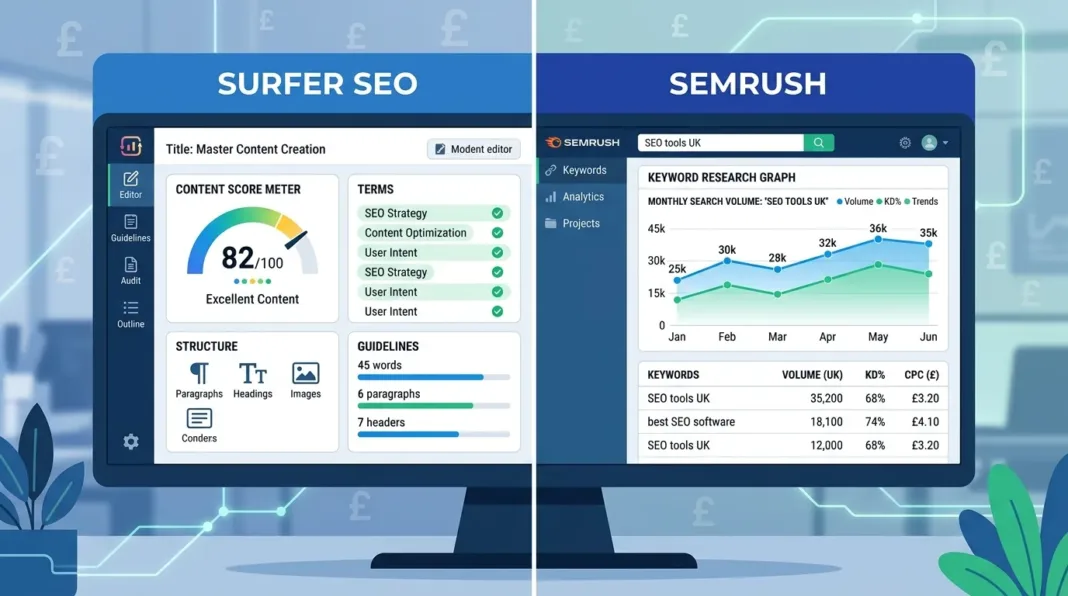

If you run a small business in the UK and you’re weighing up Surfer SEO against Semrush, here’s the short version: Surfer SEO is built for writing and optimising individual pieces of content, while Semrush is a full marketing platform that also happens to include content tools. Most small businesses don’t need both, and picking the wrong one wastes money you probably don’t have to spare.
Quick Verdict
Surfer SEO is the better choice if your main job is writing and optimising blog posts or web pages. It tells you exactly what to include in an article to help it rank, and it’s cheaper if content is your only concern.
Semrush is the better choice if you need keyword research, technical site audits, and backlink tracking alongside content help. It costs more, but it replaces several separate tools.
| Surfer SEO | Semrush | |
|---|---|---|
| Best for | Writing and optimising content | Full SEO and marketing strategy |
| Starting price (approx. GBP)* | From around £62/month | From around £47/month (content add-on) or £157/month (full platform) |
| Keyword research | Basic, cluster-based | Extensive, industry-leading |
| Technical SEO / backlinks | Not included | Core strength |
| Best for beginners | Yes — guided, step-by-step | Less so — more setup and interpretation needed |
*Prices are approximate GBP conversions of published USD pricing and will move with the exchange rate — always check the current price on each provider’s site before buying.
What Is Surfer SEO?
Surfer SEO is a content optimisation tool. You give it a target keyword, and it analyses the pages already ranking for that term, then hands you a brief covering word count, headings, and the specific terms your article should include to compete.
Key Features
- Content Editor and Content Score — scores your draft in real time out of 100 as you write, based on what’s working for top-ranking pages
- AI Writer and AI Humanizer — drafts a starting version of an article and smooths out anything that reads too stiffly
- Topical Map — plans out a cluster of related articles around one main topic, useful if you’re building a blog from scratch
- AI Tracker — checks how often your brand shows up in Google AI Overviews, ChatGPT, and Perplexity answers
Who Surfer SEO Is Best For
Surfer suits anyone whose main job is producing content: a freelance writer, a solo business owner writing their own blog, or a small in-house content team. If your biggest SEO question is “what should this specific article include to rank,” Surfer answers it directly.
What Is Semrush?
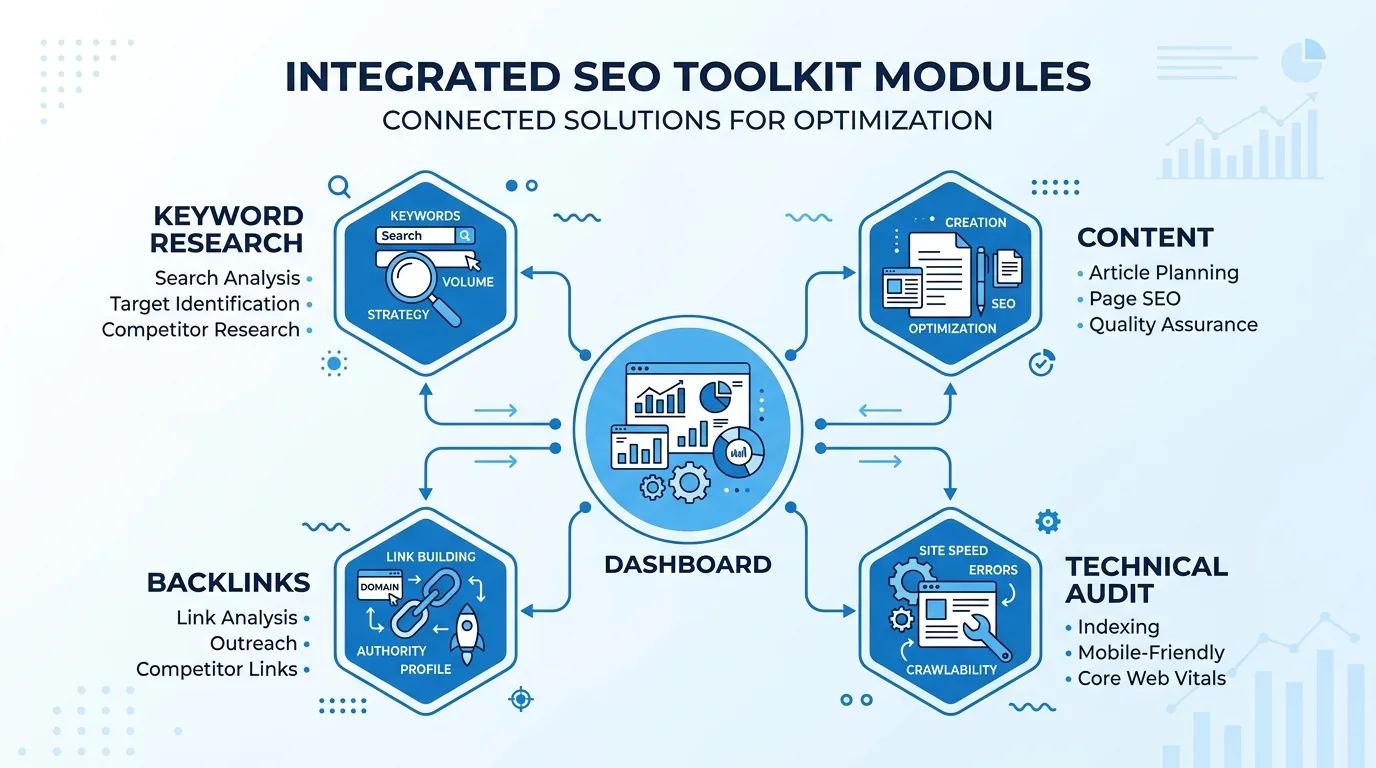
Semrush is an all-in-one marketing platform. Content is one part of it, but it also covers keyword research, technical site audits, backlink analysis, competitor tracking, and paid ads. Where Surfer focuses on one article at a time, Semrush gives you a wider view of your whole website and market.
Key Features
- Keyword Magic Tool — a large keyword database covering 142 country-level databases, useful for finding long-tail and local UK search terms
- SEO Writing Assistant — gives readability, tone, and SEO feedback inside Google Docs or WordPress
- Site Audit — flags technical problems like broken links, slow pages, and crawl errors
- Backlink Analytics — shows who links to you and your competitors, and flags harmful links
- AI Visibility Toolkit — tracks brand mentions in AI search answers, similar to Surfer’s AI Tracker
Who Semrush Is Best For
Semrush suits businesses that need more than content help: local shops managing their Google Business Profile alongside SEO, small agencies juggling several client sites, or anyone who wants keyword research, technical fixes, and competitor tracking under one login.
Surfer SEO vs Semrush: Head-to-Head Comparison
Content Writing and Optimisation
Surfer wins here. Its Content Editor gives granular, specific guidance — exact word counts, heading counts, and terms to work in — and that level of detail has a documented link to better rankings. Semrush’s SEO Writing Assistant is genuinely useful for readability and tone, but it’s less prescriptive. One Reddit user comparing the two put it simply: writers with no SEO background get clearer cues from Surfer, while Semrush works better for people who already know roughly what they’re doing.
Keyword Research
Semrush wins clearly. Its Keyword Magic Tool and Keyword Gap analysis go far deeper than anything Surfer offers, with granular data on volume, difficulty, and cost-per-click across international and UK-specific databases. Surfer’s keyword tools are fine for grouping topics into a content plan, but they’re not built for deep market research.
Technical SEO and Backlink Analysis
Semrush is the only real option of the two. Surfer has no technical audit or backlink tool at all — its “Content Audit” only looks at on-page content, not site health. If broken links, slow load times, or a messy backlink profile are part of your problem, Semrush is doing a job Surfer simply isn’t built for.
AI Search Visibility
Both tools now track how often your brand appears in AI-generated answers from Google AI Overviews, ChatGPT, and Perplexity — Surfer through its AI Tracker, Semrush through its AI Visibility Toolkit. This is a genuinely new front in SEO, and neither tool has a clear lead yet. If AI visibility matters to you specifically, check which platforms each tool currently tracks, since coverage is expanding fast and can change between releases.
Ease of Use for Beginners
This is where most comparisons fall short, and it matters most for small business owners without a marketing background. Surfer is more approachable if you’ve never done SEO before — it tells you what to do, in order, inside one editor. Semrush has more raw power but a steeper learning curve: its dashboard is split across separate toolkits, and it takes longer to work out where to start. If you’ve got an afternoon a week for SEO and no prior experience, Surfer will feel less overwhelming.
Pricing Compared (Real UK Costs)
| Plan | Approx. GBP/month* | What you get |
|---|---|---|
| Surfer Essential | ~£78 | 30 Content Editor articles |
| Surfer Scale | ~£173 | 100 articles + 5 AI Tracker prompts |
| Semrush Content Toolkit (add-on) | ~£47 | ContentShake AI, SEO Writing Assistant only |
| Semrush One Starter | ~£157 | Full SEO, content and AI Visibility toolkit |
*Based on published USD pricing converted at typical exchange rates. Rates move, so confirm current pricing directly with each provider before you commit — and check whether VAT is added at UK checkout, since headline prices from US-based software firms are often shown pre-VAT.
Which gives better value for a small budget? If content is genuinely your only need, the Semrush Content Toolkit add-on is the cheapest way into either ecosystem, but it’s noticeably shallower than Surfer’s main product. Surfer Essential costs more but gives you the fuller optimisation experience. If you need the full picture — research, audits, backlinks, and content — Semrush One is expensive but replaces what would otherwise be two or three separate subscriptions.
Can You Use Surfer SEO and Semrush Together?
Yes, and many small teams do exactly this. A common workflow looks like:
- Use Semrush for keyword research, competitor gap analysis, and technical site health checks
- Use Surfer to write and optimise the actual articles once you know what to target
- Use whichever AI visibility tool you prefer to monitor brand mentions in AI answers over time
This split makes sense because the tools rarely overlap in what they’re actually good at. The catch is cost — running both means paying for two subscriptions, so it only makes sense once your content volume and budget can justify it. Most solo business owners are better off starting with one tool and adding the second later, once SEO is clearly paying off.
If Neither Fits Your Budget
Not every small business needs Surfer’s or Semrush’s price tag from day one. If you’re just getting started, cheaper all-in-one alternatives like SE Ranking, Mangools, or Ubersuggest cover the basics — keyword tracking, simple audits, and rank monitoring — at a fraction of the cost. They won’t match Surfer’s content depth or Semrush’s data scale, but they’re a reasonable starting point while you’re still validating that SEO is worth investing in. Many businesses at this stage are also weighing up their broader AI tool stack rather than buying SEO software in isolation, which is worth doing first if you haven’t already.
Final Verdict: Which Should a UK Small Business Choose?
There’s no single right answer — it depends on what you’re actually short on: time to write, or data to plan with.
- Solo blogger or freelancer: Choose Surfer SEO. You need help writing well-structured, ranking articles, not a full marketing suite you’ll barely touch.
- Local service business (trades, clinics, salons): Start with the Semrush Content Toolkit add-on for basic content help, and put the rest of your budget into your Google Business Profile and local listings, which usually matter more for local search than either tool alone.
- Small ecommerce store: Choose Semrush. Technical SEO and backlink health matter more at scale for product and category pages than granular on-page scoring.
- Small agency managing client sites: Choose Semrush One. You’ll need the full toolkit to service multiple clients, and the AI Visibility Toolkit is a genuine differentiator for client reporting.
Whichever you choose, treat it as one line item in a wider marketing setup — alongside things like your website builder, your Google Workspace or Microsoft 365 setup, and how you use AI more broadly to grow the business.
Frequently Asked Questions
What’s the main difference between Surfer SEO and Semrush for content writers?
Surfer gives granular, article-by-article feedback through its Content Score. Semrush’s content tools are useful but sit inside a much broader platform built primarily for wider SEO and marketing tasks, not just writing.
Which tool is better for keyword research?
Semrush, without much debate. Its Keyword Magic Tool and Keyword Gap analysis offer far deeper data — volume, difficulty, CPC, and competitor rankings — than Surfer’s more basic clustering tools.
Is Surfer SEO or Semrush better for a small business just starting SEO?
Surfer SEO is usually easier for a genuine beginner, because it tells you exactly what to do inside one editor. Semrush has more capability overall but takes longer to learn.
How much do Surfer SEO and Semrush cost in the UK?
Surfer starts at roughly £78/month for its Essential plan. Semrush’s content-only add-on is around £47/month, while the full Semrush One platform starts around £157/month. Always check current pricing and VAT directly with each provider, since these are USD-to-GBP conversions and rates shift.
Can I use Surfer SEO and Semrush together?
Yes. A common approach is Semrush for research, audits and backlinks, and Surfer for writing and on-page optimisation. It works well once your content volume justifies paying for both.
Which tool is better for technical SEO?
Semrush, and it isn’t close. Surfer has no technical site audit or backlink analysis features at all — that’s simply outside what it’s built to do.