
Sage and Xero are the two names that come up in almost every UK accounting software search, and for good reason. Both are HMRC-recognised, both handle Making Tax Digital for VAT, and both have been around long enough to have loyal followings and vocal critics. What they’re not is interchangeable.
Quick Answer: Sage vs Xero at a Glance
Xero generally suits UK small businesses that want a clean interface, strong bank feed automation, and a large app marketplace. Sage tends to work better for businesses that need more flexible invoicing limits, established payroll tools, or are already embedded in Sage’s ecosystem through an accountant or bookkeeper.
| Feature | Xero | Sage |
|---|---|---|
| Starting price (UK) | From around £16/month | From around £18/month |
| Free trial | Yes, 30 days | Yes, 30 days |
| MTD for VAT | Yes | Yes |
| Payroll | Add-on, per employee | Often bundled or lower-cost add-on |
| Invoice limits (entry plan) | Limited on lowest tier | Typically unlimited |
| Bank connections | 21,000+ banks globally | Strong UK bank coverage |
| App marketplace | 1,000+ integrations | Smaller, growing marketplace |
| Best for | Service businesses, freelancers, scaling SMEs | Stock-heavy businesses, established Sage users, simpler invoicing needs |
Pricing changes regularly, so always check current plans directly with each provider before committing.
What Are Sage and Xero?
Sage is one of the UK’s longest-running accounting software providers, founded in 1981 and now operating in more than 20 countries. Sage Accounting is built for small businesses, with products like Sage 50 for desktop-style users and Sage Intacct for larger, more complex organisations.
Xero was founded in New Zealand in 2006 and built as cloud-native software from the start. It now has millions of subscribers worldwide, with a significant share based in the UK. Xero has generally positioned itself around simplicity, mobile access, and integration with third-party apps.
The age gap matters practically. Sage’s longer UK history means more established bookkeepers and older businesses are already trained on it. Xero’s cloud-first design means it tends to feel more modern to new users who haven’t used desktop accounting software before.
Pricing Compared
Neither platform publishes a single “correct” price because both run frequent promotional discounts and regional variations. What matters more than the headline number is what’s included at each tier.
Xero’s UK plans typically scale by feature access rather than user numbers. Lower tiers restrict things like the number of invoices and bills you can process monthly, with unlimited usage only unlocked on higher plans. This catches out businesses that assume a low entry price includes everything.
Sage’s UK pricing structure tends to be simpler, with fewer plan tiers but broader invoicing allowances included from the start. The trade-off is that some advanced reporting and multi-user features sit behind higher tiers too.
Common pricing mistake: businesses compare the cheapest plan of each provider without checking what’s excluded. Payroll, multi-currency, and advanced reporting are frequently add-ons on both platforms, not core features. Always price out the plan that matches your actual invoice volume and employee count, not the entry-level teaser price.
If your business is a sole trader with very simple needs, it’s worth comparing both against free or lower-cost alternatives first — see our guide to the best free accounting software for UK small business before paying for either.
Features Head-to-Head
Invoicing and Quotes
Sage generally offers more generous invoice and quote limits on entry-level plans, which matters for businesses sending high volumes of low-value invoices. Xero’s invoicing tools are more customisable in appearance and automation (like automated payment reminders), but the base plan caps monthly invoice numbers.
If invoicing automation specifically is your priority, it’s worth reading a dedicated comparison of automating invoicing for UK small business before deciding based on either platform’s built-in tools alone.
Bank Feeds and Reconciliation
Both platforms connect to UK banks for automatic feeds, but Xero has historically had broader global bank connectivity, which matters if you deal with international suppliers or customers. Reconciliation on both platforms uses AI-assisted matching, though user reports suggest Xero’s matching engine handles varied transaction descriptions slightly better.
Making Tax Digital and VAT
Both Sage and Xero are HMRC-recognised for Making Tax Digital (MTD) for VAT. This means both can digitally submit VAT returns directly to HMRC without manual re-entry, which has been a legal requirement for most VAT-registered UK businesses since 2019, with MTD for Income Tax Self Assessment rolling out for eligible sole traders and landlords from April 2026.
Neither platform is “more compliant” than the other here — both meet the same HMRC technical standard. The difference is in how the VAT workflow feels day to day: Xero tends to flag VAT anomalies earlier in the reconciliation process, while Sage’s VAT return review screen is more detailed for users who want to check every line manually.
For a broader look at compliant software options beyond just these two, see our guide to Making Tax Digital software UK free options.
Payroll
Payroll is where cost differences add up fastest. Xero charges payroll as a per-employee add-on, which is manageable for small teams but scales quickly for businesses with 10+ staff. Sage often bundles payroll more affordably or prices it with fewer per-head penalties, which is one reason Sage remains popular with businesses that have larger, stable headcounts.
Practical example: a 15-employee business running Xero payroll could pay noticeably more per month than the same business on Sage, simply because of the per-employee pricing structure. If payroll cost is your main concern, run the actual maths for your headcount before choosing based on other features.
Reporting and Analytics
Sage’s reporting structure is generally more flexible for businesses that want departmental profit-and-loss breakdowns or cost centre analysis without upgrading to a higher accounting tier. Xero’s reporting is cleaner visually but some of the more granular analysis sits on higher-priced plans. Neither platform replaces a dedicated management reporting tool for businesses with complex multi-entity needs — that’s usually where Sage Intacct or Sage 200 comes in.
Inventory and Stock Management
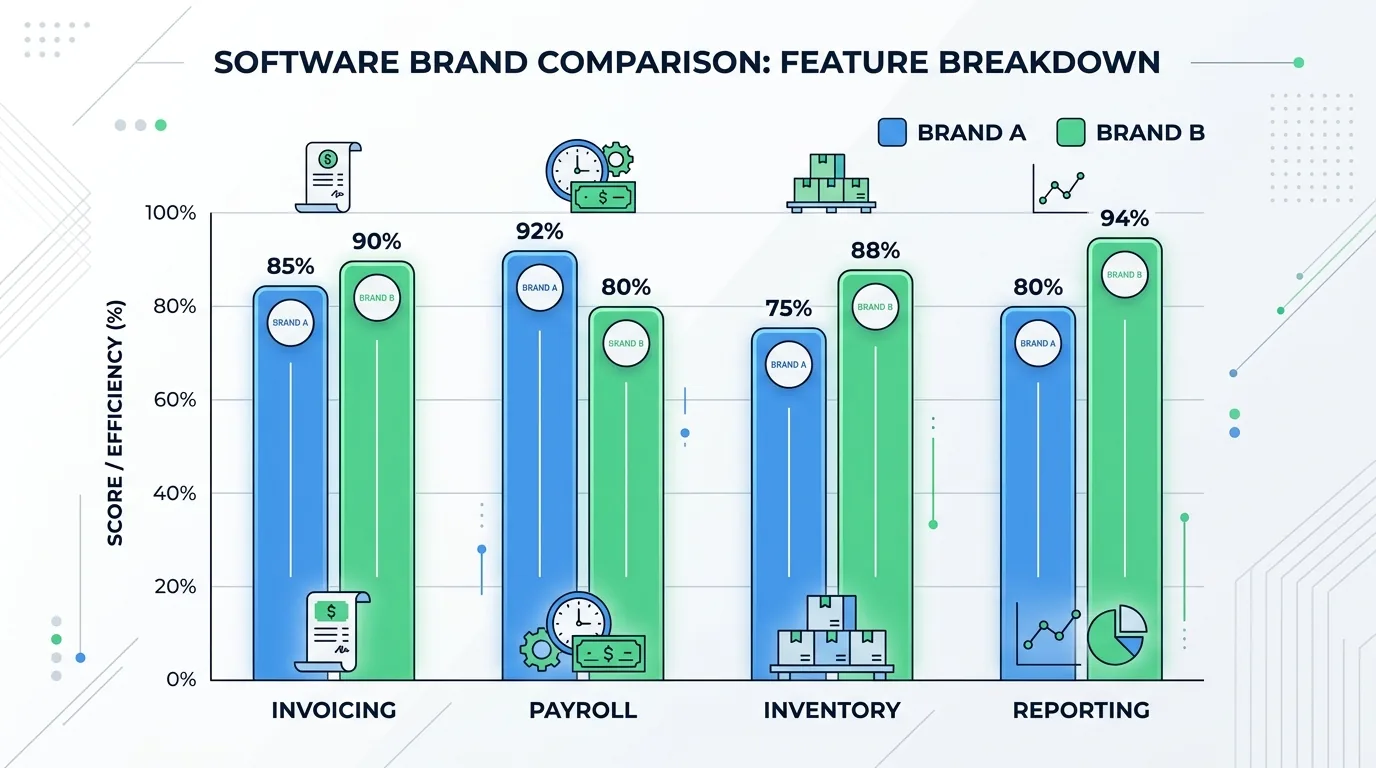
This is a clear differentiator. Sage has stronger native stock control, which suits product-based businesses managing purchase orders, stock valuation, and reordering. Xero’s inventory tools are functional for straightforward stock tracking but weaker for businesses with complex warehousing or manufacturing needs.
App Marketplace and Integrations
Xero’s app marketplace is significantly larger, with over 1,000 third-party integrations covering everything from e-commerce platforms to project management tools. This matters if you rely heavily on connected software — for example, if you run a Shopify or WooCommerce store and need clean accounting sync, it’s worth checking our Shopify vs WooCommerce UK comparison alongside your accounting choice. Sage’s marketplace is smaller but growing, with solid coverage of mainstream UK business tools.
Mobile App and Day-to-Day Usability
Xero’s mobile app is widely regarded as more polished, letting users send invoices, check cash flow, and reconcile transactions on the go. Sage’s mobile experience has improved but still feels secondary to its desktop-originated design. For business owners who manage finances primarily from a phone, this is a meaningful practical difference, not just a preference.
Ease of Use and Learning Curve
Xero is generally easier for first-time accounting software users because its interface was designed cloud-first, with fewer nested menus. Sage’s interface carries more legacy structure from its desktop software history, which some long-term users prefer for its depth, but new users often describe it as more cluttered initially.
The honest trade-off: Sage’s steeper initial learning curve is often offset by its more powerful underlying feature set once you’re past the first few weeks. Xero’s simplicity is real, but it can mean digging into settings for functionality that’s more immediately visible in Sage.
Customer Support and UK Accountant Compatibility
Both platforms offer UK-based support, though response times and support channels vary by plan tier. This is a detail worth checking directly on each provider’s site since support quality genuinely affects day-to-day usability, especially during your first VAT submission or year-end close.
Accountant and bookkeeper compatibility matters more than most comparisons acknowledge. If your accountant already works primarily in Sage or Xero, switching software means either retraining them or changing accountants — a real cost that rarely appears in feature comparisons. Ask your accountant which platform they’re most fluent in before making a final decision.
Which Is Better for Your Type of Business?
Sole Traders and Freelancers
Sage tends to suit very small operations that mainly need invoicing and basic expense tracking, especially where invoice volume is high but complexity is low. That said, sole traders with genuinely simple needs should also compare both against dedicated freelancer tools — see our FreeAgent vs Xero UK sole trader breakdown, since FreeAgent comes free with several UK business bank accounts.
Startups and Service-Based Businesses
Xero is usually the stronger fit here. Service businesses tend to value the cleaner interface, strong app integrations, and mobile invoicing over Sage’s deeper stock and reporting tools they’ll rarely use.
Stock-Heavy or Product-Based Businesses
Sage generally wins for businesses managing physical inventory, purchase orders, and stock valuation. Its native inventory tools are more capable out of the box, reducing the need for third-party stock management add-ons.
Growing SMEs and Multi-Entity Businesses
Xero scales well for growing service businesses through its Ultimate-tier plans and app ecosystem. Businesses expecting significant complexity — multiple entities, consolidated reporting, larger finance teams — often outgrow both Sage Accounting and Xero, eventually moving to Sage Intacct, Sage 200, or a dedicated ERP system.
Common Mistakes When Choosing Between Sage and Xero
- Comparing entry-level prices only, without checking what’s excluded (payroll, multi-currency, advanced reporting).
- Ignoring accountant compatibility, which can cost more in retraining or switching fees than the software itself.
- Underestimating payroll costs on per-employee pricing models as headcount grows.
- Choosing based on brand recognition rather than actual feature fit for business type (service vs stock-based).
- Not checking MTD for Income Tax readiness if you’re a sole trader or landlord affected by the phased 2026 rollout.
Switching Between Sage and Xero
Migrating from Sage to Xero
Xero provides data import tools for historical transactions, contacts, and chart of accounts when moving from Sage. Most businesses can complete a basic migration within a few days, though opening balances and historical reports often need manual verification afterward. It’s worth running both systems in parallel for one VAT period before fully switching, to catch discrepancies early.
Migrating from Xero to Sage
Moving the other direction is less common but follows a similar pattern: export your Xero data, then use Sage’s import tools to bring across contacts and transaction history. This direction typically requires more manual reconciliation because Sage’s data structure differs more from Xero’s than the reverse.
In both directions, back up your existing data independently before starting, and confirm your accountant has reviewed the migrated opening balances before you rely on the new system for live reporting.
What Real UK Users Say
Beyond vendor marketing, forum discussions on platforms like Reddit and AccountingWEB reveal consistent themes. Users switching from Sage to Xero frequently cite the interface and mobile experience as the main driver. Users who move the other way, or who stick with Sage, tend to cite invoicing limits and payroll cost as their reasoning.
A recurring complaint about Xero is the entry-plan invoice cap catching businesses off guard after they’ve already migrated their data. A recurring complaint about Sage is that its interface feels dated compared to newer cloud-first competitors, even though the underlying functionality is often deeper.
Neither platform receives universally positive sentiment, which is a useful signal in itself — both work well for the right business and poorly for the wrong one.
Sage vs Xero: Final Verdict
There’s no universal winner. Xero is the stronger choice for most UK service-based small businesses, freelancers wanting a modern interface, and businesses relying heavily on third-party app integrations. Sage is the stronger choice for stock-heavy businesses, businesses with larger, stable payroll headcounts, and those already working with a Sage-trained accountant.
If you’re still unsure, use the free trials on both. Import a few weeks of real transaction data rather than test data, and see which one your actual workflow fits — not which one looks better in a demo.
For businesses evaluating accounting software as part of a wider tech stack decision, it’s also worth comparing Xero vs QuickBooks for UK small business and looking at receipt and document capture tools like our Dext vs Hubdoc UK accounting software comparison, since both integrate differently with Sage and Xero.
Frequently Asked Questions
Is Xero or Sage better for a sole trader?
Sage often suits sole traders with high invoice volume and simple needs, while Xero suits those who want a modern mobile-first interface. Sole traders should also compare both against free options like FreeAgent before paying for either.
Which is cheaper, Sage or Xero?
Entry-level pricing is similar, but total cost depends on invoice volume, payroll headcount, and which features you need unlocked. Sage’s entry plans often include more invoicing capacity; Xero’s per-employee payroll costs can add up faster for larger teams.
Which is HMRC MTD-compliant?
Both Sage and Xero are HMRC-recognised for Making Tax Digital for VAT, and both are updating for the phased MTD for Income Tax Self Assessment rollout from April 2026.
Can I switch from Sage to Xero easily?
Yes, using Xero’s built-in data import tools, though opening balances and historical reports typically need manual verification. Running both systems in parallel for one VAT period reduces the risk of errors.
Does Sage or Xero integrate with UK banks better?
Both connect to major UK banks for automatic feeds. Xero has broader international bank connectivity, which matters more for businesses with overseas suppliers or customers than for purely UK-based operations.