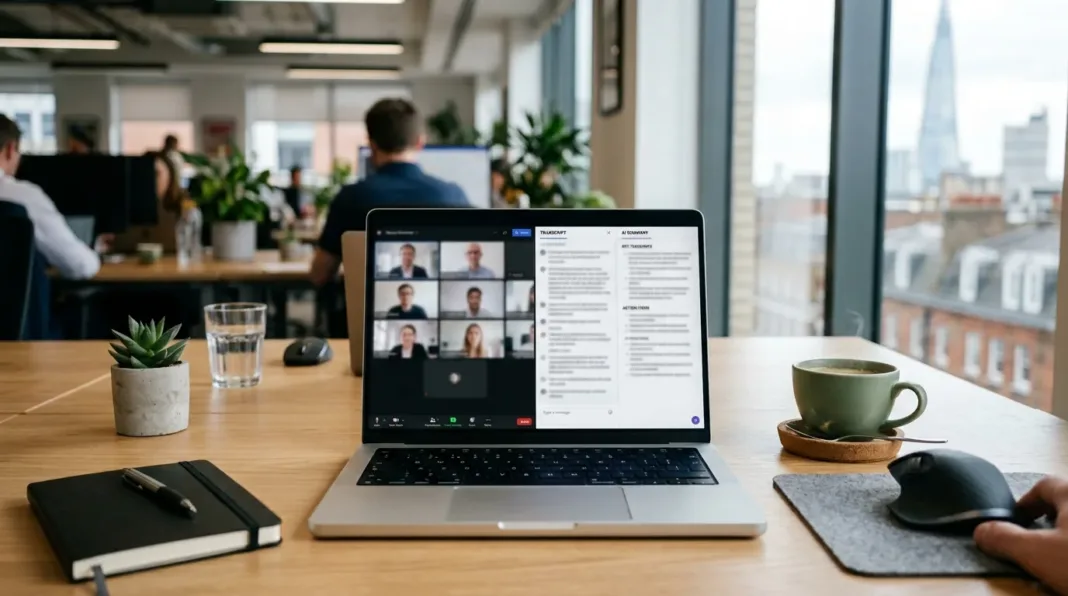

Sitting through a meeting and typing notes at the same time is hard. Doing it while actually contributing to the discussion is harder. That’s the gap meeting transcription software fills — it records the call, turns it into text, and often hands you a summary and action list before you’ve even closed your laptop.
Do You Actually Need Dedicated Transcription Software?
Not always. Zoom, Microsoft Teams, and Google Meet all include built-in transcription now, and for internal syncs that might be enough.
Check your existing video conferencing tool first. If you’ve already compared Zoom vs Google Meet or use Microsoft Teams day to day, native transcription is usually included on paid plans.
Dedicated software earns its cost when you need:
- Transcripts across multiple platforms (Zoom, Teams, Meet, and in-person)
- Speaker-labelled transcripts with searchable summaries
- Action items pulled out automatically
- A permanent, exportable record for compliance or client work
- Better accuracy than the built-in option gives you
If none of that applies, stick with what’s already in your video conferencing tool and save the subscription.
How We Assessed These Tools
We looked at five things: transcription accuracy (including UK regional accents), how each tool captures a meeting, the quality of AI summaries, GDPR and data-hosting practices, and pricing converted to GBP. Every tool below is currently active in 2026 — several older tools reviewed in older UK roundups, including Reason8 and Voicera, have since faded from relevance, so we’ve left them out.
A note on UK accent accuracy
Most vendors quote a single global accuracy figure, usually 90%+, without breaking it down by accent. In practice, transcription engines trained heavily on American English can still stumble on strong regional UK accents — Scottish, Geordie, and Welsh English in particular. If accuracy matters for your use case (client-facing transcripts, board minutes), test a tool on a real call with your team before committing to an annual plan.
Best Meeting Transcription Software UK — At a Glance
| Tool | Best for | Free plan | UK pricing (approx.) | Data hosting |
|---|---|---|---|---|
| Otter.ai | Budget-friendly meeting capture | 300 mins/month | From ~£6.50/user/month | US |
| HappyScribe | GDPR-conscious, multilingual teams | Unlimited (45 min cap) | From ~£6.70/month | EU |
| tl;dv | Sales teams needing clips and CRM sync | Unlimited recordings | From ~£23/user/month | EU/US |
| Fireflies.ai | CRM-integrated note-taking | Limited free tier | From ~£8/user/month | US |
| Krisp | Noisy environments, remote workers | 7-day trial only | From ~£13/user/month | Local/on-device |
| Notta | Multilingual teams, visual outputs | 120 mins/month | From ~£11/user/month | Cloud (AWS) |
Prices are converted from published USD/EUR rates and will fluctuate with exchange rates — always check the provider’s site for current UK pricing.
The Best Meeting Transcription Software, Reviewed
1. Otter.ai — Best Budget Option
Otter is the tool most people have already heard of, and it’s a solid entry point if you’re new to meeting transcription. It connects to your calendar, auto-joins scheduled Zoom, Teams, and Meet calls, and gives you a live transcript as the meeting happens.
The free plan includes 300 transcription minutes a month, which covers a handful of meetings. Paid plans start at roughly £6.50 per user per month, rising for more advanced AI features and higher recording limits.
Pros: live transcription, good speaker labelling once trained, works from browser without installing anything.
Cons: accuracy dips noticeably with multiple speakers or background noise; support has had mixed reviews.
2. HappyScribe — Best for GDPR and Multilingual Teams
HappyScribe stands out for two reasons: it hosts data in the EU with SOC 2 Type II certification, and it offers both AI and human-reviewed transcription on the same platform. For a routine internal meeting, AI transcription is fine. For a board meeting or a legal record, you can upgrade that same file to human review for near-perfect accuracy.
It supports transcription in 150+ languages and handles accent variation well, based on our testing across different English accents. Pricing starts at around £6.70 a month for the Basic tier, rising to roughly £15 for Pro.
Pros: EU data hosting, optional human review, bot-free browser recording for discreet calls.
Cons: free tier for uploaded files is capped at 10 minutes; not built for live real-time transcription during the call itself.
3. tl;dv — Best for Sales Teams
If your meetings are sales calls rather than internal syncs, tl;dv is worth a look. It lets you clip specific moments from a transcript, tag them, and push notes straight into your CRM.
The free plan includes unlimited recordings and transcriptions, which is generous. Paid plans jump to around £23 per user per month for Pro, with a steep increase to access sales-coaching features on Business.
Pros: genuinely useful for reviewing call patterns across a whole sales team; works without a visible bot joining the call.
Cons: language support is more limited than rivals (30+ languages); pricing escalates quickly once you need coaching features.
4. Fireflies.ai — Best for CRM-Linked Note-Taking
Fireflies focuses on getting meeting notes into the tools you already use. It syncs cleanly with CRMs and project management software, so action items land where your team actually works rather than sitting in a separate transcript archive.
Pricing starts around £8 per user per month for the entry paid tier.
Pros: strong integration ecosystem; decent accuracy on clear audio.
Cons: automation and customisation are more limited than some competitors; pricing isn’t published in pounds, so UK buyers need to check the current exchange rate before committing.
5. Krisp — Best for Noisy Environments
Krisp began as a noise-cancellation tool, and that’s still its strongest feature. It strips background noise from both sides of a call — useful if your team works from home offices, co-working spaces, or anywhere with unpredictable background sound. The noise cancellation runs locally on the device, so audio doesn’t leave your machine before it’s cleaned up.
There’s no free plan beyond a 7-day trial, and pricing starts at roughly £13 per user per month.
Pros: best-in-class noise cancellation; works at the system level, so it’s compatible with almost any conferencing app.
Cons: language support tops out at 16+ languages, which is thin next to rivals; no meaningful free tier to test it properly.
6. Notta — Best for Visual Meeting Outputs
Notta takes a transcript and turns it into more than text — slides, summaries, and decision frameworks generated automatically. If your team regularly turns meeting notes into a shareable deck or report, this removes a manual step.
The free plan gives you 120 minutes a month, though each individual recording is capped at 3 minutes, which makes it fairly impractical for real meetings on the free tier. Paid plans start at around £11 per user per month.
Pros: genuinely useful auto-generated visual outputs; broad language support (58 languages).
Cons: the free-tier recording cap is too short to be useful; video recording is locked behind the more expensive Business plan.

Is Meeting Transcription Software GDPR-Compliant and Legal in the UK?
Short answer: it can be, but compliance depends on the provider’s data hosting, and recording a meeting without telling attendees can breach UK GDPR and workplace policy, even if it isn’t automatically a criminal offence.
Under UK GDPR, recording someone’s voice and turning it into a transcript counts as processing personal data. That means you generally need a lawful basis to do it, and attendees should reasonably expect to be recorded — which usually means telling them before the meeting starts, not burying it in a calendar invite nobody reads.
Practical steps for UK teams:
- Tell attendees a bot or recording tool is joining, ideally in the meeting invite and again verbally at the start.
- Check where the vendor stores your data. EU or UK hosting (HappyScribe, for example) reduces the compliance questions around international data transfers.
- Confirm the vendor is SOC 2 Type II certified or equivalent, and that recordings are encrypted in transit and at rest.
- Set a retention policy — don’t let transcripts pile up indefinitely if you don’t need them.
- Give people a way to opt out or have their contribution excluded from the recording if they object.
If your business already has a UK GDPR compliance checklist, add meeting transcription tools to it as a named data processor. It’s also worth confirming your ICO registration covers this kind of data processing, and reviewing your security posture more broadly — Cyber Essentials certification is a reasonable baseline if you’re storing sensitive client conversations.
How to Get the Most Accurate Meeting Transcripts
A transcription tool is only as good as the audio and setup you give it. A few adjustments make a bigger difference than switching providers:
- Name your speakers early. Most tools improve attribution once they’ve heard each voice for a sentence or two.
- Add a custom glossary for company or industry jargon, so it stops guessing at product names or acronyms.
- Use a single good microphone rather than relying on a laptop mic across the room — this matters more for accuracy than which software you choose.
- Set regional accent or language preferences where the tool allows it, particularly if your team has strong regional accents.
- Don’t talk over each other. Every tool in this guide performs worse with heavy crosstalk, no matter how advanced the AI.
Meeting Transcription Software FAQ
Is it legal to record a meeting without telling people in the UK?
Recording a meeting without informing attendees can breach UK GDPR, since voice recordings count as personal data and people generally need to know they’re being recorded. It isn’t automatically a criminal offence, but it exposes your business to a data protection complaint. Always tell attendees before recording starts.
What’s the most accurate free meeting transcription tool?
Otter.ai and HappyScribe both offer generous free tiers with solid accuracy for clear, single-language audio. HappyScribe’s free plan allows unlimited recordings up to 45 minutes each, which is more practical for real meetings than Notta’s 3-minute cap per recording.
Do these tools work with Zoom, Teams, and Google Meet?
Yes. Every tool in this guide integrates with Zoom, Microsoft Teams, and Google Meet, either by joining as a calendar-linked bot or by recording system audio without a visible participant. If you’re still deciding between platforms, our video conferencing software comparison covers which conferencing tools pair best with AI note-taking.
How much does meeting transcription software cost in the UK?
Free plans exist across most providers, typically capped by minutes per month. Paid plans range from around £6.50 to £23 per user per month, depending on features like real-time transcription, CRM sync, or sales coaching. Most vendors price in USD or EUR, so UK buyers should check current pricing before committing to an annual plan.
Can it transcribe in-person meetings, not just video calls?
Some tools can. HappyScribe and Notta both offer mobile apps or browser-based recorders that capture in-person conversations, not just virtual calls. If in-person meetings are your main use case, confirm this specifically before signing up, since several tools are built primarily for online video calls.
Verdict: Which Should You Choose?
For most UK small businesses, HappyScribe is the safest starting point — EU data hosting, a genuinely usable free tier, and the option to upgrade to human review when accuracy really matters. If budget is the only concern, Otter.ai’s free plan is generous enough to test properly. Sales teams should look at tl;dv for the CRM and coaching features, and anyone working from noisy home offices will get more value from Krisp than from switching transcription providers repeatedly.
Whichever tool you pick, test it on a real meeting with your actual team before paying for an annual plan. Accuracy varies more by accent and audio setup than any spec sheet will tell you. And if you’re building out your wider software stack, it’s worth checking how this fits alongside the AI tools UK small businesses already use day to day.