

Making Tax Digital (MTD) requires sole traders and landlords above set income thresholds to record their business transactions in software rather than on paper, and to send HMRC a summary every quarter. It does not require you to scan receipts. It does not replace your annual tax bill calculation. It changes how and when you record and report income and expenses.
If your combined self-employment and property income was over £50,000 in the 2024/25 tax year, this has applied to you since 6 April 2026. Here’s exactly what counts as compliant, what doesn’t, and what happens if you get it wrong.
What Is Digital Record Keeping Under Making Tax Digital (MTD)?
Digital record keeping means every business transaction is entered into MTD-compatible software at, or very close to, the point it happens — not batched up and typed in from memory at year-end.
The Core Rule: Digital Point of Entry
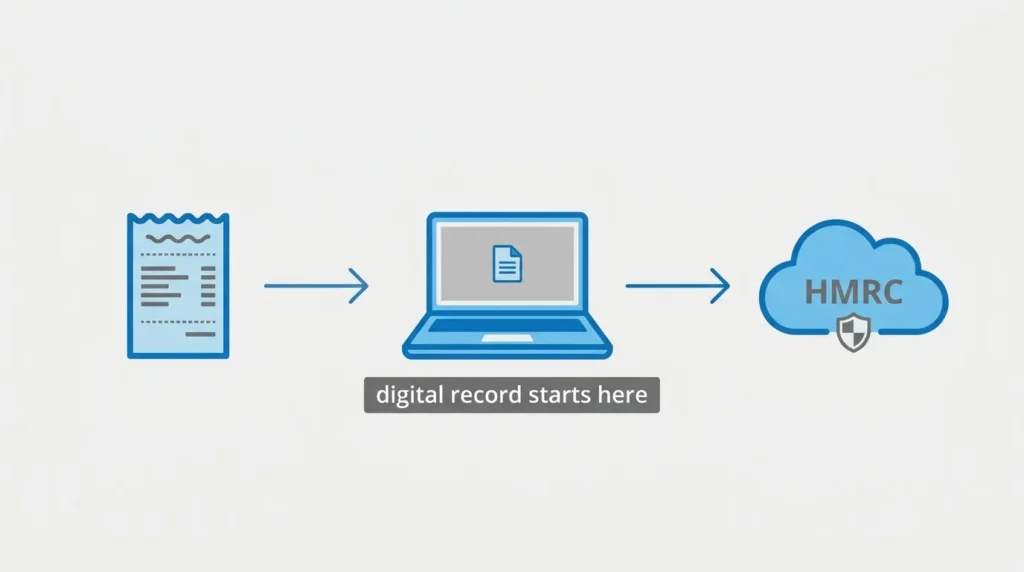
The rule is simple: once a transaction happens, its details (date, amount, and category) must go into your digital records. A handwritten note that later gets typed into a spreadsheet is not digital record keeping at the point it was written — the digital record starts the moment it’s typed in, and everything after that must stay digital.
This matters because HMRC doesn’t just check what number ends up on your tax return. It expects an unbroken digital trail from the original entry through to the final submission.
Do You Need to Digitise Paper Receipts? (Debunking the Myth)
No. This is the most common misunderstanding about MTD. HMRC does not require you to scan, photograph, or upload paper receipts and invoices. You can keep the physical copies in a drawer.
What must be digital is the data — the date, the amount, and what it was for. As long as that information is entered into your software, the paper original can stay exactly where it is. Many software packages let you photograph receipts anyway for your own convenience, but it’s not a legal requirement.
Who Must Comply with MTD for Income Tax (ITSA) and When?
MTD for Income Tax Self Assessment applies to sole traders and landlords whose combined gross income from self-employment and property exceeds a set threshold, based on their income two tax years earlier.
The Phased Rollout Thresholds (2026, 2027, and 2028)
| From | Qualifying income threshold | Based on tax year |
|---|---|---|
| 6 April 2026 | Over £50,000 | 2024/25 |
| 6 April 2027 | Over £30,000 | 2025/26 |
| 6 April 2028 | Over £20,000 | 2026/27 |
Qualifying income is gross turnover — before you deduct any expenses — from self-employment and property combined. A landlord earning £30,000 in rent who also runs a side business making £25,000 is over the £50,000 threshold on a combined basis, even though neither income source alone would trigger it.
Partnerships are not yet in scope. HMRC has confirmed they’ll be brought in at a later date, still to be announced.
Joint Property Owners and MTD Exemptions
If you jointly own a rental property, only your share of the income counts toward your personal threshold — not the total rent collected. Two joint owners splitting £60,000 in rent equally would each have £30,000 in qualifying income, which only brings them into scope once the threshold drops to that level.
Automatic exemptions apply if you don’t have a National Insurance number, or if your prior tax return included income from a trust, foreign income requiring the SA109 pages, or averaging relief for farming or creative work. You can also apply for a “digitally excluded” exemption on grounds of age, disability, location, or religious belief.
Exactly What Data Must Be Recorded Digitally?
HMRC expects two categories of information in your digital records: your business details, and every transaction.
Required Designatory Business Data
Your software needs to hold your business name, the nature of the business, and the address of your main place of business. This only needs entering once, not with every transaction.
Recording Sole Trader Income and Expenses
Every sale and every business expense needs a digital entry showing the amount, the date, and the category it falls under (for example, “office costs” or “travel”). You don’t need a line-by-line entry for every till receipt if your software totals a day’s takings automatically from connected sales channels — but the underlying data still has to reach your digital records without a manual re-type.
Recording Landlord Rental Income and Expenses
Landlords record rent received and allowable property expenses in the same way, per property or per portfolio depending on how the software is set up. If you own property jointly, you only record your own share of income and expenses, not the full amount.
What Is a “Digital Link”? (The Golden Thread of Compliance)
A digital link is any transfer of data between two pieces of software, or between two parts of the same software, that happens electronically — without a human retyping the numbers by hand.
Once a transaction is in your digital records, it can be moved, totalled, or exported using bank feeds, CSV imports, formulas, or API connections. What it can’t do is get manually retyped into a different system along the way.
Compliant vs. Non-Compliant Data Transfers (The Manual Copy-Paste Trap)
| Compliant digital link | Non-compliant break |
|---|---|
| Bank feed automatically imports transactions into software | Reading a bank statement and typing figures into a spreadsheet |
| A spreadsheet formula pulls totals into a summary tab | Copying a total by eye and typing it into a web form |
| Bridging software reads data directly from a spreadsheet and submits it via API | Exporting a report, then manually re-entering the numbers into HMRC’s portal |
The most common trap for spreadsheet users is exactly that last one: exporting a total and then typing it somewhere else. Even if the figure is correct, that manual re-entry breaks the digital link and is technically non-compliant.
The Quarterly Update Rhythm and Deadlines
Once you’re in MTD, you submit a cumulative summary of income and expenses to HMRC four times a year for each business or property source you have, plus a year-end final declaration.
Standard Quarters vs. Calendar Quarters Election (The First-Year BSAS Gap)
By default, quarters follow the tax year: 6 April to 5 July, 6 July to 5 October, and so on. If your accounting year already runs 1 April to 31 March, you can elect to use calendar quarters instead, so your MTD reporting matches your existing accounts.
There’s one wrinkle in the very first year. MTD obligations only start from 6 April 2026, but a calendar quarter election technically begins on 1 April. That leaves five days — 1 to 5 April 2026 — that fall outside both the calendar quarter and the standard MTD start date. Software handles this with a separate Business Source Adjustable Summary (BSAS) submission to cover that short gap. It’s a one-off; from the 2027/28 tax year onward, the calendar quarters line up cleanly and no extra step is needed.
Key Deadlines for the 2026/27 Tax Year
| Update | Period covered | Deadline |
|---|---|---|
| Quarter 1 | 6 April – 5 July 2026 | 7 August 2026 |
| Quarter 2 | 6 July – 5 October 2026 | 7 November 2026 |
| Quarter 3 | 6 October 2026 – 5 January 2027 | 7 February 2027 |
| Quarter 4 | 6 January – 5 April 2027 | 7 May 2027 |
| Final declaration | Full 2026/27 tax year | 31 January 2028 |
HMRC has confirmed a soft landing for this first cohort: no penalty points will be issued for late quarterly updates during the 2026/27 tax year, giving people a genuine grace period to adjust. That grace period is not expected to extend to businesses joining in 2027 or 2028.
Choosing HMRC-Compatible Software
You can’t submit MTD updates through the standard HMRC online portal. You need software that connects to HMRC’s systems through an API.
API-Enabled Spreadsheets and Bridging Software
If you already keep records in Excel or Google Sheets, you don’t have to abandon them. Bridging software reads figures directly from your spreadsheet and submits them to HMRC via API, keeping the digital link intact — as long as you don’t manually retype anything along the way.
Integrated Cloud Accounting Platforms
Full accounting platforms such as Xero, QuickBooks, FreeAgent, and Sage handle everything in one place: bank feeds, invoicing, expense categorisation, and direct HMRC submission. These suit businesses that want less manual work and more automation.
HMRC Late Filing and Record-Keeping Penalties
MTD uses a points-based system for late submissions, separate from the penalties for late payment of tax.
How the Points-Based Penalty System Works
Each late quarterly update or final declaration adds one point. Once you reach four points, a £200 penalty applies, and a further £200 is charged for every late submission after that while you remain at the threshold. Points reset after a period of consistent on-time filing. Late payment of the tax itself is charged separately, under the existing interest and surcharge rules.
Penalties for Inaccurate Record Keeping
Beyond late filing, HMRC can charge up to £3,000 per instance for failing to keep or preserve adequate digital records. Deliberately withholding information starts at a £300 minimum penalty and increases with the severity of the case. Keep your digital records, and the underlying paperwork behind them, for at least five years after the 31 January deadline for the relevant tax year.
Frequently Asked Questions
Do I have to scan my receipts for HMRC? No. You only need to enter the transaction data — date, amount, category — into your software. Paper originals don’t need to be digitised.
Can I still use Excel spreadsheets for MTD? Yes, provided you use bridging software to submit directly from the spreadsheet via API, without manually retyping figures elsewhere.
What is a digital link under HMRC rules? Any electronic transfer of data between software, such as a bank feed or a spreadsheet formula, that doesn’t involve someone manually retyping the numbers.
What happens in the first year if I choose calendar quarters? A five-day gap between 1 and 5 April 2026 falls outside the standard reporting window. It’s covered by a one-off BSAS submission alongside your first quarterly update.
If you haven’t yet worked out whether you’re affected, our guide on how to prepare for Making Tax Digital walks through the practical steps before your first deadline arrives.