


Setting up payroll means six things, in order: register as an employer with HMRC, choose software that reports in real time, set up a workplace pension, collect each employee’s starter details, run the first pay run and report it on or before payday, then pay HMRC by the 22nd of the following month. The order matters — register late, or report after payday, and you are fixing problems instead of preventing them.
This guide reflects HMRC guidance as reviewed on 2 November 2026. Rates are for 2026/27 unless stated.
Payroll setup in short: register before the first payday (no more than 2 months before it), use HMRC-recognised software — free with fewer than 10 employees — and run your month on three dates: FPS on or before payday, EPS by the 19th if you claim anything, HMRC paid by the 22nd. Budget beyond the salary: a £30,000 employee costs about £34,463 a year before the Employment Allowance.
Before you start: three decisions that shape the setup
Three choices come first: who counts as an employee, how often you pay them, and who runs the payroll.
Employee, worker or contractor?
Payroll is for employees. A genuinely self-employed contractor invoices you and handles their own tax — they never go on payroll. The expensive mistake is treating someone as a contractor when HMRC would see an employee: you become liable for the tax and National Insurance that should have been deducted. HMRC’s CEST tool checks status; our IR35 guide explains who decides when contractors work through companies.
How often will you pay?
Monthly is simplest for a first hire — one pay run a month, aligned with the tax month (the 6th to the 5th). Weekly and fortnightly are also allowed.
The three routes to running payroll
Run it yourself with free software, pay for software that does more, or hand it to an accountant or bureau. One point matters more than any other: outsourcing the work does not outsource the liability.
| Route | Cost | What you get | Watch out for |
|---|---|---|---|
| Do it yourself — Basic PAYE Tools | Free | Tax and National Insurance calculations, RTI filing, under 10 employees | No pension assessment or calculations |
| Paid HMRC-recognised software | Per-employee subscription | Payslips, pension links, statutory pay, accounting sync | Must handle payrolling benefits from April 2027 |
| Outsource — accountant or bureau | Monthly fee, highest cost | They run everything and file for you | You stay legally responsible |
Step 1: Register as an employer with HMRC
Register as an employer online, before your first payday. HMRC posts you an employer PAYE reference and an Accounts Office reference, and you enrol for PAYE Online to see what you owe. Without the PAYE reference, your software cannot file.

Three timing rules catch new employers out:
- Register before the first payday — the reference arrives by post, so start when the start date is agreed.
- Not more than 2 months before you start paying people. Registering on incorporation is too early.
- You must register even if the only employee is you — a sole director on a salary is an employer.
If payday arrives before the reference does, do not delay paying your employee: GOV.UK’s “Register as an employer” guidance says to run payroll, store the Full Payment Submission, and send it once the reference arrives. HMRC closes a new scheme if nothing is reported or paid within 120 days.
Step 2: Choose payroll software
Your software must be recognised by HMRC and able to send FPS and EPS reports — payroll reporting is online, with no paper or spreadsheet route. HMRC lists recognised software and cannot recommend a product. With fewer than 10 employees, the free route is Basic PAYE Tools.
Free or paid — what the money buys
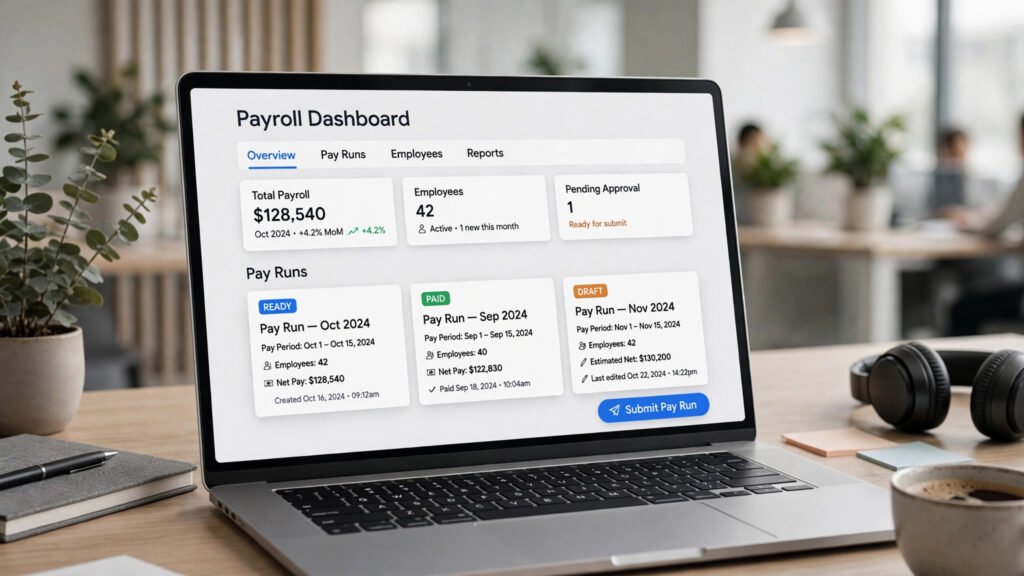
Basic PAYE Tools calculates tax and National Insurance and files your FPS and EPS. What it will not do, per HMRC’s own user guide, is support automatic enrolment: no eligibility checks, no contribution calculations, no data to your pension provider. Paid software typically adds payslips, auto-enrolment assessment and provider connections, statutory pay calculations and an accounting link. For one employee, free may be enough; once pensions or benefits arrive, most outgrow it.
The April 2027 test
Ask every provider one question before signing up: “Will you support mandatory payrolling of benefits through the FPS from 6 April 2027, including Class 1A National Insurance?” From that date, cars and car fuel, vans and van fuel, and medical benefits must be taxed through payroll instead of on a P11D, with tax and Class 1A reported in real time (HMRC’s interim guidance). Most other benefits follow from April 2028; loans and accommodation stay voluntary. Software that cannot do this means a forced migration in your busiest spring. See our benefits in kind tax guide.

If you outsource instead
Choose a bureau as you would any supplier with access to your money: CIPP Payroll Assurance Scheme accreditation, a short contract with clear exit terms, and pricing visible up front. Get the division of labour in writing — who files, who claims, who pays HMRC.
Step 3: Set up the pension (automatic enrolment)
Your pension duties start on the day your first employee starts work — The Pensions Regulator calls this your duties start date. If that employee is aged 22 to State Pension age and earns at least £10,000 a year, you must put them into a workplace pension and pay into it. Choose the scheme before payday.

The minimum contribution is 8% of qualifying earnings — pay between £6,240 and £50,270 a year — of which you pay at least 3%; the employee pays the rest, part via tax relief. Deducted contributions must reach the scheme by the 22nd of the following month (19th by cheque). You may postpone enrolment by up to 3 months, in writing. You must also write to staff about enrolment, declare compliance to The Pensions Regulator within 5 months, and re-enrol opted-out staff every 3 years. Our auto-enrolment guide covers each duty.
Two traps sit inside these rules. The age gap: the National Living Wage starts at 21, but automatic enrolment starts at 22 — a 21-year-old on the full minimum wage is not auto-enrolled, though they can ask to join, and then you must contribute. The director boundary: a company whose only payroll member is a director usually has no enrolment duties; they begin with non-director staff.
Step 4: Collect each employee’s starter information
Before the first pay run, collect what your software needs to pay the right amount and set the right tax code. The tax information comes from the employee’s P45 if they have one; if not, they complete HMRC’s starter checklist.
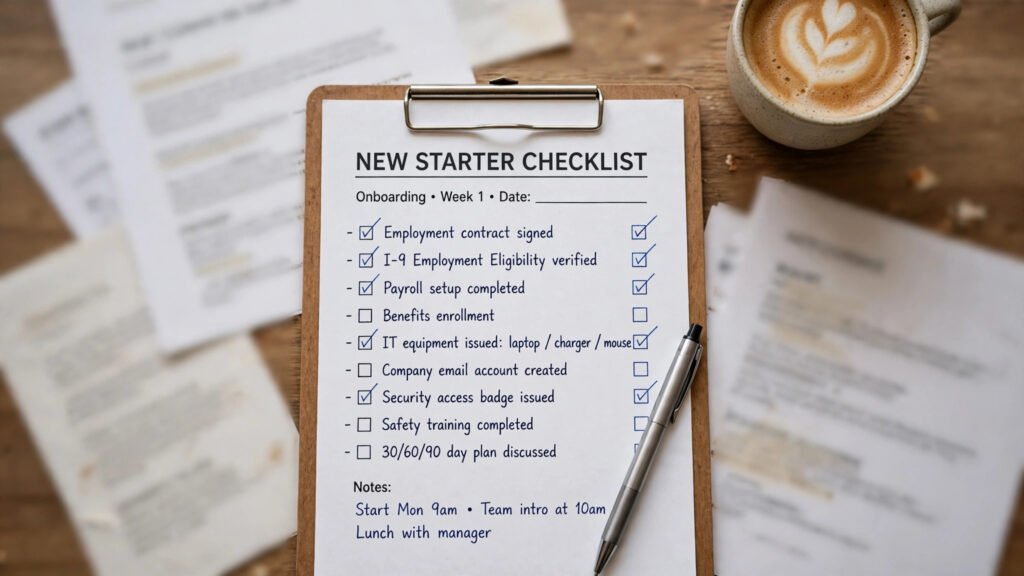
For every starter, collect:
- Full name, date of birth, address and National Insurance number
- Start date, pay rate or salary, and contracted hours
- Bank details for payment
- P45, or starter checklist answers: previous pay and tax this year, student loan plan, any other job or pension
- Anything that sets the National Insurance category — proof of age for under-21s and apprentices, because the right category letter cuts your employer National Insurance to zero up to £50,270
This is where tax codes go wrong. With no P45 and no starter checklist, your software must apply an emergency tax code — 1257L on a week 1/month 1 basis — which ignores earnings so far this year and usually deducts the wrong amount until HMRC issues a corrected code. Do the right-to-work check and issue the written statement of terms at the same time.
Step 5: Run your first pay run and report to HMRC (RTI)
Every pay run is the same five actions: record the pay, calculate deductions (income tax, employee National Insurance, student loan and pension where they apply), calculate your employer National Insurance, produce payslips, and report it all to HMRC in a Full Payment Submission. The FPS must be sent on or before payday.
Payslips must reach employees on or before payday too, showing gross pay, each deduction, net pay, and hours where pay varies with time worked. The FPS covers everyone you pay and flags starters and leavers. Two more dates close the month:
| When | What to do |
|---|---|
| On or before payday | Pay staff, give payslips, send the FPS |
| By the 19th of the following tax month | Send an EPS if claiming a reduction — statutory pay recovery or the Employment Allowance |
| By the 22nd of the following tax month | Pay HMRC the tax and National Insurance owed (19th by post); deducted pension contributions must reach your scheme by the 22nd |
If nobody is paid in a tax month, send an EPS instead of an FPS so HMRC does not expect a payment. Employers who usually pay under £1,500 a month may pay quarterly — ask HMRC first.
Step 6: Keep records and close the year properly
Keep payroll records for 3 years from the end of the tax year they relate to: the PAYE Regulations 2003 (regulation 97) set the period, and GOV.UK warns HMRC can charge up to £3,000 if records are not kept in full. Keep pay and deductions per employee, reports to HMRC, leave and sickness absences, tax code notices, and benefits records.

One record set lives longer: the evidence that you paid at least the minimum wage — pay and hours records — must be kept for 6 years under the National Minimum Wage Regulations 2015 (regulation 59). Deleting everything at 3 years is a common, avoidable error. Payroll data is sensitive: limit access, and back it up.
The year closes with fixed tasks:
| When | Task |
|---|---|
| On or before the last payday of the tax year | Send your final FPS, marked as final |
| 19 April | Last date for a final EPS, if needed |
| 31 May | Give a P60 to every employee on your payroll at 5 April |
| 6 July | Report benefits on P11D and P11D(b) |
| 22 July | Pay Class 1A on those benefits (19 July by post) |
| 1 April / 6 April | Wage rates change 1 April; the tax year starts 6 April |
What a first employee actually costs: the 2026/27 rates and a worked example
A salary is not the cost of an employee. On top of gross pay sit employer National Insurance at 15% on everything above £5,000 a year, plus at least 3% of qualifying earnings into a pension. The figures below are from GOV.UK’s “Rates and thresholds for employers 2026 to 2027”. Guides quoting pre-April 2025 figures — 13.8%, a £9,100 threshold, a £5,000 allowance — are wrong.
Class 1 National Insurance, 2026/27:
| Threshold | Per week | Per year | What it means |
|---|---|---|---|
| Lower earnings limit | £129 | £6,708 | Below this, no record builds up |
| Primary threshold | £242 | £12,570 | Employees start paying above this |
| Secondary threshold | £96 | £5,000 | You start paying above this |
| Upper earnings limit / upper secondary threshold | £967 | £50,270 | Employee rate drops above this; zero-rate categories end |
Employee (category A) contributions are 8% between the primary threshold and the upper earnings limit, then 2% above it. Employer contributions are 15% on all earnings above the secondary threshold with no upper limit — except 0% up to £50,270 for under-21s, apprentices under 25, and veterans in their first civilian job. Class 1A and 1B are also 15%. Income tax: personal allowance £12,570 (code 1257L), 20% on the next £37,700, 40% to £125,140, 45% above (Scotland differs). See our employer National Insurance contributions guide.
Minimum wage from 1 April 2026 — note the date: wage rates change on 1 April, five days before the tax year turns:
| Worker | Hourly rate |
|---|---|
| Aged 21 and over (National Living Wage) | £12.71 |
| Aged 18 to 20 | £10.85 |
| Aged under 18 (above school leaving age) | £8.00 |
| Apprentice (under 19, or 19+ in their first year) | £8.00 |
If you provide accommodation, the most you can count towards minimum wage pay is the accommodation offset, £11.10 a day. Rates rise again on 1 April 2027 — the National Living Wage to £13.21, after the government accepted the Low Pay Commission’s recommendations in full. See our guide to the National Minimum Wage increases in 2026.
Two more figures belong in any budget. Statutory Sick Pay was rebuilt in April 2026: for 2026/27 it is £123.25 a week or 80% of average weekly earnings, whichever is lower, from day one — and SSP cannot be recovered from HMRC. Statutory parental pay (£194.32 a week or 90% of average weekly earnings, whichever is lower) can be recovered: 92%, or 109% under small employers’ relief if your previous year’s Class 1 National Insurance was £45,000 or less. Student loan deductions are automatic in software: 9% above plan thresholds from £25,000 to £33,795; 6% above £21,000 postgraduate.
Example A: a first employee on £30,000
Assume an employee aged 25 in England, paid £2,500 a month, tax code 1257L, National Insurance category A, no student loan, auto-enrolled on qualifying earnings (£30,000 − £6,240 = £23,760 a year) in a relief-at-source scheme — their 5% share is deducted as 4% in cash, the scheme claiming the other 1%.
| The employee’s month | £ |
|---|---|
| Gross pay | 2,500.00 |
| Income tax: (£2,500 − £1,047.50 personal allowance) × 20% | −290.50 |
| Employee National Insurance: (£2,500 − £1,047.50) × 8% | −116.20 |
| Pension deduction (4% of £1,980 qualifying earnings) | −79.20 |
| Net pay | 2,014.10 |
| The employer’s month | £ |
|---|---|
| Gross salary | 2,500.00 |
| Employer National Insurance: (£2,500 − £416.67) × 15% | +312.50 |
| Employer pension: 3% of £1,980 | +59.40 |
| Total cost to the business | 2,871.90 |
| Due to HMRC that month (tax + employee and employer National Insurance) | 719.20 |
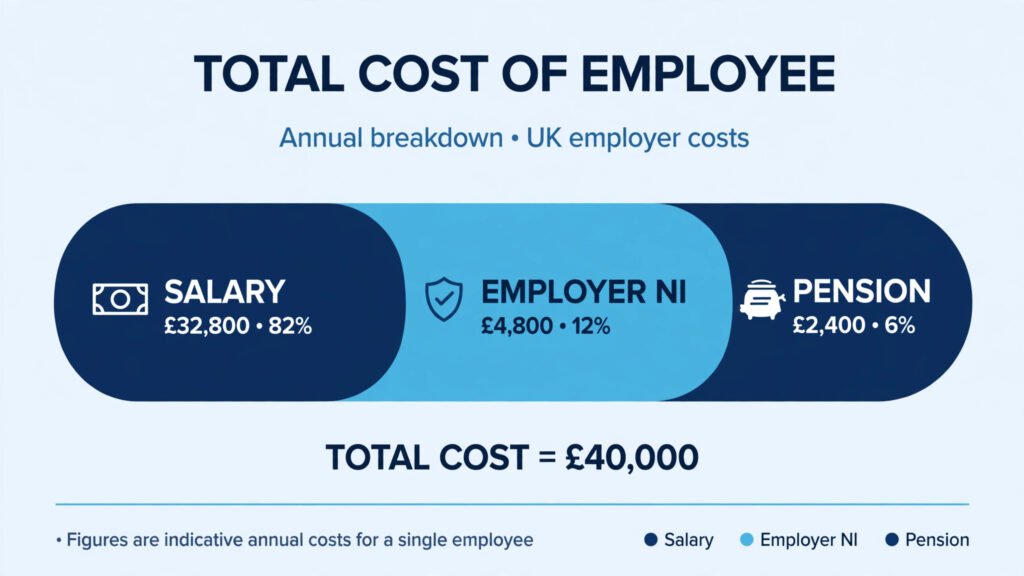
Over a full year: £30,000 salary + £3,750 employer National Insurance (£25,000 above the threshold × 15%) + £712.80 pension (3% of £23,760) = £34,462.80 — on-costs of £4,462.80, about 14.9% on top of the headline salary.
Now claim the Employment Allowance. A business employing at least one non-director paid above the secondary threshold can usually claim up to £10,500 a year off its employer National Insurance bill, once for the year through an EPS. Here it wipes out the whole £3,750: HMRC is paid only tax and employee National Insurance (£406.70 a month) and the total annual cost falls to £30,712.80. A sole director could not claim at all. See our Employment Allowance guide.
Example B: a minimum wage hire
A 23-year-old working 37.5 hours a week at the National Living Wage of £12.71, paid all 52 weeks, earns £24,784.50 a year. Employer National Insurance is (£24,784.50 − £5,000) × 15% = £2,967.68; the employer pension is 3% of (£24,784.50 − £6,240) = £556.34. Total cost: £28,308.52 a year — about 14.2% on top of the wage bill, roughly £14.52 an hour. With the Employment Allowance claimed, the total falls to £25,340.84.
Example C: the apprentice saving
An apprentice under 25 sits in a zero-rate National Insurance category: on a £20,000 salary your employer National Insurance is £0, against £2,250 for a standard employee — before any of the training support in our guide to apprenticeship funding.
The rule of thumb
At £30,000, minimum on-costs add roughly 15% before the Employment Allowance: every extra £1,000 of salary above the thresholds costs about £150 of employer National Insurance and £30 of pension on top. If the first person through your new payroll is you, as a director, the salary level itself is a decision — see our guide to tax-efficient profit extraction.
Payroll problems that catch new employers out
Most payroll penalties trace back to these setup mistakes:
- Registering too late, or reporting late. Register after the first payday — or more than 2 months before it — and you start with late filings. Late FPS penalties (Schedule 55, Finance Act 2009; HMRC manual CH62840) run £100–£400 a month by scheme size; the first late month in a tax year is unpenalised, but a return missing after 3 months can attract a further 5%.
- Paying HMRC late, or forgetting the EPS. Pay by the 22nd; an EPS claiming recovery or the Employment Allowance that misses the 19th means the reduction is not applied.
- Bad starter data. No P45 and no starter checklist means an emergency tax code; the wrong National Insurance category throws away the zero rate for under-21s, apprentices and veterans.
- Missing pension duties. No scheme by the duties start date, letters unsent, declaration forgotten — or enrolling a 21-year-old while missing a 22-year-old.
- Budgeting on stale figures. A plan built on 13.8%, a £9,100 threshold or a £5,000 Employment Allowance understates every cost here; wage rates applied from 6 April instead of 1 April underpay staff.
- Treating sick pay like the old system. No waiting days, no recovery: 2026/27 SSP — 80% of average weekly earnings capped at £123.25, from day one — is a cost you carry.
- Assuming the bureau carries the risk. Software files what you give it; liability for correct pay and reporting does not move.
- Ignoring April 2027. Software that cannot payroll car, van, fuel and medical benefits from 6 April 2027 buys a migration at the worst possible time.
Frequently asked questions
Do I need payroll if I only employ myself as a director?
Yes — you must register even if the only person on the payroll is you as a director, and a sole director cannot claim the Employment Allowance.
How long does it take to set up payroll?
Allow a few weeks, most of it waiting for the post: register before the first payday, no more than 2 months ahead. Software and pension setup is same-day work.
Can I run payroll for free?
Yes, with fewer than 10 employees: Basic PAYE Tools is free and recognised, and handles tax, National Insurance and RTI filing. Its limit is pensions — no staff assessment or contribution calculations — so most employers move to paid software as numbers grow.
What is an FPS, and when must I send it?
The Full Payment Submission is the Real Time Information report of pay and deductions your software sends HMRC on or before every payday. Late filing costs £100–£400 a month by scheme size, after one penalty-free month each year.
When do I pay HMRC?
By the 22nd of the month after the tax month — the 19th by post. An EPS claiming reductions must be in by the 19th. Employers who usually pay under £1,500 a month may pay quarterly.
Do I have to set up a pension for my first employee?
Duties start on their first day, but compulsory enrolment applies only if they are 22 to State Pension age and earn at least £10,000 a year. A 21-year-old is not auto-enrolled but can ask to join — then you must contribute. Either way, write to them and declare compliance within 5 months.
How much does one employee really cost on top of salary?
At £30,000 in 2026/27, about 14.9%: £3,750 employer National Insurance plus £712.80 pension makes £34,462.80. The £10,500 Employment Allowance can remove the National Insurance entirely for a first hire, bringing it to £30,712.80.
Can I do payroll on paper or in a spreadsheet instead?
No, not for reporting: HMRC requires online filing through recognised software. A spreadsheet can support your records but cannot file an FPS. If a bureau runs your payroll, the legal responsibility remains yours.
Conclusion
Setting up payroll is a one-off project followed by a monthly rhythm: register before the first payday, choose software that reports in real time and will still cope in April 2027, set the pension up alongside the payroll, and collect starter data properly on day one. After that it runs on three dates — FPS by payday, EPS by the 19th, HMRC paid by the 22nd. Businesses rarely struggle with the arithmetic; they struggle with missed registrations, deadlines and declarations.
Disclaimer: This article is general information about setting up and running payroll for UK small businesses, not tax, accounting or legal advice. Rates and rules change each year — check current guidance on GOV.UK and The Pensions Regulator’s website, or speak to an accountant or payroll professional, before relying on any figure here.