

An AI expense tracker reads your receipts, sorts your spending into categories, and flags anything unusual, without you typing a single line into a spreadsheet. For a UK small business, the right one can save hours every month and reduce the risk of missing a deductible expense.
This guide compares the best AI-powered expense trackers available to UK businesses right now, explains what the “AI” part actually does, and covers the HMRC and Making Tax Digital rules most comparison articles skip over.
What Is an AI Expense Tracker?
An AI expense tracker is software that automatically captures, categorises and reconciles business spending using machine learning and optical character recognition, rather than requiring manual data entry.
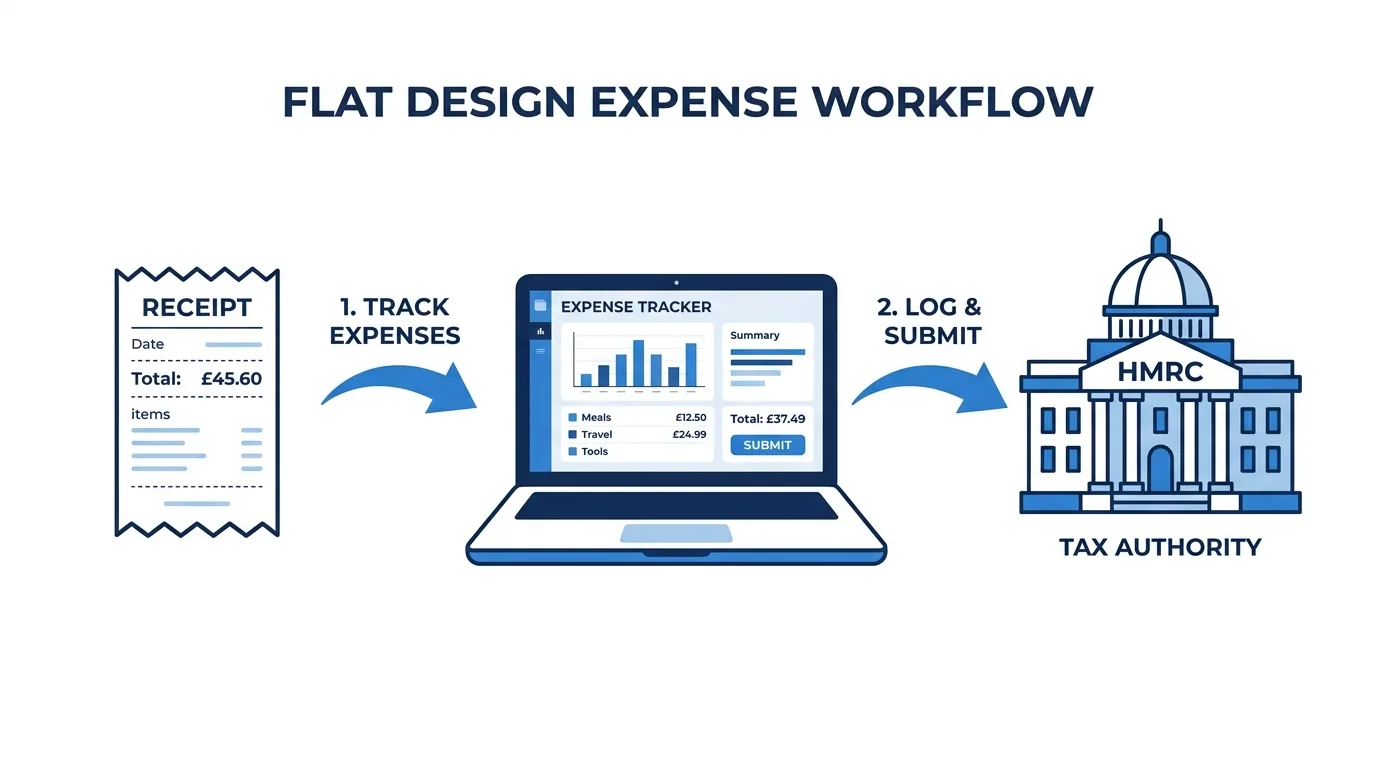
You photograph a receipt or forward an email invoice, and the software reads it, pulls out the date, amount, supplier and VAT, then assigns it to the right category. Over time, it learns your spending patterns and gets faster at guessing categories correctly.
This is different from a basic expense spreadsheet, where you type every line yourself, and different from a plain digital receipt folder, which just stores images without understanding what’s in them.
How the AI Actually Works (OCR, Machine Learning and Anomaly Detection)
Most “AI expense tracker” marketing hides three separate technologies behind one label. Knowing the difference helps you judge whether a tool is genuinely smart or just has a nice scanning feature.
- Optical character recognition (OCR) reads the text on a receipt or invoice image and converts it into structured data: date, total, VAT, merchant name. This is the oldest and most reliable part of the process.
- Machine learning categorisation looks at that extracted data plus your past choices and predicts which expense category it belongs in, such as travel, software or office supplies. Accuracy improves the longer you use the tool.
- Anomaly and duplicate detection compares new transactions against your history and flags anything that looks off, a duplicate receipt, an unusually large claim, or a mismatch between a card transaction and a submitted receipt.
Some tools also offer predictive spend forecasting, estimating your likely monthly or quarterly outgoings based on historical trends. This is useful for cash flow planning but is the least mature of the four capabilities across most apps on the market today.
If you’re weighing AI tools more broadly for your business rather than just expenses, our guide to the best AI tools for UK small business covers where automation delivers the clearest return.
AI Expense Tracker vs Accounting Software Expense Module
Accounting platforms like Xero and QuickBooks include basic expense tracking as part of a much wider toolset covering invoicing, payroll and tax returns. Dedicated AI expense trackers, such as Dext or SparkReceipt, focus entirely on receipt capture and categorisation, then sync that data into your accounting software.
If you’re already committed to one accounting platform, its built-in expense tools may be enough. If you’re comparing platforms from scratch, our Xero vs QuickBooks comparison for UK small business breaks down how each handles expenses natively.
What to Look For in an AI Expense Tracker for a UK Business
Before comparing specific tools, it helps to know which features actually matter for a UK small business rather than a generic international audience.
- HMRC and Making Tax Digital compliance – the software should support digital record-keeping requirements, not just store PDFs.
- VAT handling – automatic VAT extraction and coding, especially if you’re VAT-registered.
- Bank feed integration – direct connection to UK business bank accounts for automatic reconciliation.
- Mileage tracking – built-in GPS or manual mileage logging at HMRC-approved rates.
- Multi-currency support – relevant if you buy from or sell to suppliers outside the UK.
- Accounting software integration – a clean sync with Xero, QuickBooks or Sage saves duplicate entry.
- Pricing transparency – clear per-user or flat monthly pricing, with a usable free tier if you’re a sole trader.
HMRC, Making Tax Digital and What “Compliant” Actually Means
Making Tax Digital (MTD) for Income Tax requires businesses above the qualifying income threshold to keep digital records and submit quarterly updates to HMRC using compatible software, rather than a single annual return.
An expense tracker that’s genuinely MTD-ready maintains “digital links” between your source records (receipts, bank transactions) and your final submission, without you manually retyping figures at any stage. If a tool only lets you export a spreadsheet that you then re-enter elsewhere, that breaks the digital link and doesn’t meet the requirement.
Check specifically whether the tool integrates directly with an MTD-recognised accounting platform. For the full rollout timeline and what it means for your business, see our guide to Making Tax Digital software for UK small business.
Best AI Expense Tracker Apps for UK Small Business (Compared)
| Tool | Best for | Starting price | Standout AI feature |
|---|---|---|---|
| Zoho Expense | Small teams wanting an all-round free tier | Free, then from £4–£7/user/month | Auto-categorisation with multi-currency support |
| Dext | Businesses that want deep accounting integration | From around £20/month | Receipt-to-ledger automation with high OCR accuracy |
| Expensify | Frequent travel and high receipt volume | From around £5/user/month | SmartScan receipt reading |
| SparkReceipt | Sole traders and micro businesses | Free tier, paid plans from low single-figure £/month | Simple AI categorisation, low learning curve |
| QuickBooks | Businesses wanting expenses inside full accounting software | From around £10/month | AI-driven Accounting Agent for categorisation and reconciliation |
| Xero | Established businesses with complex billing | From around £16/month | JAX AI assistant (beta) for voice-driven tasks |
| Pleo | Teams issuing company cards to staff | From around £45/month for small teams | Real-time card spend flagging and auto-matching |
| Rydoo | Mid-sized teams needing approval workflows | From £8–£10/user/month | Automated policy compliance checks |
Prices change often, so treat this table as a starting point and confirm current figures directly with each provider before committing.
Zoho Expense
Zoho Expense offers one of the more usable free tiers on this list, covering up to three users and roughly 25 automated reports a month. It handles multi-currency claims well, which makes it a reasonable choice if you occasionally deal with overseas suppliers or contractors.
Dext
Dext is built specifically around receipt-to-ledger automation and integrates tightly with major UK accounting platforms. It suits businesses that already use an accountant and want minimal manual intervention between receipt capture and final bookkeeping. If you’re deciding between Dext and a similar tool, our Dext vs Hubdoc comparison goes deeper on the differences.
Expensify
Expensify’s SmartScan technology reads and categorises receipts within seconds of a photo being taken. It works well for businesses with staff who travel frequently and submit high volumes of receipts, though the pricing model rewards full team adoption rather than partial rollout.
SparkReceipt
SparkReceipt is aimed squarely at sole traders and very small operations that want AI categorisation without the complexity of a full expense management platform. It’s a sensible starting point if you’re moving off a spreadsheet for the first time.
QuickBooks
QuickBooks’ Accounting Agent automates category assignment, assists with reconciliation, and flags discrepancies in real time, all inside a platform that also handles invoicing and payroll. This suits businesses that would rather manage expenses inside their existing accounting software than run a separate app.
Xero
Xero’s expense tools cover receipt uploads, mileage tracking and client-billable expense assignment, with its JAX AI assistant (currently in beta) aiming to simplify tasks through voice commands. If you’re a sole trader weighing Xero against a lighter alternative, see FreeAgent vs Xero for UK sole traders.
Pleo and Rydoo
Pleo and Rydoo both target businesses issuing company cards or managing multi-person approval chains. Pleo flags spend in real time as staff use their cards; Rydoo focuses on automated policy compliance, useful if you need spending rules enforced automatically rather than checked after the fact.
AI Expense Tracker vs Spreadsheet: Is Switching Worth It?
For most UK small businesses processing more than a handful of receipts a month, an AI expense tracker pays for itself in time saved on reconciliation and reduced errors from manual entry.
A business manually entering 40–60 receipts a month typically spends several hours on data entry and end-of-month matching. AI-driven capture usually cuts that to well under an hour, since most of the work happens automatically as receipts come in rather than in one time-consuming batch at month-end.
The other cost of spreadsheets isn’t time, it’s accuracy. Manually typed figures are prone to transposition errors and duplicate entries, both of which can distort your VAT return or understate deductible expenses. If you’re still deciding whether to move off spreadsheets entirely, our overview of sole trader record-keeping requirements explains what HMRC actually expects you to keep.
Is Your Business Ready for an AI Expense Tracker?
Not every business needs the same tool. Use this quick framework to match your stage to the right type of app.
- Sole trader, low transaction volume – a free or low-cost tool like SparkReceipt or the free tier of Zoho Expense is usually enough.
- Small team, no company cards – Zoho Expense or Expensify handle multi-user claims without heavy setup.
- Team with company cards issued to staff – Pleo or a similar card-linked platform gives you real-time visibility rather than after-the-fact reconciliation.
- Business scaling toward multiple approvers or departments – Rydoo or Dext, paired with a full accounting platform, gives you the workflow controls you’ll need.
If you’re still choosing accounting software as your foundation before layering on expense tools, our comparison of the best free accounting software for UK small business is a useful starting point.
Common Mistakes When Switching to an AI Expense Tracker
- Rolling it out to only part of a team. Several tools, Pleo especially, work best when adoption is complete; partial rollout creates reconciliation gaps rather than closing them.
- Assuming “AI compliant” means MTD compliant. Always verify the specific digital-link integration, not just a general compliance claim on the marketing page.
- Ignoring receipt storage limits on free tiers. Some free plans cap storage or auto-scans low enough that you’ll hit the limit within a couple of months.
- Not checking VAT coding accuracy for your sector. OCR accuracy on VAT extraction varies by receipt quality and country of origin, so spot-check early submissions rather than trusting the software blind.
Frequently Asked Questions
Is there a free AI expense tracker for UK small businesses?
Yes. Zoho Expense and SparkReceipt both offer functional free tiers suitable for sole traders and very small teams, though free plans typically cap the number of users, reports or auto-scans available each month.
Are AI expense trackers HMRC and MTD compliant?
Many are, but compliance depends on maintaining an unbroken digital link between your receipts and your HMRC submission through an integrated, MTD-recognised accounting platform. Always confirm this directly with the provider rather than relying on general marketing claims.
How does AI expense categorisation actually work?
The software uses OCR to extract data from a receipt, then applies machine learning to predict the correct spending category based on that data and your past categorisation choices, improving in accuracy the longer you use it.
Can an AI expense tracker replace an accountant?
No. It automates data capture and categorisation, but it doesn’t replace the judgement an accountant applies to tax planning, allowable expenses in edge cases, or your annual return. Most businesses use both together.
What’s the most accurate receipt-scanning app for UK businesses?
Dext and Expensify are generally regarded as having the strongest OCR accuracy among current UK-available tools, though results vary with receipt quality and can differ by industry.
Final Verdict
If you’re a sole trader just moving off spreadsheets, start with a free tier from Zoho Expense or SparkReceipt. If you run a small team with company cards, Pleo’s real-time flagging is worth the higher price. And if expenses are just one part of a broader financial system you’re building, look at how your chosen tool integrates with AI accounting software for UK businesses before you commit, since the expense tracker you pick should fit the accounting platform you’re already using or plan to adopt.