
Choosing a business bank account comes down to three questions: what will it cost you, what will it connect to, and how fast can you get set up. This guide answers all three for the accounts UK small businesses actually use in 2026, including two changes most comparison pages haven’t caught up with yet — the FSCS protection limit jumped from £85,000 to £120,000 on 1 December 2025, and HSBC Kinetic stopped accepting new applications altogether.
The best business bank account in the UK right now depends on your business type. Starling suits UK-only businesses that want free banking with no catches. Tide suits sole traders who invoice regularly and want Sage support. Revolut suits businesses trading in multiple currencies. NatWest and Lloyds suit businesses that want a branch and a two-year runway before fees start.
At a Glance: Best UK Business Bank Accounts Compared
| Bank | Best For | Monthly Fee | FSCS Protected | Accounting Integration | Typical Onboarding |
|---|---|---|---|---|---|
| Starling | All-round free banking | £0 | Yes, £120,000 | Xero, QuickBooks, FreeAgent | Minutes to same day |
| Monzo | Sole traders & tax automation | £0 (Lite) / £9 (Pro) | Yes, £120,000 | Xero, QuickBooks, FreeAgent, Sage (Pro) | Same day for 90% of applicants |
| Tide | Invoicing-led sole traders, Sage users | £0 pay-as-you-go, or £12.49–£69.99 | Yes, £120,000 (via ClearBank) | Xero, QuickBooks, FreeAgent, Sage | Under 10 minutes |
| Revolut Business | Multi-currency trading | From £10 | Yes, £120,000 (since March 2026) | Xero, QuickBooks | Same day, ID checks up to 5 days |
| NatWest / Mettle | Longest free trial for start-ups | £0 for 24 months | Yes, £120,000 | FreeAgent, free | 1–2 days (Mettle) |
| Lloyds | Established businesses wanting a branch | £0 for 12 months, then £10 | Yes, £120,000 | MTD software included | 24 hours to 7 days |
| HSBC | Branch network (Kinetic now closed) | £0 for 12 months, then £8 | Yes, £120,000 | Limited native feeds | Several days, may need branch visit |
Fees shown are for standard current accounts and were checked against providers’ own pricing pages in mid-2026. Always confirm the live figure before applying, since fintech pricing changes several times a year.
Digital-First Challenger Banks: Best for Modern Small Businesses
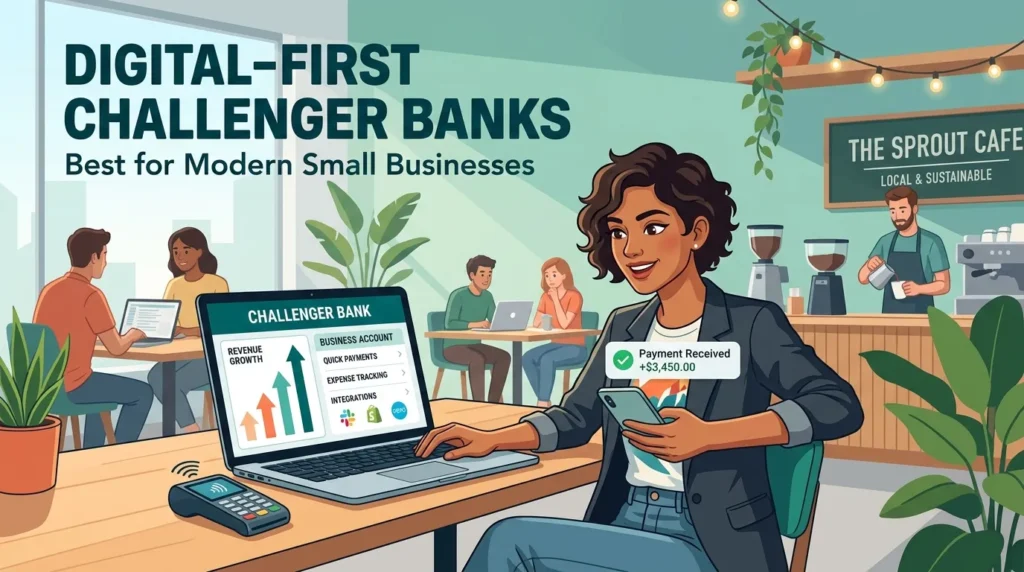
Challenger banks run entirely through an app. There’s no branch, but you get faster onboarding, live spending notifications and, in most cases, no monthly fee.
Starling Bank Business Account — The Best All-Rounder
Starling’s standard GBP business account has no monthly fee, no charge for UK transfers, and no catch. It’s a full UK bank, so eligible balances are FSCS-protected up to £120,000. You can earn up to 2.5% AER on money left in the account, and the optional Business Toolkit add-on (£7/month) adds invoicing and Making Tax Digital-ready tax tools if you want them.
The trade-offs are cash and international payments. Depositing cash through the Post Office costs roughly 0.7% of the amount, and there’s no PayPoint option. Sending money by SWIFT costs a 0.4% conversion fee plus a £5.50 delivery charge. A separate EUR account costs £2/month, and the USD account, while it exists, is currently closed to new applications. If your business is UK-only and moves money digitally, Starling is hard to beat. If you handle regular cash or need a USD account today, look elsewhere.
Monzo Business — Best for Tax Automation
Monzo Business Lite is free and covers the basics: a debit card, free UK transfers, savings pots, and a built-in tax filing tool aimed squarely at sole traders facing Making Tax Digital for Income Tax, which became compulsory for many self-employed people from April 2026. Cash deposits at the Post Office or PayPoint cost £1 each, capped at £1,000 across any six-month period.
Monzo Pro costs £9/month (the first month is free, and the price has risen from its old £5 rate) and adds invoicing, Tax Pots, and direct feeds into Xero, QuickBooks, FreeAgent and Sage. Monzo Team starts at £25/month and adds expense cards and bulk payments for up to 15 people. Foreign currency card spending carries a 1% fee. Monzo is a strong pick if you’re a sole trader who wants HMRC-ready tax tools without paying for separate software.
Tide Business Account — Best for Quick Onboarding and Sage Users
Tide’s Free plan has no monthly fee, but it isn’t free banking in the way Starling’s is. You get five free transfers a month, then pay 20p per transfer, in or out. A business making 50 transfers a month pays £10 in transfer fees alone, which is close to the cost of upgrading to Smart (£12.49/month), which bundles 30 free transfers and drops foreign currency fees to 0%.
Cash deposits cost 0.5–0.99% of the amount at the Post Office (minimum £2.50) or 3% at a PayPoint. Card payments abroad carry a 2.75% FX fee on the Free plan, falling to 0% on Smart, Pro (£27.49/month) and Max (£69.99/month). Tide’s standout feature is a genuine, live Sage bank feed — something Starling doesn’t offer at any price. Combine that with sign-up times often under ten minutes, and Tide is the pick for freelancers and small companies whose accountant already works in Sage.
Revolut Business — Best for Multi-Currency & International Trade
Revolut Business became a fully licensed UK bank on 11 March 2026, which means eligible deposits are now FSCS-protected up to £120,000 — a meaningful upgrade from its previous e-money safeguarding model. There’s no free tier for new UK business customers: the Basic plan costs £10/month and includes a modest £1,000 monthly FX allowance at the interbank rate before a 0.6–1% fee kicks in. Grow (£30/month) raises that allowance to £15,000 and adds five free international transfers a month; Scale (£90/month) goes further still.
Revolut holds 25-plus currencies in one account and gives genuinely competitive FX rates, which is where it earns its keep for import/export businesses or agencies billing overseas clients. What it doesn’t offer, on any plan, is built-in invoicing. If cash flow chasing matters to you, budget for a separate invoicing tool or stick with Tide or Monzo instead.
Traditional High-Street Banks: Best for Cash, Cheques, and Face-to-Face Support
If your business handles regular cash, needs an overdraft from day one, or you simply want a branch to walk into, a traditional bank still makes sense.
NatWest / Mettle — Best Free Trial for Startups
NatWest’s Start-up account gives 24 months of free banking on everyday transactions if your turnover is under £1 million and you’ve traded for less than a year, or if you switch an existing account with turnover under £2 million using the full Current Account Switch Service. After that, you move to the Standard Tariff: 35p per transaction and 95p per £100 of cash handled. FreeAgent accounting software is included free for as long as you keep the account active with at least one qualifying transaction a month.
If you want the same NatWest group backing without the branch, Mettle is NatWest’s free, app-only account for sole traders and small limited companies, with no monthly fee and no fee-free period to run out. NatWest itself wins on sheer length of free banking; Mettle wins if you never plan to use a branch anyway.
Lloyds Bank / Bank of Scotland — Best for Established Businesses
Lloyds gives new customers 12 months with no account fee, then charges £10/month. The first 100 outgoing electronic payments each month are free, after which each one costs 20p. Cash deposits cost 85p per £100 through a deposit machine or roughly £1.50–£1.60 per £100 over the counter — a gap worth £13 on a £2,000 weekly deposit if you use the counter instead of the machine. Lloyds includes HMRC-recognised Making Tax Digital software free with its business accounts. It suits businesses that want a relationship manager, an overdraft, and a branch, more than businesses chasing the lowest possible fee.
HSBC UK — Best Traditional Branch Network (Kinetic Has Closed)
Here’s an update most comparison articles haven’t made: HSBC Kinetic, the app-only account previously aimed at sole traders and single-director companies, closed to new applications during 2026. If you’re applying today, HSBC directs you to its Small Business Banking Account instead, which gives 12 months with no monthly fee, then charges £8/month. You get access to HSBC’s 600-plus UK branches, overdrafts, and lending, but no native live feed into Xero, QuickBooks or Sage — a real gap if bookkeeping automation matters to you. HSBC still makes sense for businesses that value branch access and an established banking relationship over app-first convenience.
Sole Trader vs. Limited Company: Do You Legally Need a Business Account?
A limited company must have a separate business bank account, because the company is a distinct legal entity from you. Company money isn’t your money, even if you’re the sole director and shareholder, so mixing the two breaches basic company law principles around separating personal and business assets.
A sole trader is not legally required to open a business account. You and your business are the same legal entity, so in theory you could run everything through your personal account. In practice, almost every UK bank’s personal account terms and conditions prohibit using a personal account for business trading, and breaching those terms can lead to the account being closed with little notice. A dedicated <a href=”https://businessforever.co.uk/sole-trader-vs-limited-company-uk-2026/”>sole trader account also makes Self Assessment far easier</a>, because every business transaction is already separated from your personal spending rather than buried in a single statement.
If you haven’t decided on a structure yet, it’s worth reading up on <a href=”https://businessforever.co.uk/how-to-register-as-a-sole-trader-uk/”>how to register as a sole trader</a> or <a href=”https://businessforever.co.uk/how-to-set-up-a-limited-company-step-by-step-in-the-uk/”>how to set up a limited company</a> before you open an account, since your legal structure decides which accounts you’re even eligible for.
Key Factors to Consider When Choosing Your Account
1. Integration with Accounting Software
Xero, QuickBooks and FreeAgent connect to most challenger and high-street accounts through Open Banking, syncing transactions automatically without manual CSV exports. Sage is the exception: only Tide offers a genuine live Sage bank feed among the accounts covered here. If your accountant already uses Sage, that single feature can outweigh everything else on this page.
2. Monthly Fees vs. Transactional Tariffs
Some accounts charge nothing monthly but bill per transaction (Tide Free, NatWest and Lloyds after their free periods). Others charge a flat monthly fee with unlimited transfers included (Starling, Monzo Lite, Mettle). Work out your real monthly transaction count before you decide: a business making 50+ transfers a month is usually cheaper on a flat-fee account, while a business making a handful of payments is usually cheaper pay-as-you-go.
3. International Payments and FX Rates
If you pay suppliers or get paid overseas, the FX markup matters more than the headline monthly fee. Revolut and Starling apply the smallest margins on card spending abroad; Tide and Monzo charge more on their free tiers but drop close to 0% on paid plans. None of the standard business current accounts here match a dedicated multi-currency specialist for high-volume international transfers, so businesses moving large sums regularly often run a specialist account like Wise alongside their main bank.
4. Cash and Cheque Deposit Limits
This is where digital challengers show their biggest weakness. Starling has no PayPoint option and charges roughly 0.7% at the Post Office. Monzo caps free-ish cash deposits at £1,000 every six months. Tide charges up to 3% at a PayPoint. If your business takes cash regularly — a market stall, a salon, a tradesperson collecting on the day — a traditional bank’s branch network or dedicated cash-handling terms will usually work out cheaper than a digital-only account’s per-deposit charges.
Common Mistakes to Avoid
Choosing on headline “free” without checking transaction fees. A “free” pay-as-you-go account can cost more than a paid plan once you account for 50+ monthly transfers, cash deposits, and card use abroad.
Assuming a personal account is fine for a side business. Even a small side hustle registered as a sole trader risks its personal account being frozen if the bank spots regular business-style activity.
Ignoring the FSCS status of e-money accounts. Tide and (until March 2026) Revolut have operated through e-money safeguarding rather than direct FSCS protection at various points. Always check whether your specific account type carries FSCS cover before holding large balances in it.
Forgetting the free-banking cliff edge. NatWest, Lloyds and HSBC all revert to a standard tariff automatically once the introductory period ends. Put a reminder in your calendar so the switch to paid fees doesn’t come as a surprise.
How to Switch Business Bank Accounts Frictionlessly (CASS)
The Current Account Switch Service (CASS) moves your account automatically within seven working days, including direct debits, standing orders and incoming payments.
- Choose and apply for your new account. Most digital challengers can approve an application within minutes; traditional banks may take longer if extra documents are needed.
- Request a switch during or after your application. You’ll usually be asked whether you’re switching from an existing business account.
- Sign the switch authorisation. This gives your new bank permission to contact your old one and transfer everything across.
- Wait seven working days. The CASS guarantee covers this timeframe, and any payments mistakenly sent to your old account in the following 36 months are automatically redirected.
- Check your new account is live before closing anything else. Confirm your first few payments have landed correctly before you rely on the new account exclusively.
CASS only moves accounts between two participating banks, and not every provider covered here participates for both directions, so check eligibility before you apply.
Are Your Business Funds Safe? (FSCS Protection Explained)
The Financial Services Compensation Scheme protects up to £120,000 of eligible deposits per person, per authorised bank, if that bank fails. This limit rose from £85,000 on 1 December 2025 — the first increase since 2017 — so any comparison article still quoting £85,000 is out of date.
FSCS protection applies to full UK banks: Starling, Monzo, NatWest, Lloyds, HSBC, and, since 11 March 2026, Revolut Bank UK Ltd. Tide isn’t a bank itself, but eligible deposits are protected up to £120,000 through its banking partner, ClearBank, provided your account was opened under Tide’s current structure rather than its older Prepay Solutions setup. If you’re a sole trader, remember that FSCS protection applies once across your combined personal and business balances at the same institution, not separately to each account.
FAQs: Common UK Small Business Banking Questions
What is the best business bank account in the UK? Starling suits most UK-only small businesses best, thanks to free banking with no monthly fee and no transfer charges. Tide suits sole traders who invoice regularly and need Sage. Revolut suits businesses trading in several currencies.
Do I need a business bank account as a sole trader? Not legally, but almost every UK bank’s personal account terms ban ongoing business use, so a dedicated sole trader account avoids the risk of your account being closed.
How long does it take to switch business bank accounts? The Current Account Switch Service completes a full switch, including direct debits and standing orders, within seven working days.
Is my money safe in a digital-only business account? If the provider holds a full UK banking licence — as Starling, Monzo and Revolut now do — your eligible deposits are FSCS-protected up to £120,000. Confirm this directly with your provider, since not every account type at every provider carries the same protection.
Which business account works with Xero, QuickBooks or Sage? Xero, QuickBooks and FreeAgent connect to most accounts covered here via Open Banking. For a live Sage feed specifically, Tide is currently the strongest option.
Is HSBC Kinetic still available? No. HSBC Kinetic closed to new applications during 2026. New customers are directed to HSBC’s Small Business Banking Account instead.