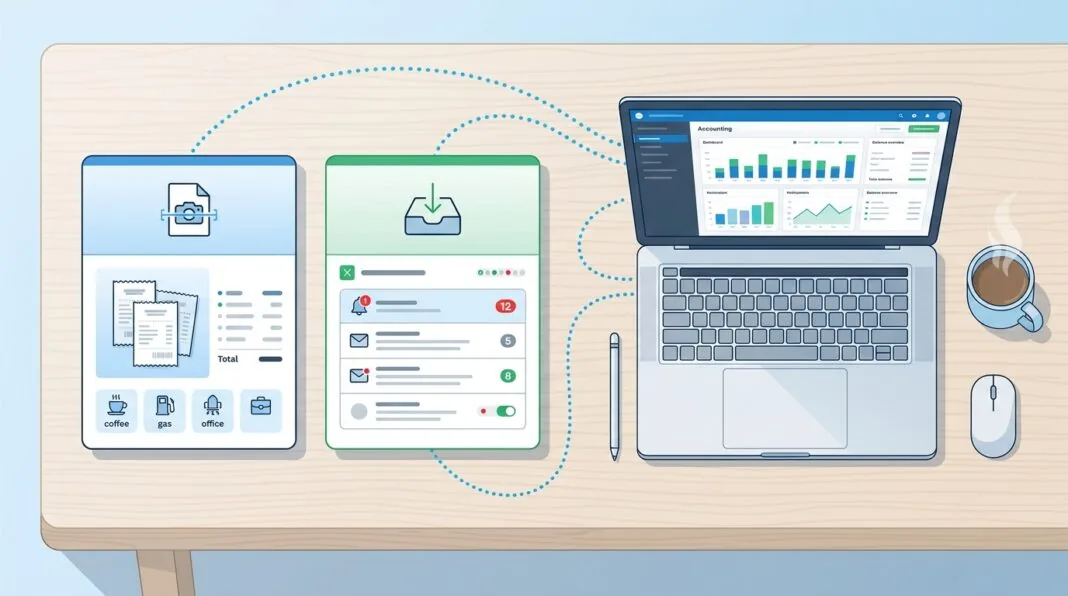

If you’re comparing Dext and Hubdoc, you’re really deciding between two different philosophies. Hubdoc is the tool that comes free with most Xero plans and does the basics well. Dext is the tool you pay for when your invoices get complicated and the free option starts costing you time instead of saving it.
That trade-off — cost versus capability — is the entire decision. Here’s how to make it correctly for your business.
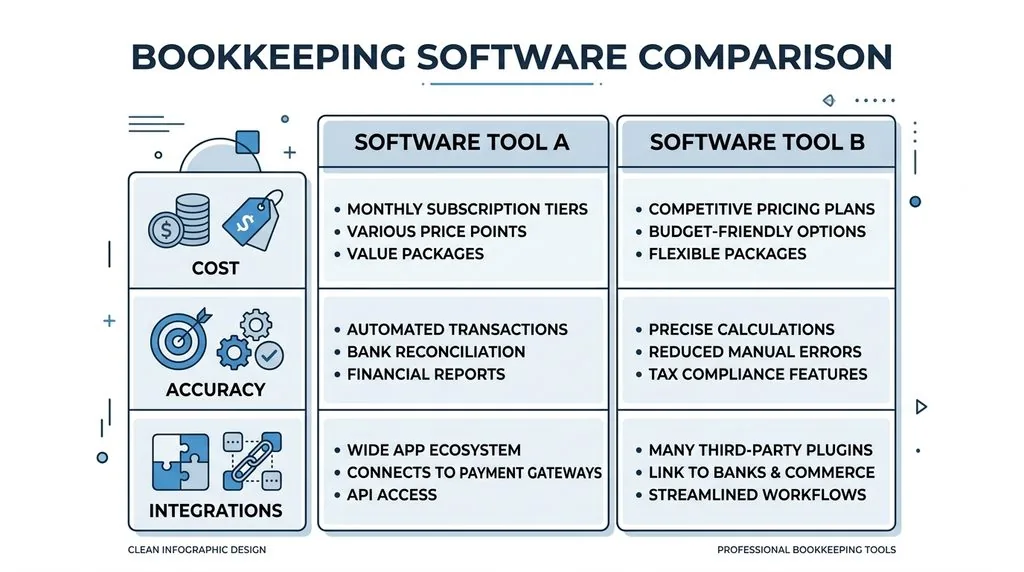
Dext vs Hubdoc at a Glance
| Dext | Hubdoc | |
|---|---|---|
| Cost (UK) | From £24.17/month (annual billing, 250 docs, 5 users) | Free with most Xero plans; ~£10/company standalone |
| Line-item extraction | Yes, automatic | No — totals only, manual splitting |
| Best for | Complex, high-volume, multi-department invoices | Simple, low-volume, single-account bookkeeping |
| Xero App Store rating | 4.8★ | Lower, mixed reviews on reliability |
| Approval workflows | Multi-level, structured | Basic publish-only |
| Owned by | IRIS Software Group | Xero |
If you use Xero, process under 100 simple invoices a month, and don’t need line-item detail, Hubdoc is the sensible default. If your invoices need splitting across cost codes, departments, or tax rates, Dext earns its subscription fee.
What Is Dext?
Dext is a bookkeeping automation platform that captures receipts, invoices, and bank statements, then uses OCR and machine learning to extract and categorise the data before pushing it into your accounting software. It started life as Receipt Bank, rebranded in 2021, and is now owned by IRIS Software Group.
Core Features
Dext’s strength is depth. It splits multi-line invoices automatically, assigning different VAT rates and cost codes to individual items on a single bill. It learns supplier patterns over time, flags potential duplicate documents, and supports structured approval workflows so a manager can sign off expenses before they hit the ledger. It connects to more than 30 accounting platforms and over 11,500 banks, which matters if your business runs on anything other than Xero.
Who It’s Built For
Dext suits businesses with genuine complexity: multiple departments, inventory tracking, multi-currency suppliers, or high monthly document volumes. It’s also the more common default for bookkeeping practices managing many clients in parallel, since the practice-side dashboard is built for that workload — similar to how a firm might standardise on one task management tool across every client rather than juggling several.
What Is Hubdoc?
Hubdoc is a document capture tool owned by Xero that extracts supplier, date, and total amount from receipts and bills, then files them into your accounting system. It’s included at no extra cost on most current UK Xero plans.
Core Features
Hubdoc’s main trick is automated bill fetching — it can log into recurring supplier and utility accounts on your behalf and pull down statements on a schedule, cutting out repeated portal logins. Uploads work via email, mobile app, or desktop, and the interface is built for non-finance users rather than professional bookkeepers.
Is Hubdoc Really Free With Xero?
Yes, for most current UK subscribers. Hubdoc is bundled into Xero’s Ignite, Grow, Comprehensive, and Ultimate plans in the UK at no additional charge. If you’re not on Xero, or you want it as a standalone tool, it typically costs around £10 per company per month. Always check your specific Xero plan, since bundled features can shift between pricing tiers.
Dext vs Hubdoc: Feature-by-Feature Comparison
OCR Accuracy and Data Extraction
Dext markets a 99.9% extraction accuracy figure. In practice, UK bookkeepers on forums like AccountingWEB describe a more nuanced picture: Dext generally requires less manual correction on messy or crumpled receipts, while Hubdoc handles clean, standard PDFs well but is less consistent with non-standard layouts or scanned images. Neither tool is “set and forget” — both benefit from a weekly review pass.
Multi-Line Invoice and Line-Item Handling
This is the single biggest functional gap between the two.
- Dext extracts individual line items automatically and lets you assign separate tax codes and tracking categories to each one.
- Hubdoc typically extracts only the invoice total, meaning any cost-splitting across departments or categories has to be done manually, either in Hubdoc or inside your accounting software.
For a business processing dozens of multi-line supplier invoices monthly, that manual step adds real time to month-end close.
Accounting Software Integrations
Dext integrates with Xero, QuickBooks Online, Sage, and roughly 30 other platforms. Hubdoc’s deepest integration is with Xero specifically — unsurprising, given Xero owns it — with adequate but shallower support for QuickBooks.
Automated Bill Fetching
Both tools can automatically retrieve recurring bills from supplier and utility portals. Hubdoc built its early reputation on this feature; some UK practitioners note Dext has been catching up here as it continues developing its own fetch tools.
Approval Workflows
Dext supports multi-level approval chains, useful once a business has more than one person signing off on spend. Hubdoc is essentially a publish-only workflow — documents get extracted and filed, but there’s no built-in review-and-approve layer.
Dext vs Hubdoc Pricing in the UK (2026)
| Monthly Documents | Dext (approx.) | Hubdoc |
|---|---|---|
| 100 | Not offered at this tier | Free with eligible Xero plans |
| 250 | £24.17–£28.75/month (5 users) | Free with eligible Xero plans |
| 500 | ~£56.25/month (10 user limit) | Free with eligible Xero plans |
Dext’s UK business pricing starts at £24.17 a month on annual billing (£290/year) for 250 documents and 5 users, or slightly more if billed monthly. It includes a 14-day free trial with no credit card required. Hubdoc’s cost is effectively zero for most Xero subscribers, since it’s bundled into the plan you’re already paying for.
Subscription Cost vs Staff Time
The subscription fee is only half the calculation. If Hubdoc’s lack of line-item splitting means your bookkeeper spends three extra hours a month manually allocating costs, that labour cost may exceed what a Dext subscription would have charged. Weigh the monthly fee against the hours saved, not just the sticker price — the same logic applies when choosing between something like a with lower fees but clunkier reconciliation.
Pros and Cons
Dext
Pros: highly accurate line-item extraction, automated supplier rules, structured approval workflows, broad software and bank integrations, multi-currency support.
Cons: costs more per month, steeper learning curve for first-time users, user-seat limits on lower tiers.
Hubdoc
Pros: free with most Xero plans, strong automated bill fetching, unlimited users and document storage, simple interface for non-finance staff.
Cons: no automatic line-item splitting, weaker performance on non-standard document layouts, no structured approval workflow, mixed reliability reviews.
Which Should You Choose? A Decision Framework
Sole Traders and Very Small Businesses
If you’re a sole trader or micro-business on Xero with under 100 simple invoices a month, and every invoice maps to a single expense account, Hubdoc covers the essentials without adding a software line to your budget. This is especially relevant if you’re still finalising your record-keeping setup as a new sole trader.
Growing SMEs and Scale-Ups
Once you’re processing over 100 invoices a month, managing multiple departments, or dealing with inventory and multi-currency suppliers, the manual correction time on Hubdoc starts eating into any savings. This is the point where Dext’s automation typically pays for itself — a pattern that shows up across most guidance on scaling a small business in the UK: the tools that were “good enough” at ten transactions a week rarely hold up at fifty.
Accountants and Bookkeepers With Multiple Clients
Practices generally run a mixed stack: Hubdoc for low-volume Xero clients where the bundled licence keeps costs down, Dext for clients with complex or high-volume invoicing where the per-client fee is justified by time saved. Few practices standardise on a single tool across every client — the decision is made per client, not per firm.

Dext, Hubdoc and Making Tax Digital (MTD) Compliance
Both tools support the digital record-keeping and audit-trail requirements HMRC expects under Making Tax Digital, including MTD for Income Tax Self Assessment as it continues rolling out. The original document stays attached to the published entry in either tool, which satisfies the digital-link requirement between where a transaction originates and where it lands in your accounts.
Where they differ is depth of audit trail. Dext’s approval workflows create a documented review step before publishing, which is useful if you’re ever asked to demonstrate control over how figures reached your ledger. Hubdoc’s simpler publish-only flow meets the compliance minimum but offers less built-in evidence of internal review. If MTD scrutiny is a live concern for your business, that’s worth weighing alongside cost.
Can You Use Dext and Hubdoc Together?
Yes, though it’s unusual to run both for the same entity at the same time. The more common setup is a practice using Hubdoc as the default for straightforward Xero clients and Dext for clients whose volume or complexity justifies the extra cost — effectively running both tools across a client base rather than duplicating them on one set of books. Running both simultaneously for a single company usually just means paying twice for the same core job.
What About Alternatives?
Two other names come up regularly alongside Dext and Hubdoc:
- AutoEntry, now owned by Sage, uses a credit-based, pay-per-document model rather than a flat subscription. It suits practices with mixed Sage, Xero, and QuickBooks clients.
- Datamolino also charges per document, includes line-item extraction on all plans rather than gating it behind higher tiers, and allows unlimited users regardless of subscription level.
Neither has displaced Dext or Hubdoc as the default UK choice, but both are worth a trial if per-client or per-document pricing suits your document volume better than a flat monthly fee.
Switching Between Dext and Hubdoc
Several UK bookkeepers report moving between the two after pricing changes, most often from Dext to Hubdoc when a client’s volume didn’t justify the cost increase. Before switching:
- Export your document history from the outgoing tool, since historical records may not transfer automatically.
- Rebuild supplier rules from scratch — categorisation rules generally don’t carry across platforms.
- Re-establish your approval workflow, particularly if you’re moving from Dext’s structured approvals to Hubdoc’s simpler publish flow.
- Reconnect your accounting software integration and confirm chart-of-accounts mapping is correct before processing live documents.
Budget a short transition period where both tools may need to run in parallel to avoid gaps in your records.
Frequently Asked Questions
Is Dext better than Hubdoc?
Dext generally offers more accurate, feature-rich extraction — particularly for line items and approval workflows — but at a monthly cost. Hubdoc is free with most Xero plans and covers simple, low-volume bookkeeping well. “Better” depends on your invoice complexity and budget, not a fixed ranking.
Is Hubdoc free with Xero?
Yes, for most current UK Xero subscribers on the Ignite, Grow, Comprehensive, and Ultimate plans. Standalone use outside Xero typically costs around £10 per company per month.
Can I use Dext with QuickBooks or Sage?
Yes. Dext integrates with QuickBooks Online, Sage, and roughly 30 other accounting platforms. Hubdoc’s strongest integration remains Xero, with more limited QuickBooks support.
What happened to Receipt Bank?
Receipt Bank rebranded to Dext in 2021 and has since been acquired by IRIS Software Group. The product line split into Dext Prepare for data capture and Dext Precision for analytics.
Is there a free trial for Dext?
Yes, Dext offers a 14-day free trial with no credit card required, giving you time to test extraction accuracy against your own documents before committing.
Final Verdict
Start with Hubdoc if you’re on Xero and your invoices are simple — there’s no reason to pay for capability you won’t use. Move to Dext once manual line-item splitting starts costing you more time than the subscription fee would. For accountants managing a client portfolio, expect to run both, matched to each client’s actual invoice volume rather than a single firm-wide standard. The right answer isn’t which tool is objectively best — it’s which one matches how complicated your paperwork actually is this year, not the year you first set up your accounts. Getting that decision right early is part of the same discipline covered in the first steps after registering a company in the UK — the sooner your bookkeeping stack fits your real transaction volume, the less rework you’ll face later.