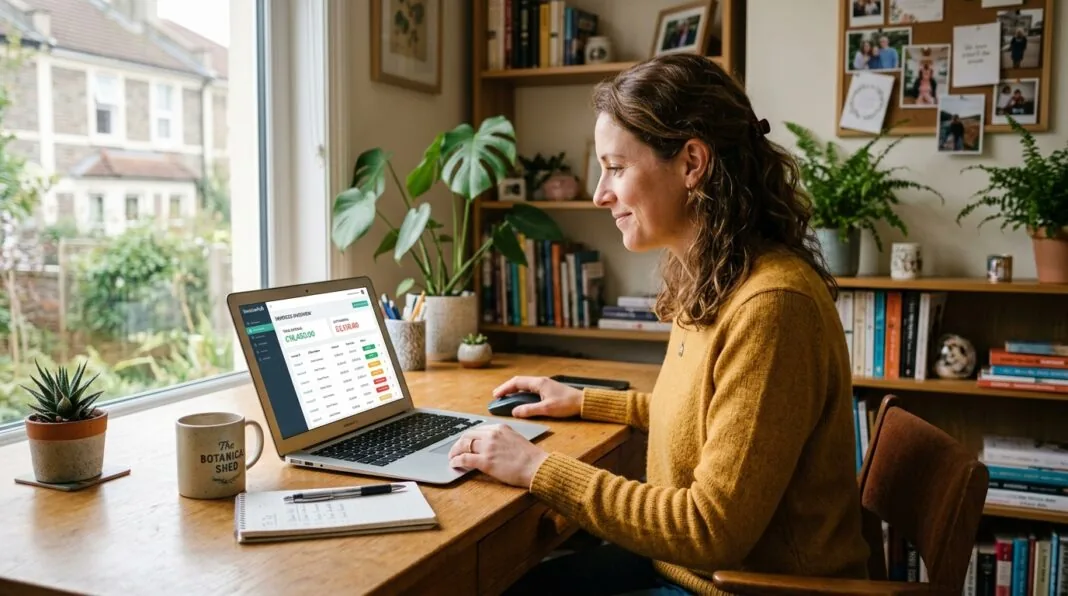

Invoice automation is software that creates, sends, and chases your invoices without you repeating the same manual steps each time. It replaces spreadsheets and Word templates with a system that handles billing, reminders, and payment tracking on its own.
For most UK small business owners, invoicing eats far more time than it should. This guide walks through exactly how to automate the process, what it costs, and what UK compliance rules you need to keep in mind along the way.
Why UK Small Businesses Are Automating Invoicing
Manual invoicing creates three recurring problems: it’s slow, it’s error-prone, and it relies on you remembering to chase people for money.
Recent industry research suggests more than six in ten UK small businesses are currently owed money on unpaid invoices. That’s not a minority problem — it’s the default state for most owner-operated businesses that haven’t automated their billing.
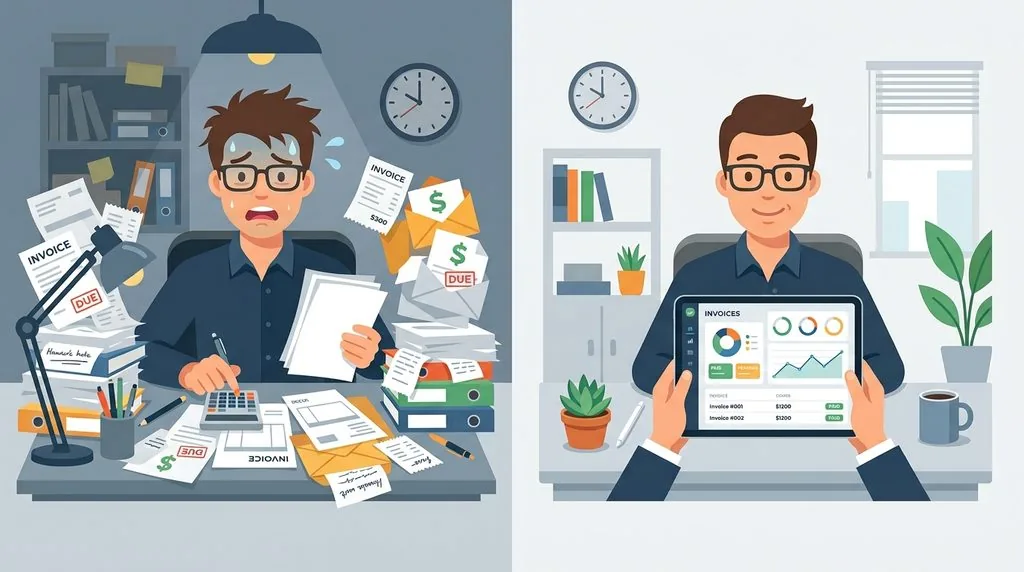
The gap between manual and automated invoicing is easiest to see side by side.
| Manual Invoicing | Automated Invoicing | |
|---|---|---|
| Invoice creation | Retyped from scratch or copied templates | Auto-filled from saved customer details |
| Recurring billing | Manually recreated each cycle | Scheduled to send automatically |
| Payment reminders | Sent (or forgotten) by the owner | Triggered automatically at set intervals |
| VAT calculation | Manual, error-prone | Calculated and validated automatically |
| Payment status | Tracked in a spreadsheet or inbox | Live dashboard, updated in real time |
| Record keeping | Paper or scattered files | Digital, audit-ready records |
The time saved isn’t the only benefit. Automated systems also reduce the kind of small errors — a wrong VAT figure, a missed invoice, a duplicate charge — that cost real money to fix later.
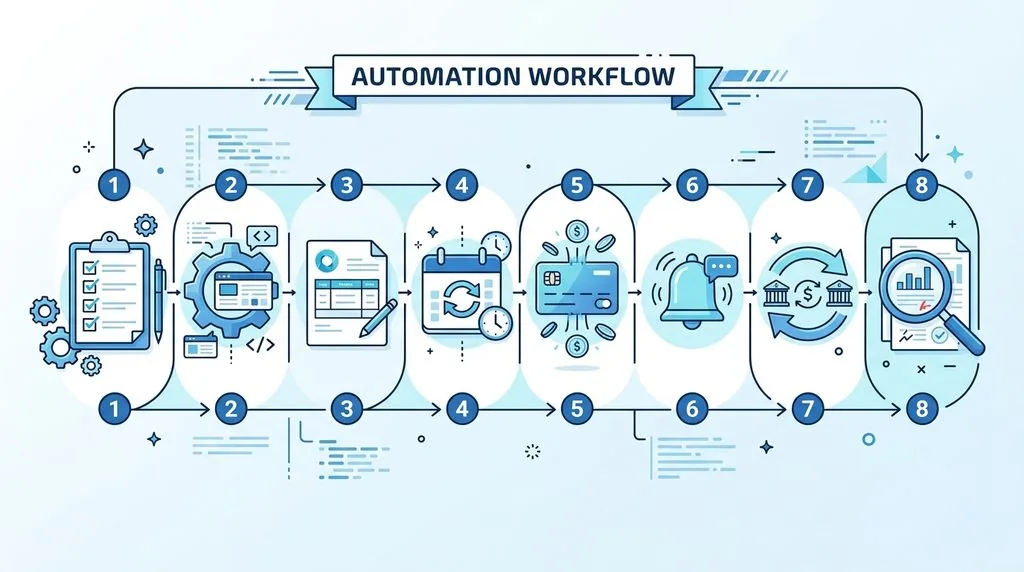
How to Automate Invoicing: Step-by-Step
Automating invoicing isn’t a single switch you flip. It’s a short sequence of decisions and setup steps. Here’s the order that works best for most small businesses.
Step 1: Audit your current invoicing workflow
Before choosing software, spend a week tracking where your time actually goes. Note how long it takes to create an invoice, how often you chase late payments, and how many errors you catch after sending. This tells you which part of the process to automate first, rather than guessing.
Step 2: Choose invoicing or accounting software
Pick a tool that matches your business size and complexity. A sole trader with ten clients needs far less than a VAT-registered limited company managing stock and payroll. If you’ve just registered your company, this is a good moment to set up the right system from day one rather than migrating later.
Step 3: Build branded, reusable templates
Set up your logo, business details, payment terms, and standard line items once. Save it as a default template so every new invoice takes seconds instead of minutes. Consistent branding also makes your business look more established to clients.
Step 4: Automate recurring and scheduled invoices
If you bill the same client a fixed amount monthly — a retainer, a subscription, a repeat service — set this up to send automatically on a fixed date. You’ll never forget to bill a client again, and neither will they forget to expect it.
Step 5: Connect an online payment option
Add a “Pay Now” button or link so clients can pay by card or direct debit straight from the invoice. This single step is consistently linked to faster payment, because it removes the extra task of finding your bank details and setting up a manual transfer. Comparing a payment gateway for your small business is worth doing properly here, since fees and payout speed vary significantly between providers.
Step 6: Automate payment reminders
Set reminders to trigger automatically — for example, three days before the due date, on the due date, and seven days after. A polite automated nudge collects money faster than a business owner who feels awkward chasing and puts it off.
Step 7: Sync invoicing with your bank feed and bookkeeping
Connect your bank account to your accounting software so payments are matched to invoices automatically. This closes the loop: you can see at a glance what’s paid, what’s outstanding, and what your actual cash position looks like.
Step 8: Review and refine monthly
Automation isn’t “set and forget,” at least not at first. Check what the system did each month, correct anything it got wrong, and adjust your rules. Once you trust the output, you can step back and review less often.
Key Features to Look For in Invoicing Software
Not every tool needs every feature, but these are the ones worth prioritising:
- Customisable templates — branding, logo, and payment terms built in
- Recurring billing — scheduled invoices for repeat clients
- Automated reminders — configurable timing and tone
- Online payment acceptance — card, direct debit, and digital wallets
- VAT handling — automatic calculation and validation
- Bank feed integration — real-time reconciliation
- Mobile access — create and send invoices from your phone
- Reporting — outstanding balances, average days to payment, cash flow trends
If you’re also exploring wider automation for your business, it’s worth reading a broader AI for UK small business guide, since many invoicing tools now use AI for tasks like reading receipts and predicting how a transaction should be categorised.
UK Compliance: VAT and Making Tax Digital
Do you need MTD-compatible software? Yes, if you’re VAT-registered — this has been a legal requirement since Making Tax Digital for VAT came into force. Sole traders and landlords with qualifying income above the current threshold are also being brought into Making Tax Digital for Income Tax in stages.
Making Tax Digital requires more than just filing online. It requires you to keep digital records and maintain a “digital link” between them — meaning data must flow between systems without manual retyping. Copying a number from a spreadsheet into a submission portal breaks that chain.
This is also where good sole trader record keeping habits matter. Automated invoicing naturally creates the kind of clean digital trail HMRC expects, but only if you set it up correctly from the start.
A word of caution on VAT automation: automated coding is generally reliable, but it can misfire on edge cases like reverse charge VAT (common in construction and certain services) or partial exemption. Automation removes the responsibility for typing figures — it doesn’t remove your responsibility for the accuracy of what gets filed.
What Does Invoicing Automation Cost?
Pricing varies widely depending on how much you need beyond basic invoicing.
| Tier | Typical Monthly Cost | What You Get |
|---|---|---|
| Free plans | £0 | Basic invoice creation, limited invoice volume, minimal automation |
| Entry-level paid | £5–£15 | Recurring invoices, reminders, online payments, basic VAT handling |
| Mid-tier | £16–£35 | Full automation, bank feeds, reporting, multi-user access |
| Full accounting suite | £35–£65+ | Invoicing plus payroll, inventory, multi-currency, advanced reporting |
Free plans are genuinely usable for very low invoice volumes — some providers allow up to 1,000 invoices a year at no cost. Once you’re sending invoices weekly and need recurring billing or reminders, a paid entry-level plan usually pays for itself in the time it saves within the first month.
Best Invoicing Software for UK Small Businesses: Quick Comparison
This is a snapshot, not a full review — pick based on which column matches your business.
| Software | Best For | Starting Price | Free Plan |
|---|---|---|---|
| Xero | Full accounting + invoicing in one | From ~£3.20/month (offer pricing) | No |
| QuickBooks | VAT/MTD compliance and mobile invoicing | From ~£5/month (offer pricing) | No |
| Zoho Books | Sole traders and inventory-based businesses | £0–£10+/month | Yes, up to 1,000 invoices/year |
| FreshBooks | Freelancers and service businesses | From ~£7.50/month | No (30-day trial) |
| Square | Retail, hospitality, and in-person payments | £0 or £20/month | Yes, unlimited invoicing |
Common Mistakes to Avoid
- Automating a messy process. If your invoice numbering, VAT rates, or customer records are inconsistent, automation just makes those mistakes happen faster.
- Skipping the monthly review. Trust is earned through checking, not assumed on day one.
- Ignoring integration. Software that doesn’t connect to your bank or accounting system creates duplicate work instead of removing it.
- Over-customising too early. Get the basics working first, then add complexity like multi-currency or milestone billing.
- Forgetting mobile clients still want options. Some customers prefer a printable invoice — most platforms can produce both, so don’t assume everyone wants a digital-only experience.
What to Do When Clients Still Don’t Pay
Automated reminders solve most late payment problems, but not all of them. UK businesses have a statutory right, under the Late Payment of Commercial Debts (Interest) Act 1998, to charge interest and a fixed compensation fee on qualifying overdue commercial invoices once payment terms are breached. Many invoicing platforms let you add this automatically to reminder emails, which often prompts payment faster than a reminder alone.
If a client remains unresponsive after several automated and personal follow-ups, that’s the point to consider formal escalation — a solicitor’s letter, a debt collection service, or, for repeat offenders, adjusting their payment terms going forward.
FAQs
What is invoice automation?
Invoice automation is software that creates, sends, and tracks invoices automatically, including scheduling recurring bills and sending payment reminders without manual input each time.
Is invoice automation worth it for a small business?
Yes, for most businesses sending more than a few invoices a month. The time saved on admin and the reduction in late payments typically outweigh the monthly software cost within weeks.
How much does invoicing software cost for UK small businesses?
Prices range from free (for low invoice volumes) to around £65+ a month for a full accounting suite. Most small businesses find a suitable plan between £5 and £35 a month.
Does automated invoicing handle VAT and Making Tax Digital?
Reputable UK invoicing software calculates VAT automatically and is built to be MTD-compliant. You’re still responsible for reviewing the accuracy of what’s submitted to HMRC.
Can I automate invoicing for free?
Yes, several providers offer free plans for low invoice volumes — Zoho Books and Square are both usable at no cost for a small number of monthly invoices.
Will automating invoicing mean I lose control over my billing?
No. Automation gives you more visibility, not less — most platforms show live payment status, so you always know exactly what’s outstanding and when it was sent.