
Most UK businesses don’t have a video problem. They have a time and budget problem. You need a training module for new starters, a product demo for the website, and three social clips for next week’s campaign — and a proper production company quote just came back at four figures.
AI video tools exist to close that gap. But the market is crowded, the pricing is mostly quoted in dollars, and almost nobody explains what UK GDPR means for the footage you generate. This guide fixes that. Below is a comparison of the best AI video creation tools for UK businesses in 2026, priced in pounds, matched to real use cases, and checked against UK data protection rules.
What Is an AI Video Creation Tool?
An AI video creation tool turns a non-video input — a script, a product photo, a URL, or a plain description — into a finished video without filming or manual editing. Instead of hiring a crew, you type what you want and the software generates the footage, voice, captions, and pacing for you.
There are three broad types on the market:
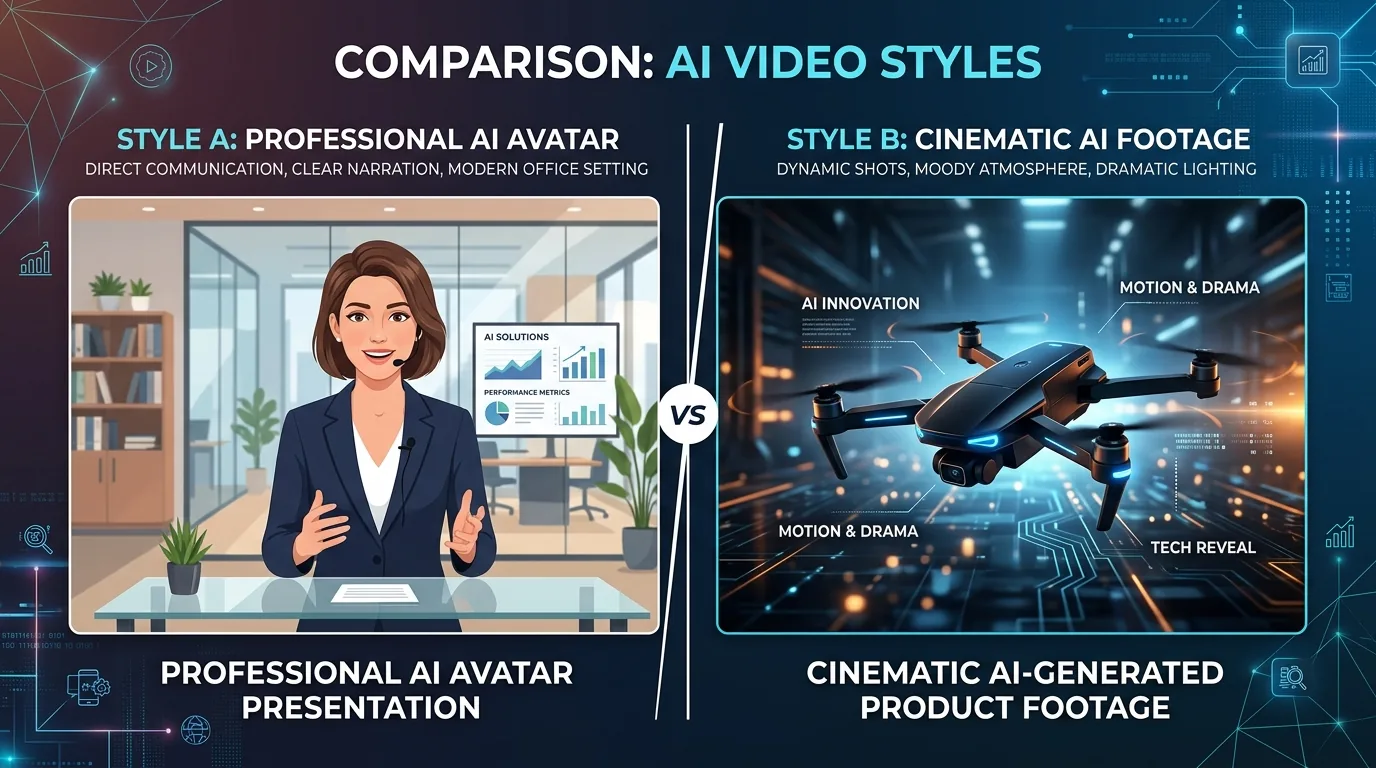
- Avatar platforms (Synthesia, HeyGen) — a digital presenter reads your script on camera.
- Generative video models (Runway, Google Veo, Kling) — text or image prompts produce original cinematic footage.
- Template and repurposing tools (InVideo AI, Pictory) — text prompts or existing content are assembled into a finished, stock-assisted video.
Knowing which type you need is the single biggest decision in this category — more important than which specific brand you pick.
Best AI Video Tools for UK Business at a Glance
| Tool | Best for | UK starting price | Free plan | Rating |
|---|---|---|---|---|
| Synthesia | Corporate training & internal comms | ~£23/month (annual) | Yes (limited minutes) | 4.7/5 |
| HeyGen | Marketing spokesperson & localised video | ~£23/month | Yes (watermarked) | 4.6/5 |
| InVideo AI | Social & template-driven marketing video | ~£16/month | Yes (watermarked) | 4.5/5 |
| Runway | Cinematic & creative brand video | ~£12/month | Yes (limited credits) | 4.5/5 |
| Pictory | Repurposing blogs & webinars into clips | ~£15/month | Trial only | 4.7/5 |
| Colossyan | Corporate L&D & onboarding | ~£21/month (annual) | Yes (limited) | 4.7/5 |
| Google Vids | Simple internal video within Workspace | Included with Google Workspace | Via Workspace trial | N/A |
Prices are converted approximations as of late 2026 and change frequently — always confirm current figures on the vendor’s own pricing page before you commit.
How We Compared These Tools
Every tool below was judged against five factors that actually decide a business purchase, in this order: workflow speed (idea to finished video), output completeness (a finished piece versus raw clips you still have to edit), input flexibility (text, script, image, or URL), business fit (brand consistency and team seats), and pricing transparency. Every tool also gets a named limitation, because no single platform does everything well, and pretending otherwise doesn’t help you choose.
The Best AI Video Tools for UK Businesses, Reviewed
Synthesia — Best for Corporate Training and Internal Comms
Synthesia is a London-headquartered platform built around AI avatars reading a script. You type or upload a document, choose from over 230 stock presenters, and get a polished talking-head video in more than 140 languages, including natural British English.
It’s used by tens of thousands of companies for onboarding, compliance training, and internal updates, because a script change means re-rendering the video in minutes rather than rebooking a studio.
Limitation: it’s built for one format — a presenter talking to camera. It’s not the tool for product ads, B-roll, or anything cinematic. If your team also handles chatgpt for business uk guide style content drafting, Synthesia pairs naturally with that as a next step in the workflow — script first, avatar video second.
HeyGen — Best for Marketing and Localised Campaigns
HeyGen takes the same avatar concept and points it at marketers rather than trainers. It offers 700-plus avatars, strong lip-sync, and instant video translation across 175-plus languages, which makes it genuinely useful for a UK business selling into multiple markets at once.
A single script can become a dozen localised versions without re-shooting anything, which is hard to replicate any other way at this price point.
Limitation: like Synthesia, it’s avatar-centred. It won’t help with dynamic product shots or scene-based storytelling, and per-seat costs climb quickly once several people on the team need their own login.
InVideo AI — Best for Social and Template-Driven Video
InVideo AI turns one text prompt into a fully edited social video — stock footage, voiceover, music, and captions assembled automatically. You can then refine the result by typing plain-language edit commands instead of using a timeline.
This is the practical choice for a small marketing team that needs to publish several short videos a week without a dedicated video editor on staff.
Limitation: because it leans on a stock library, the output can look generic next to a custom-shot video, and the free tier caps you at around 10 minutes a week with a watermark.
Runway — Best for Cinematic and Creative Brand Video
Runway’s Gen-series models generate short, original cinematic clips from text or image prompts, plus tools like motion brush for controlling exactly how a scene moves. Creative agencies and brand teams use it for hero content and concept films that would otherwise need a full shoot.
Limitation: it’s a creative instrument, not a one-click finisher. Clips are short, results usually need several prompt attempts, and there’s a real learning curve if nobody on your team has done any prompt engineering before.
Pictory — Best for Repurposing Existing Content
If your business already produces blog posts, webinars, or long-form video, Pictory pulls out the key points and turns them into short, captioned clips automatically. It’s the fastest route from “we have content” to “we have a content calendar.”
Limitation: it’s a repurposing engine, not a from-scratch creator. Branding controls are limited and everything relies on stock visuals rather than original scenes.
Colossyan — Best for Corporate L&D and Onboarding
Colossyan is an avatar platform tuned specifically for workplace learning, with features like two-avatar conversation scenes and built-in quizzes. Document-to-video import means an existing training PDF or slide deck can become a structured course without a rewrite.
Limitation: it’s narrow by design. Outside training and onboarding, there’s little reason to reach for it, and the top tier gets expensive quickly for a small team.
Google Vids — Best for Simple Internal Video Inside Workspace
Google Vids is built into Google Workspace and is the lowest-friction option if your team already lives in Google Docs and Slides. It handles simple screen recordings, narrated walkthroughs, and internal updates without needing a separate subscription or login.
Limitation: it’s not competing with dedicated avatar or generative platforms on output quality. Treat it as a Workspace convenience feature, not a marketing production tool.
How to Choose the Right AI Video Tool for Your Business
Skip the feature-by-feature comparison and start from the job you do most often. That single decision eliminates most of the options above.
- You produce marketing, social, or product video weekly. Prioritise speed and finished output — InVideo AI or a similar template-driven tool fits best.
- You produce training and internal comms at scale. An avatar platform like Synthesia or Colossyan is the specialist choice, with language support and document import built for repeatable modules.
- You need to localise one video into many languages. HeyGen’s translation and lip-sync are the standout feature here.
- You already have blogs or webinars to recycle. Pictory’s repurposing workflow is purpose-built for exactly that.
- You need high-craft, cinematic brand visuals. Runway gives creative teams the most control over look and motion, at the cost of a steeper learning curve.
Per-Seat vs. Credit-Based Pricing: Which Actually Costs Less?
Most AI video tools price one of two ways, and picking the wrong model quietly inflates your bill.
Per-seat pricing (most avatar platforms) charges per person with access, regardless of how many videos they make. If three people each need a login at roughly £23 a seat, that’s about £70 a month whether the team ships five videos or fifty. It’s cheap when output is high and creators are few, and expensive when many people each make a little.
Credit-based pricing (Runway and similar generative tools) charges for output rather than headcount. A small team producing a steady stream of short videos can keep costs predictable, but the meter runs faster than expected once volume spikes.
The rule of thumb: if a handful of people will create a lot of video, per-seat is usually cheaper. If many people will occasionally need a video each, credit-based pricing tends to work out lower. Either way, run one real month on a free plan before committing to an annual contract.
UK-Specific Considerations Before You Choose
Is AI Video GDPR Compliant in the UK?
AI video tools can be used compliantly under UK GDPR, but compliance isn’t automatic — it depends on how the tool handles data, not just the video output. If you upload a real employee’s face or voice to create an avatar, or feed customer data into a script, that’s personal data processing and UK GDPR applies in full.
Before choosing a vendor, check for a signed Data Processing Agreement (DPA), UK or EU data residency options, and SOC 2 or equivalent security certification. The Information Commissioner’s Office guidance on AI is the primary reference here, and it’s worth reading before you sign an annual contract, not after. If your business hasn’t reviewed its wider data protection setup recently, a uk gdpr compliance checklist small business is a useful starting point, and confirming your ico registration uk small business status matters if AI video tools are processing customer or staff data at scale.
There’s also a broader regulatory shift to watch: UK policy on AI use in business is still evolving, and it’s worth understanding the direction of travel via a uk ai act small business overview rather than assuming today’s rules are final.
Do UK Tools Support British Accents and Regional Dialects?
Yes — most major platforms, including Synthesia and HeyGen, now offer natural British English voices as standard, with some supporting regional variation. This matters more than it might seem: an avatar with an obviously American accent reading a script about “colour” and “organisation” undermines the polish the tool is meant to add. Always preview the exact voice and script combination before publishing anything customer-facing.
Are UK Prices Actually Different From US List Prices?
Most vendors quote in US dollars first, and the pound figure you see on checkout depends on the exchange rate at the time, not a fixed UK price. Budget slightly above the direct currency conversion, and check whether VAT is added at checkout — it usually is for UK business accounts.
Implementation Tips for UK Business Teams
- Start with one use case. Pilot with internal training or a single social campaign before rolling AI video out across the whole business.
- Keep a human in the loop. AI is excellent at first drafts; a person should still review scripts and final cuts before anything goes external.
- Use brand kits from day one. Locking in your logo, colours, and font early avoids inconsistent output as more people on the team start creating videos.
- Track real usage for a month. Before renewing annually, confirm the pricing model actually matches how much video your team produces.
If your team is already building out its broader AI stack, it’s worth reviewing how video fits alongside tools you may already use — see how to use ai to grow a small business uk for the wider picture, and best ai tools small business uk for adjacent categories like writing and scheduling.
Common Mistakes and Limitations to Know Before You Buy
AI video still has a ceiling worth knowing about before you commit budget to it.
- Cinematic quality isn’t there yet for high-end work. Generative tools like Runway produce impressive short clips, but a full ad campaign for TV or cinema still typically needs a human editor to finish.
- Avatars can feel impersonal for emotional content. A redundancy announcement or a customer apology video generally lands better delivered by a real person, not an AI presenter.
- IP and usage rights are still being tested. Check a vendor’s terms on who owns generated footage and whether stock elements carry any licensing restrictions for commercial use.
- Buying the wrong tool for the job is the single biggest waste of budget. An avatar platform bought for cinematic ads, or a generative tool bought for training modules, will disappoint regardless of quality — match the tool to the job first.
Frequently Asked Questions
What is the best AI video generator for a UK small business?
It depends on your main job. For marketing and social content, a template-driven tool like InVideo AI gives the fastest output-to-cost ratio. For structured training, Synthesia’s free plan is the better starting point.
How much does an AI video tool cost for a UK business?
Most start free or with a trial, then paid plans typically run from around £12 to £60 a month for individual or small-team use. Per-seat avatar platforms cost more as a team grows, while credit-based tools scale with actual output.
Are AI video tools good enough for professional business use?
Yes, for most formats as of 2026. Avatar platforms produce broadcast-ready training and internal comms, and generative tools produce publish-ready social and ad content. High-end cinematic work is the honest exception, where AI still assists rather than replaces a human editor.
Can AI video tools create content in multiple languages?
Yes. HeyGen (175+ languages) and Synthesia (140+ languages) lead on translation and multilingual avatars, which is useful for any UK business selling into international markets.
Do I need editing skills to use AI video tools?
No. That’s the point of the category. Template and avatar tools deliver a complete video from a script or prompt, and most allow refinements through simple text commands rather than a traditional editing timeline.
Is AI-generated video GDPR compliant in the UK?
It can be, but compliance depends on the vendor’s data handling, not the video itself. Look for a signed DPA, UK or EU data residency, and clear terms on how any personal data used in scripts or avatars is processed and stored.
Final Thoughts
There’s no single best AI video tool for every UK business — only the best one for your dominant use case. Training and internal comms teams should start with Synthesia or Colossyan. Marketing teams producing regular social content will get more value from InVideo AI. Creative teams chasing cinematic quality should budget time to learn Runway properly.
Whichever you choose, run the numbers on real monthly output before signing an annual plan, and check the GDPR paperwork before any customer- or employee-facing video goes live. Get those two things right, and AI video becomes one of the fastest wins available to a UK business this year.