Microsoft 365 Copilot can draft emails, summarise meetings, and dig through your company files in seconds. For UK small business owners, the real questions are simpler: what does it actually cost, which licence do you need, and can it be trusted with your payroll and HR data. Here’s a straight answer to all three.
What is Microsoft 365 Copilot Business?
Microsoft 365 Copilot Business is the AI assistant Microsoft built into Word, Excel, PowerPoint, Outlook, and Teams. It reads and works with your organisation’s own files, emails, and chats — not just the open web — so its answers are grounded in your business, not generic guesses.
It’s not a standalone app. You install it on top of an existing Microsoft 365 subscription, and it only works for users who already have one of the qualifying Business plans.
Standalone Copilot vs. System-Integrated AI
There are two ways to get Copilot into your business, and mixing them up is the most common pricing mistake.
- Standalone add-on: You keep your current Business Basic, Standard, or Premium plan and add Copilot Business as a separate licence for the staff who need it.
- Bundled plans: Microsoft also sells Business Standard and Business Premium with Copilot already built in as one combined subscription, which usually works out cheaper per user than buying the two pieces separately.
The UK Pricing Reality: How Much Does Copilot Actually Cost?
Microsoft 365 Copilot for a UK small business costs roughly £13.80 to £24.60 per user, per month, depending on which route you take and which base plan you already hold. Every figure below excludes VAT.
The Dual Licensing Lanes: Enterprise vs. Copilot Business
Microsoft runs two separate pricing lanes, and they share confusingly similar headline numbers.
- Copilot Business is built for organisations with up to 300 users and sits on top of a Business Basic, Standard, or Premium plan.
- Microsoft 365 Copilot (Enterprise) is the same core assistant, priced at £23.10 per user/month, but it’s designed for organisations already on an E3 or E5 licence, with no seat cap and deeper compliance controls.
Most UK small businesses only need the Copilot Business lane. Buying the enterprise SKU by mistake, or upgrading to E3 just to access it, typically costs far more for the same day-to-day features.
Permanent Bundled Plans (Business Standard & Premium with Copilot)
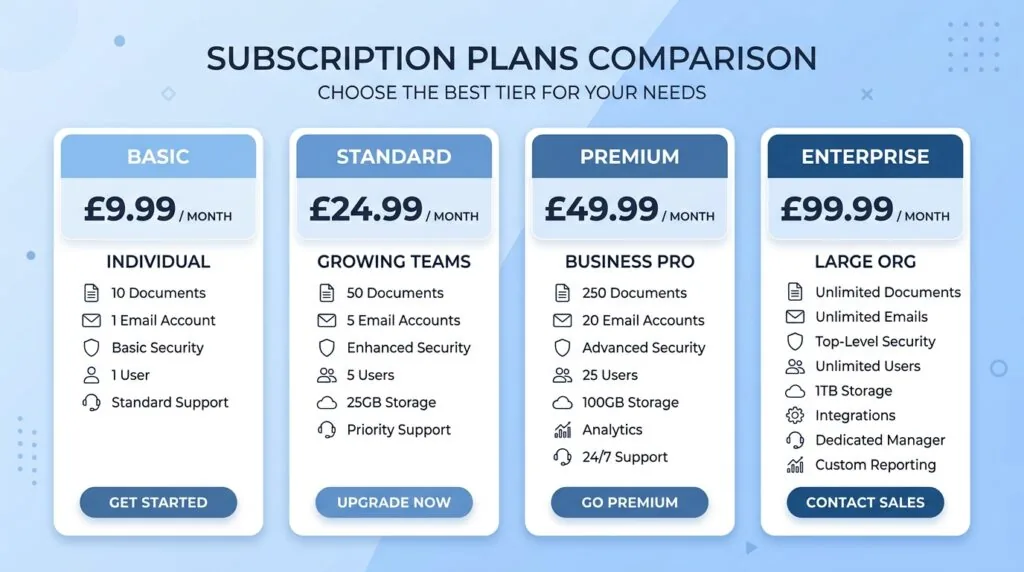
| Plan | Approx. price (ex VAT, annual commitment) | Best for |
|---|---|---|
| Microsoft 365 Copilot Business (add-on) | From around £13.80/user/month on promotion, rising to roughly £16.10/user/month at standard rate | Businesses that already have Basic, Standard, or Premium and only want to license some users |
| Microsoft 365 Business Standard with Copilot | Roughly £18/user/month | New sign-ups that want productivity apps and Copilot in one bundle |
| Microsoft 365 Business Premium with Copilot | Roughly £24.60/user/month | Businesses that also want Copilot’s built-in advanced security and device management |
| Microsoft 365 Copilot (Enterprise add-on) | £23.10/user/month | Organisations already on E3/E5, over 300 users |
The Copilot Business add-on figures above are converted from Microsoft’s published US pricing using its own current GBP-to-USD ratio for Copilot. Microsoft updates pricing and promotional windows often, so confirm the live rate on Microsoft’s official pricing page before you commit a budget.
The Post-July 2026 Price Increases and VAT
Microsoft has been actively repricing parts of the Microsoft 365 and Copilot lineup through 2026, and promotional Copilot Business rates carry hard expiry dates rather than running indefinitely. If you’re budgeting for the next financial year, check the current promotional cut-off date before you lock in an annual commitment, because renewing a few weeks late can mean paying the higher standard rate for the full 12 months.
Every price Microsoft lists is exclusive of VAT. If your business is VAT registered, you’ll usually reclaim this; if you’re below the VAT registration threshold, budget for the full 20% on top of the list price.
The Silent Security Risk: Fixing “Permission Sprawl” Before Activation
Copilot’s biggest risk isn’t hackers. It’s your own file permissions. Copilot can read and summarise anything a logged-in user already has access to, including files that were technically shared years ago and forgotten about.
Why Copilot Can See Your Sensitive Payroll and HR Files
Before Copilot, an oversharing mistake was mostly harmless. A payroll spreadsheet accidentally shared with the whole company sat in a folder nobody browsed to. That’s “protection by obscurity,” and Copilot removes it completely.
Ask Copilot to “summarise recent salary changes” and it will search everywhere the asking user has permission to look, including SharePoint sites and OneDrive folders they forgot they could open. If your HR software or payroll records live on a shared drive with loose access controls, Copilot can surface them to someone who was never meant to see them, in seconds, without any hacking involved.
The 3-Step “Pre-Flight” Tenant Cleanup Checklist
Run this before you switch Copilot on for anyone.
- Audit “everyone” and “anyone with the link” shares. Use the Microsoft 365 admin center or Microsoft Purview to list every file and site shared broadly, and tighten access to only the people who need it.
- Lock down HR, finance, and payroll folders. Move sensitive files into a dedicated SharePoint site with restricted membership, rather than a general shared drive.
- Run a small pilot group first. Turn Copilot on for five to ten trusted users, review what it surfaces, and fix any exposed files before rolling it out company-wide.
This groundwork matters more than the software itself. Businesses already running solid cybersecurity practices tend to find this cleanup quick; those without a governance routine often discover years of oversharing they didn’t know existed.
Technical Prerequisites: Which Base License Do You Need?
Copilot Business requires an active Microsoft 365 Business Basic, Standard, or Premium subscription — you can’t buy it as a standalone product. Which base plan makes sense depends on how much built-in security you need.
Business Basic and Standard give you the core apps and Copilot access, but leave most device and threat management to you or your IT provider. Business Premium adds Microsoft Entra ID conditional access, Intune device management, and Microsoft Defender out of the box.
Why Business Premium is the Smart Path for UK GDPR and Cyber Essentials
If your business handles customer data, UK GDPR obligations apply regardless of your size. Business Premium’s built-in device encryption, conditional access, and data loss prevention tools map closely onto what Cyber Essentials and Cyber Essentials Plus assessors look for, which can shorten certification and reduce the extra security tools you’d otherwise need to buy separately.
For businesses on Business Basic or Standard that plan to add Copilot, it’s worth pricing up the jump to Premium before you buy. The gap between Standard and Premium is often smaller than the cost of retrofitting equivalent security controls later.
How to Buy and Deploy Copilot in the UK
You can buy Copilot Business two ways: directly from Microsoft, or through a partner who resells and supports it.
Option A: Buying Direct via the Microsoft 365 Admin Center
If you already manage your own Microsoft 365 tenant, you can add Copilot Business licences straight from the admin center’s billing section, assign them to specific users, and pay by card. This is the fastest route and works well if you already have in-house IT capability to handle the permissions cleanup above.
Option B: Partnering with a UK Cloud Solution Provider (CSP)
A Cloud Solution Provider or managed IT provider bundles Copilot licensing with hands-on setup, tenant security review, and ongoing support. This costs more than buying direct, but it’s the safer option if you don’t have anyone in-house confident enough to run the pre-flight permission audit properly. If you’re still building out your IT function, this is often easier than trying to hire your first specialist employee to manage it.
Is Copilot Worth It? Real-World SME Time Savings
Independent trials, including a UK government pilot, have reported meaningful daily time savings from Copilot on tasks like drafting, summarising, and email triage — often in the range of 20 to 30 minutes per person, per day. For a ten-person team, that adds up to real hours back each week.
The catch is adoption, not the software. Many businesses buy seats, skip training, and end up with Copilot used as little more than an expensive “summarise” button. The licence cost only pays for itself if staff are shown how to write useful prompts and given a reason to use it daily — budget time for onboarding, not just the subscription.
Frequently Asked Questions (FAQs)
How much is Copilot for a small business in the UK?
Expect roughly £13.80 to £16.10 per user, per month for the Copilot Business add-on, or £18 to £24.60 per user, per month for a bundled Business Standard or Premium plan with Copilot included, all excluding VAT.
What licence do I need for Microsoft Copilot?
You need an active Microsoft 365 Business Basic, Standard, or Premium subscription. Copilot Business is an add-on to one of these plans and isn’t sold on its own.
Is Microsoft Copilot safe for company data?
Copilot respects your existing file permissions rather than introducing new access. The risk is that it can surface files a user technically had access to but never realistically found, so a permissions audit before rollout is essential.
Do I need an MSP to install Copilot?
No. You can self-serve through the Microsoft 365 admin center if you have someone confident running the security cleanup first. A Cloud Solution Provider is worth the extra cost if you don’t.
Does Copilot work with Microsoft 365 Business Basic?
Yes. Basic, Standard, and Premium are all eligible base plans, though Basic users get a lighter set of built-in security tools than Premium.