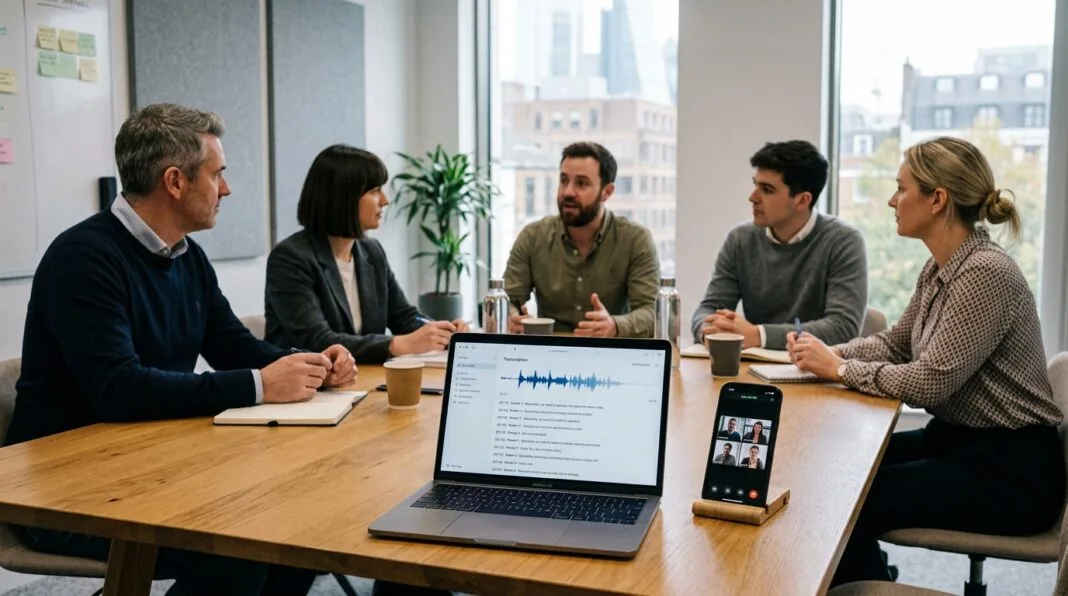

If your team still assigns someone to type up minutes by hand, you already know the cost. That person stops contributing to the discussion. Notes come out inconsistent. Action items get missed. Otter.ai promises to fix this by joining your calls automatically and turning them into searchable transcripts and summaries. But UK businesses ask a different set of questions than US buyers: does it understand a Glaswegian or Scouse accent, does it hold up under UK GDPR, and is the pricing actually worth it once you factor in real usage limits.
What is Otter.ai and How Does It Work for UK Teams?
Otter.ai is an AI-powered meeting assistant that automatically records, transcribes, and summarises virtual or in-person business meetings, turning spoken conversation into a searchable, editable text record without a human note-taker.
For a UK team, that means three things in practice: a bot joins your Zoom, Microsoft Teams, or Google Meet call; it produces a live transcript as people speak; and afterwards it generates a summary with action items you can search, share, or export.
The Core Transcription Engine
Otter’s speech-to-text engine works entirely in the cloud. It doesn’t need you to train it on your voice beforehand, and it identifies different speakers automatically after a few tagged paragraphs from each person. Accuracy on clear audio with a quiet room typically lands in the 85-90% range, which is solid for a first-pass transcript but not good enough to use as an official record without a review pass.
Introducing OtterPilot: Your Automated Meeting Bot
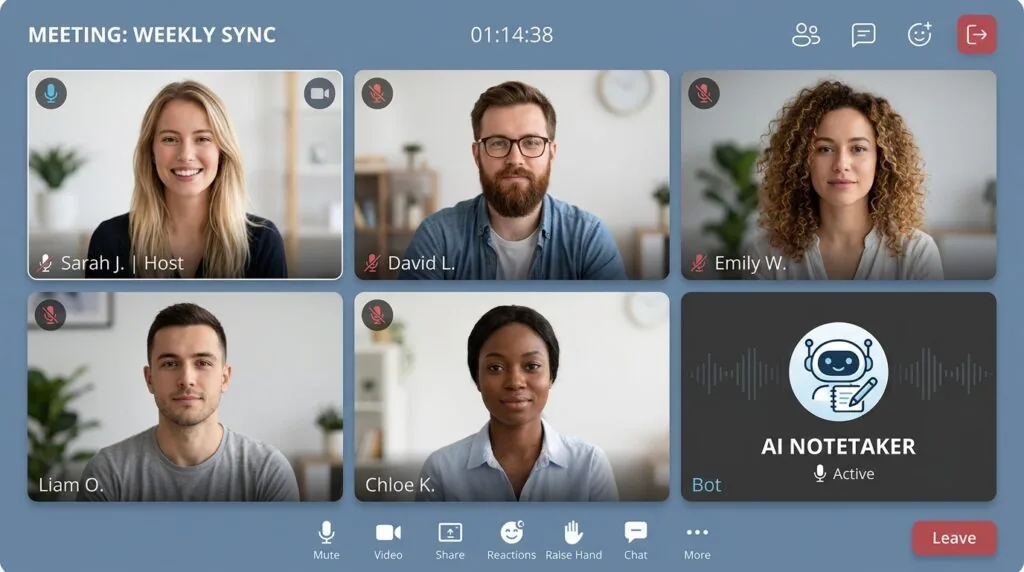
OtterPilot is the name for Otter’s meeting bot. Once connected to your calendar, it joins scheduled calls on your behalf, appears in the participant list so everyone can see it’s there, and starts transcribing the moment the meeting begins. It works across Zoom, Microsoft Teams, and Google Meet, which covers the vast majority of UK business setups.
Key Features Designed for Business Workflows
Otter’s core feature set covers three jobs: capturing the conversation, letting you interrogate it afterwards, and turning it into action.
Real-Time Transcription & Speaker Identification
The transcript builds line by line as the meeting happens, with each line attributed to a speaker. You can follow along on a second screen and jump straight to a point in the audio by clicking the corresponding text, which is faster than scrubbing through a recording.
Otter Chat: Querying Your Transcripts with AI
Otter Chat is a built-in AI assistant that answers questions about your meeting content directly. Instead of re-reading a 40-minute transcript to find what was agreed on budget, you can ask “what did we decide about the Q3 budget” and get a direct answer pulled from the conversation.
Automated Summaries and Action Items
After each meeting, Otter generates a summary and extracts action items automatically, tagging who owns each task where names are used consistently. This is the feature most UK operations managers cite as the actual time-saver, since it removes the need to manually reread a transcript to compile takeaways.
The Accent Test: How Does Otter.ai Handle British Accents?
Otter.ai supports British English as a transcription setting and handles a broad range of accents, including Scottish, Irish, and other British and European accents, according to its own documentation. In practice, accuracy still varies by region and speaker.
Independent word error rate (WER) testing on real UK meetings, covering accents from Received Pronunciation to Scottish and Scouse, has found error rates in the 12-20% range under normal conditions, rising higher with crosstalk or specialist vocabulary. That’s serviceable for a working draft you’ll skim for actions, but not accurate enough to publish as an official minute without checking it first.
This is the gap most reviews skip. A tool can list “British accent support” on a features page while still producing a transcript that mangles regional pronunciation, industry jargon, or names. Budget time to correct transcripts for any meeting with strong regional accents or technical terminology, especially early on.
Managing Dialects and the Custom Vocabulary Feature
Otter lets you build a custom vocabulary of names, acronyms, and industry terms so the engine learns to recognise them correctly. For a UK business, this is the single most effective lever for reducing errors. Add client names, product terms, and anything specific to your sector before your first few meetings, then review and add to it as errors show up. Teams that skip this step tend to judge Otter’s accuracy unfairly low, because most of the correctable errors come from missing vocabulary, not the accent itself.
Practical steps to reduce transcription errors on UK calls:
- Add every recurring name, client, and product term to the custom vocabulary before go-live.
- Set the region/dialect setting to British English rather than leaving it on the US default.
- Use a dedicated microphone rather than laptop speakers picking up room audio, especially for larger meeting rooms.
- Review and correct the first two weeks of transcripts as a team to catch systematic errors early.
- Avoid heavy crosstalk by asking speakers to avoid talking over one another during recorded segments.
Is Otter.ai GDPR Compliant? (Essential for UK Businesses)
Otter.ai can be used in a way that’s compliant with UK GDPR, but compliance isn’t automatic. It depends on your organisation establishing a lawful basis for recording, informing everyone on the call, and accepting that Otter processes data on US-based servers.
This is the most misunderstood part of adopting Otter for a UK team, and it’s worth unpacking properly.
UK Data Protection Act 2018 & Cloud Data Residency
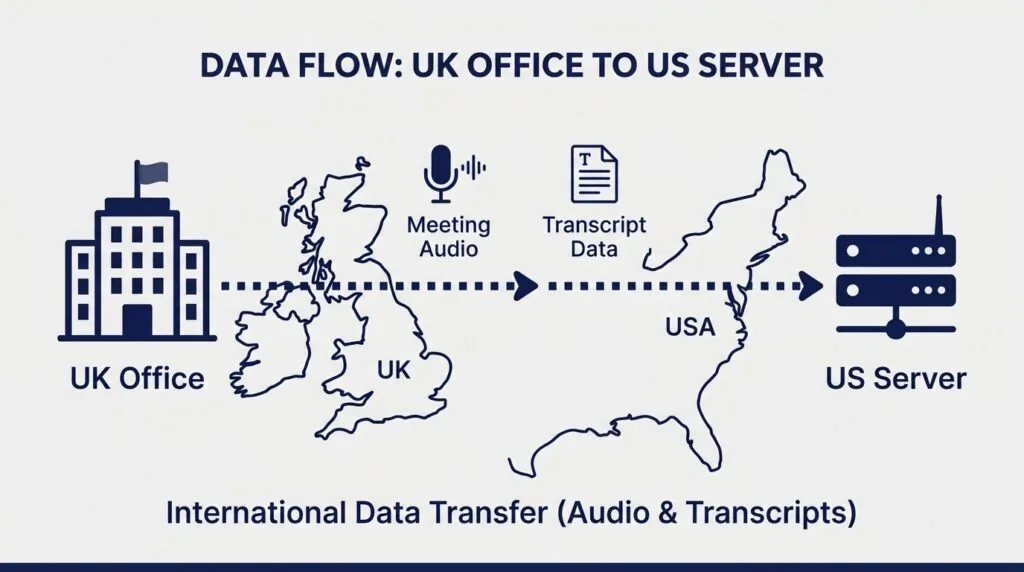
Otter processes and stores meeting data on servers located in the United States. That means every UK business using it is making an international data transfer under UK GDPR, which requires a valid transfer mechanism, such as the UK Extension to the EU-US Data Privacy Framework, Standard Contractual Clauses, or a UK International Data Transfer Agreement. Otter’s own privacy policy confirms it uses safeguards like Standard Contractual Clauses for transfers outside the UK and EEA, and that UK users can complain to the ICO directly if they have concerns.
In practice, this means your IT or compliance lead should confirm Otter’s current transfer mechanism documentation before rolling it out for anything involving client data, HR conversations, or legally sensitive discussions. It also means Otter is not the right tool for any meeting where a client or regulator specifically requires UK or EU-only data hosting, such as some legal, healthcare, or financial services contexts. If your organisation has a Data Protection Officer, this is the first question they’ll ask, and it deserves a real answer rather than “the bot shows up in the meeting so it must be fine.”
Corporate Etiquette: Announcing Recording Bots to Clients
Under UK GDPR, businesses need a lawful basis, most commonly explicit and informed consent, for recording workplace conversations, and the ICO expects a clear privacy notice explaining how the recording will be used. OtterPilot appearing visibly in the participant list helps with transparency, but visibility alone isn’t the same as consent. Someone dialling in by phone, or a client who doesn’t check the participant panel, may never actually notice the bot.
A simple compliance checklist before enabling OtterPilot on external calls:
- State at the start of the meeting that it’s being transcribed and by which tool.
- Add a line to your calendar invite or meeting agenda flagging AI transcription in advance.
- Give attendees a genuine way to object, not just a passive notice.
- Set a clear retention period and delete transcripts you no longer need.
- Keep a record of consent for meetings involving sensitive personal data.
This matters beyond good manners. In the US, Otter is currently facing a consolidated class action alleging its meeting bot recorded participants without the consent of everyone on the call, a case still working through federal court as of mid-2026 with no ruling issued. It hasn’t been found unlawful, and the case turns on US wiretap statutes rather than UK law, but it’s a useful signal: regulators and courts everywhere are scrutinising exactly the consent gap described above. UK businesses that build a proper consent workflow now avoid inheriting that same exposure later. If GDPR-aligned tooling across your wider stack is a priority, it’s worth reviewing the best GDPR compliance tools for UK small businesses alongside your meeting software decision, and pairing that with a broader look at cybersecurity for small business in the UK.
Otter.ai Pricing in 2026: Basic vs. Pro vs. Business
Otter.ai pricing starts with a free Basic plan, then Pro at $16.99 per user per month ($8.33 billed annually), and Business at $30 per user per month ($19.99 billed annually), with a custom-quoted Enterprise tier above that. Otter prices in US dollars only; it doesn’t publish separate GBP pricing, so your card is charged in dollars and your bank handles the conversion.
| Plan | Price (monthly / annual) | Monthly minutes | Per-meeting cap | Best for |
|---|---|---|---|---|
| Basic | Free | 300 minutes | 30 minutes | Testing the tool, very light use |
| Pro | $16.99 / $8.33 per user | 1,200 minutes | 90 minutes | Individuals with regular meetings |
| Business | $30 / $19.99 per user | Unlimited in-app | 4 hours | Teams needing admin controls |
| Enterprise | Custom quote | Unlimited | Custom | SSO, SCIM, dedicated support |
Limitations of the Free Basic Plan
The Basic plan is genuinely free forever, not a time-limited trial, but it caps you at 300 transcription minutes a month and 30 minutes per individual conversation. For a UK small business running even a handful of hour-long meetings a week, that allowance disappears fast. It also limits you to a small number of lifetime file imports, so anyone hoping to transcribe a backlog of old recordings will hit the ceiling almost immediately.
When to Upgrade to Pro or Business Tiers
Pro makes sense for a single person who takes regular calls but doesn’t need team-wide access to a shared transcript library. The real seats-to-value question shows up at Business tier: it removes the monthly minute cap entirely, which matters for a company running back-to-back client calls, but imported file minutes are still capped at 6,000 per user, and admin controls, team collaboration, and shared workspaces only unlock here. For a UK SME comparing three or four seats, that’s roughly £700-£900 a year at annual billing, which is worth weighing against how many hours of manual note-taking it genuinely replaces, not just the headline “starts free” pricing on the landing page. If you’re building out your wider software budget, it’s worth reading how this compares to other virtual meeting tools for UK small businesses before committing to a tier.
Pros & Cons: A UK Corporate Perspective
Pros
- Otter Chat lets you query transcripts in plain language instead of rereading them.
- OtterPilot is visible in the participant list, supporting basic transparency.
- Custom vocabulary meaningfully improves accuracy for UK names and industry terms.
- Business tier removes the monthly minute cap, useful for client-facing teams.
- Works across the three video platforms almost every UK business already uses.
Cons
- Data is processed and stored on US servers, adding a GDPR transfer-mechanism burden.
- Accuracy on strong regional accents still needs manual correction, typically 12-20% error rate.
- Pricing is US dollar-only with no localised GBP billing.
- The Pro plan’s minute allowance was cut from 6,000 to 1,200 without a price change, catching existing users off guard.
- An ongoing US legal case over recording consent is a live reputational and compliance signal worth monitoring, even though it hasn’t been decided.
Otter.ai Alternatives for UK Professionals
Otter isn’t the only option, and for some UK teams it isn’t the best one. Microsoft Teams’ own built-in transcription is a reasonable default for organisations already inside the Microsoft 365 ecosystem, since it keeps data within Microsoft’s existing compliance and residency setup rather than adding a third-party US vendor into the mix. That’s a real reason some UK IT departments choose the native tool over Otter, even if it’s less feature-rich.
Otter.ai vs. Fireflies.ai vs. Fathom
| Tool | Entry price | Free tier | Languages | Data/compliance posture | Best for |
|---|---|---|---|---|---|
| Otter.ai | $8.33/user/mo (annual Pro) | 300 min/month | English, Spanish, French | US-hosted; SCC-based transfers | Teams wanting an AI chat layer over transcripts |
| Fireflies.ai | Credit-based, ~$10-18/seat | Limited, credit-capped | 100+ languages | US-hosted; SOC 2, GDPR-aligned | Teams needing CRM and multi-language coverage |
| Fathom | $15-20/seat (Team tier) | Generous, unlimited recordings | 38 languages | US-hosted; SOC 2, GDPR-aligned, no third-party model training | Teams wanting simple transcripts without analytics overhead |
Fireflies edges ahead on raw accuracy and language breadth, which matters for a multilingual UK team, while Fathom’s free tier is the most generous in the category and its policy of not using calls to train third-party models appeals to privacy-conscious teams. None of the three offers EU or UK-only hosting out of the box; all of them are US-incorporated companies, so the data residency conversation described above applies to Fireflies and Fathom just as much as it applies to Otter. If your team is also evaluating the wider tooling stack, it’s worth cross-referencing this against a CRM comparison for UK small businesses, since several of these transcription tools integrate directly with CRM platforms like the ones compared in HubSpot vs Salesforce for UK small business.
Verdict: Is Otter.ai Worth It for Your Business Meetings?
Otter.ai is worth adopting for UK business meetings if your priority is querying transcripts conversationally and your team can build a proper consent and custom-vocabulary workflow around it. It’s a weaker fit if you need guaranteed EU/UK data residency, work in a regulated sector with a strict DPO sign-off process, or run meetings with heavy multilingual switching, where Fireflies’ language coverage is stronger.
Before rolling it out company-wide, run a two-week pilot with your custom vocabulary populated, confirm your GDPR transfer documentation with Otter directly, and calculate real minute usage against the Pro and Business caps rather than trusting the marketing page alone. Getting those three things right up front is what separates a smooth adoption from a tool that quietly gets abandoned three months in. And once meetings are running more efficiently, it’s worth looking at ways to shorten meetings for UK small businesses and how to improve team communication as the next step, since better notes only solve half the meeting problem.
FAQ
What is Otter.ai for business?
Otter.ai is an AI-powered meeting assistant that automatically records, transcribes, and summarises business meetings, producing a searchable transcript with action items instead of manual notes.
Is Otter.ai GDPR compliant?
Otter.ai can be used compliantly under UK GDPR, but it requires your organisation to establish a lawful basis for recording, inform attendees, and rely on Otter’s Standard Contractual Clauses for transferring data to its US servers.
How much does Otter Pro cost in the UK?
Otter Pro costs $16.99 per user per month, or $8.33 per user per month billed annually. Otter charges in US dollars and doesn’t offer separate GBP pricing.
Does Otter.ai understand British accents?
Yes, with some limitations. Otter supports British English and a range of UK regional accents, but independent testing shows a 12-20% word error rate on real UK meetings, improving significantly when a custom vocabulary is set up.
What is the best AI notetaker for Microsoft Teams?
Otter, Fireflies, and Fathom all integrate with Microsoft Teams, alongside Teams’ own native transcription. Otter suits teams wanting a conversational AI layer over transcripts; native Teams transcription suits organisations wanting to avoid adding a third-party US vendor.