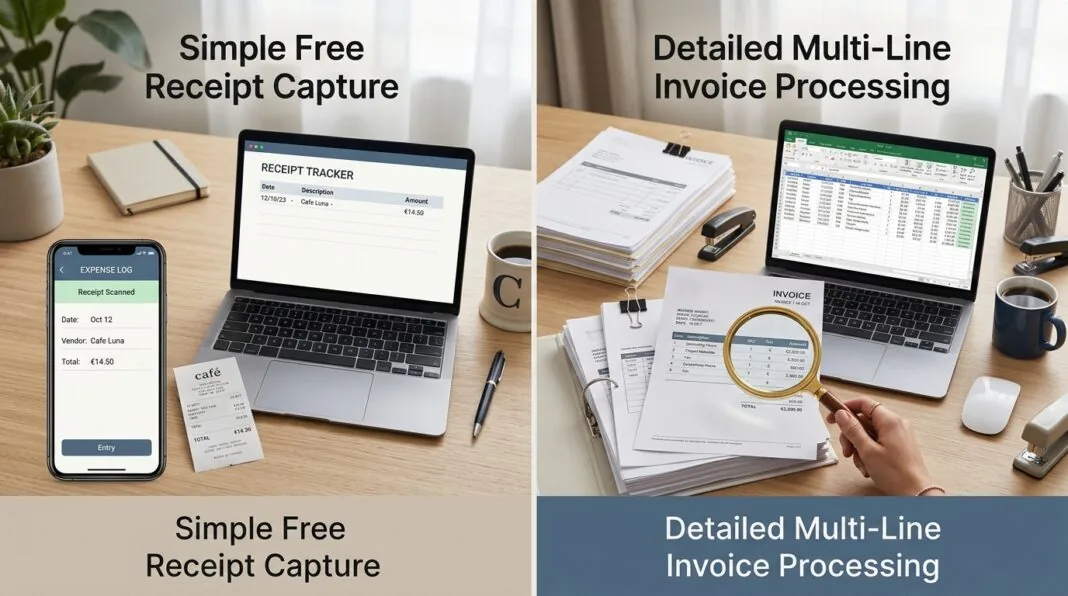

Hubdoc comes bundled free with every UK Xero subscription. Dext costs roughly £25 to £30 a month on top of your ledger fee. That gap is the whole debate. Both tools read a receipt or invoice and push the data into your accounting software — but Dext goes further, splitting invoices into individual cost lines and working across more than one ledger. Whether that extra depth is worth paying for depends on how many documents you process each month and how detailed your bookkeeping actually needs to be.
At a Glance: The Core Differences Between Dext and Hubdoc
Both tools promise the same basic outcome: less manual typing. The difference shows up in depth, accuracy on messy paperwork, and how many ledgers they support.
Comparative Feature Summary Table
| Feature | Hubdoc | Dext Prepare |
|---|---|---|
| UK cost | Free with any Xero subscription | From roughly £25–£30/month (5 users, 250 docs), ex VAT |
| Line-item extraction | Not available | Available, toggled on per supplier, metered by credits |
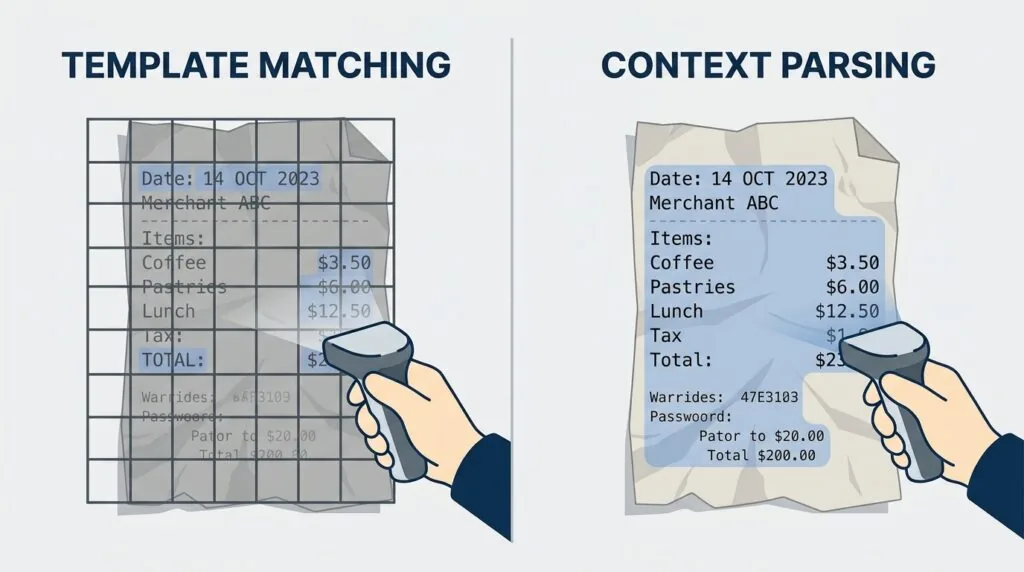
| OCR approach | Template matching | Context-based, neural network parsing |
| Ledger support | Xero (native), QuickBooks Online | Xero, QuickBooks, Sage, 30+ others |
| Duplicate detection | Flags exact repeat submissions | Checks against bank transactions too |
| Best suited to | Low-volume, single-ledger Xero users | High-volume, multi-ledger, itemised bookkeeping |
UK Pricing Structures: Is Dext Worth the Subscription Fee?
Hubdoc is free for any UK business already paying for Xero — it isn’t sold as a separate product. Dext is a standalone cost on top of your ledger, and the final price depends on user count, document volume, and how many suppliers need line-item extraction switched on.
Hubdoc Pricing: The Free “Xero Factor”
Xero’s 2026 UK plans run from £7 a month (Simple) up to £65 a month (Ultimate), all excluding VAT. Hubdoc is included at no extra cost on every one of those tiers, as long as it’s connected to your Xero subscription. You don’t buy it separately, and Xero doesn’t meter how many documents you send through it.
That “free” status only holds while you’re paying for Xero, though. Hubdoc still works with QuickBooks Online, but Xero has invested far less there since acquiring Hubdoc, so functionality outside its own ecosystem is thinner. Sole traders comparing software costs alongside a business bank account that feeds transactions straight into Xero will find Hubdoc keeps the whole stack cheap.
Dext Prepare Pricing: Tiered Volumes and Hidden Credit Costs
Dext doesn’t publish GBP prices directly on its site. Based on its published USD rates, a UK business plan for five users and 250 documents a month works out to roughly £25 on annual billing, closer to £30 billed monthly. Treat that as a guide, not a quote — confirm the exact figure with a trial, since rates vary by currency.
Line-item extraction is the detail most comparisons skip. It isn’t switched on globally the moment you subscribe — you turn it on per supplier, automatically for future documents or manually for one-off items — and every extraction draws from a metered credit pool. Run out of credits and you buy more or wait for the next cycle.
Accountants pay differently again. Since August 2023, Dext has billed UK practices per client instead of a flat fee. As of mid-2026, published rates run to around £391 a month for 50 clients, climbing past £1,500 a month at 300 clients, ex VAT, with no ceiling inside a tier.
Extraction and OCR Capabilities: How Clean is Your Data?
OCR quality is where the two tools diverge most. Hubdoc reads clean digital PDFs well but struggles with anything creased, handwritten, or printed on thermal paper. Dext handles messier source material because it parses documents contextually rather than matching them to a known template.
Hubdoc’s Template-Based Parser: Great for PDFs, Weak for Paper
Hubdoc extracts the basics reliably — supplier name, date, invoice number, and total — especially on emailed PDF invoices from familiar suppliers, because it recognises recurring layouts. Feed it a handwritten till receipt at an odd angle, and accuracy drops. That’s a template-matching limitation rather than a bug: the software compares what it sees to patterns it already knows.
Dext’s Intelligent OCR: Handling Handwriting, Wrinkles, and Faded Thermal Paper
Dext reads a document in context instead of matching it to a fixed layout, which is why it copes better with crumpled receipts, handwriting, and faded thermal paper — genuine problems for any business still dealing in cash expenses or site purchases. Dext advertises 99.9% extraction accuracy; treat that as a vendor figure rather than an independently audited one, though it broadly matches how UK bookkeepers rate the two tools. For other AI-driven back-office options, see our roundup of AI tools for UK small business.
Workflow Automation: Line Items vs. Header-Only Coding
Hubdoc extracts header-level data only — who you paid, when, and how much. Dext can break a single invoice into its individual cost lines, but that feature has to be switched on and isn’t unlimited on every plan.
The Line-Item Limitation: Why Hubdoc Stops at the Header
If a supplier invoice includes ten products at different VAT rates, Hubdoc pushes one line into Xero: the total. You then accept a lump-sum code or split it manually. For simple purchases, that’s fine. For multi-item invoices from wholesalers or ad platforms, it means manual work every month — and getting the tax treatment right matters more the closer a business sits to the VAT registration threshold.
Dext’s Line-Level Control and “Smart Splits”
Once line-item extraction is switched on for a supplier, Dext lists the description, amount, and tax rate for every line, and its Smart Splits logic groups similar lines together automatically. The catch competitors rarely mention: each extraction uses a credit from your plan’s allowance. A business processing hundreds of itemised invoices a month can burn through that allowance fast and need add-on credits — quietly pushing the real monthly cost above the advertised entry price.
Integration Ecosystem: Are You Locked Into Xero?
Hubdoc is owned by Xero and built with Xero as the primary connection, though it also links to QuickBooks Online. Dext is ledger-agnostic and connects to Xero, QuickBooks, Sage, and more than 30 other platforms.
Hubdoc’s Native Symbiosis with Xero and QuickBooks
Xero bought Hubdoc in 2018 and has folded it tightly into its own product since. The Xero connection is seamless — documents push straight into the ledger with no extra setup. The QuickBooks Online link still works, but Xero has invested far less in it over time, and some of Hubdoc’s original automatic bill-fetching from utility and phone providers has been scaled back. If your firm runs Sage, or splits clients across several ledgers, Hubdoc’s usefulness narrows quickly. Cloud-based capture also raises the usual data-handling questions worth checking against your own cybersecurity practices.
Dext’s Multi-Ledger Support (Xero, QBO, Sage, and Beyond)
Dext sits above the ledger rather than inside one, connecting to Xero, QuickBooks, Sage, and dozens of other platforms and thousands of bank feeds. For a bookkeeping practice with a mixed client base, that consistency is often the deciding factor over price.
UK Practice Tooling: For Professional Accountants and Bookkeepers
For accountants managing multiple clients, the choice isn’t just OCR quality — it’s billing structure and compliance too. Dext’s per-client pricing rises with every client added, with no ceiling inside a tier, while Hubdoc carries no separate practice fee since each client’s cost sits inside whatever Xero plan they already pay for.
There’s a compliance angle worth weighing alongside cost. From 6 April 2026, Making Tax Digital for Income Tax becomes mandatory for self-employed people and landlords earning over £50,000, extending to those over £30,000 from April 2027. That means digital, transaction-level record-keeping and quarterly HMRC submissions, not one return at year-end. Whichever tool a practice standardises on needs to keep pace with that cadence.
The Verdict: Which Tool Should You Choose for Your Business?
There’s no universally right answer here — the two tools solve different problems at different volumes.
Scenario A: Choose Hubdoc (The Lean, Single-Ledger Option)
- You’re a sole trader or small limited company already paying for Xero, so Hubdoc costs nothing extra
- You process under roughly 50–100 documents a month, mostly clean digital invoices
- You run everything through Xero, with no need for Sage or QuickBooks
- Most invoices are single-line purchases that don’t need splitting
This covers most UK sole traders and small limited companies with straightforward purchasing. If you’re still filing an annual Self Assessment tax return rather than quarterly MTD updates, Hubdoc’s header-level capture is usually enough.
Scenario B: Choose Dext (The High-Volume, Multi-Ledger Platform)
- You process hundreds of documents a month across many suppliers
- You need line-item detail for job costing, multi-VAT-rate invoices, or investor reporting
- Your business or practice runs a mix of Xero, QuickBooks, and Sage clients
- You’re prepared to budget for credit-based add-ons as volume grows
For growing businesses and multi-client practices tightening their digital record-keeping under HMRC’s MTD rules, the extra cost of Dext usually pays for itself in the time it saves.
Frequently Asked Questions
Is Hubdoc completely free with Xero in the UK?
Yes. Hubdoc is included at no extra charge on every UK Xero plan, from Simple through to Ultimate, as long as it’s connected to an active Xero subscription. There’s no separate Hubdoc bill.
Does Hubdoc extract line items?
No. Hubdoc extracts header-level data only — supplier name, date, invoice number, and total. It doesn’t break an invoice down into individual products, quantities, or tax rates.
Is Dext worth paying for over Hubdoc?
It depends on volume and detail. Dext earns its cost once you’re processing high document volumes, need line-item or multi-currency detail, or run more than one ledger. For a low-volume, single-ledger Xero setup, Hubdoc usually covers the job for free.
How does Dext handle duplicate receipts?
Dext checks incoming documents against previously submitted items and matched bank transactions, flagging likely duplicates before they reach your ledger. Hubdoc flags exact repeat submissions too, but its matching is more basic.
Do I need either tool to comply with Making Tax Digital?
Neither is mandatory, but both help. From April 2026, self-employed people and landlords earning over £50,000 must keep digital records and file quarterly. Capturing receipts as they happen makes it far easier to prepare for Making Tax Digital than reconstructing records at quarter-end.