


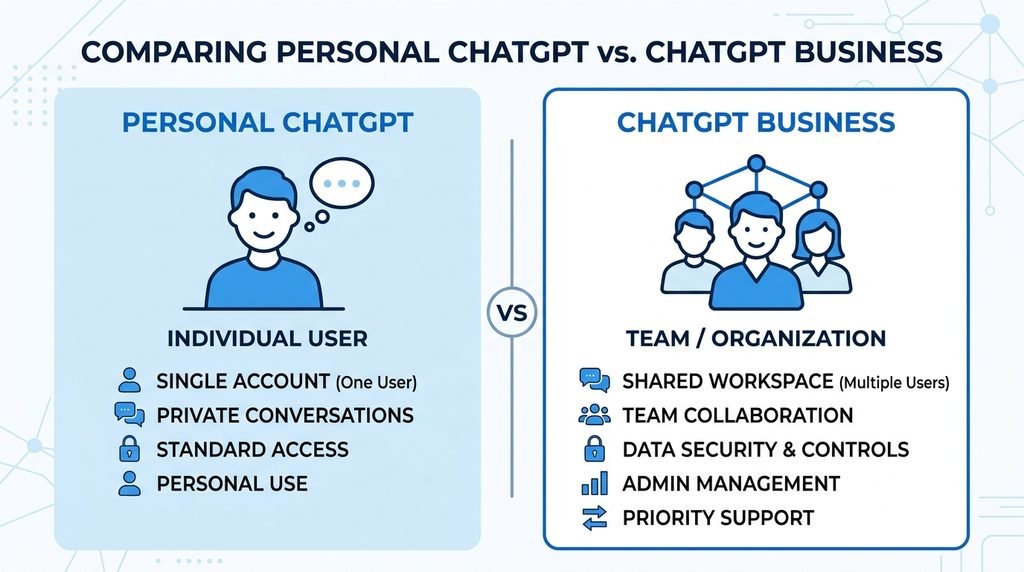
ChatGPT for Business is OpenAI’s paid workspace plan built for teams. It gives a company shared access to ChatGPT, centralised billing, and admin controls, instead of everyone paying for separate personal accounts.
The plan used to be called ChatGPT Team. OpenAI renamed it ChatGPT Business on 29 August 2025. The features didn’t change overnight, but pricing and seat options have moved on since then, so it’s worth checking the current structure before you budget for it.
A Business workspace includes:
- A secure, shared environment for your team
- Access to OpenAI’s current models, including GPT-5
- Centralised billing across every user
- Admin controls for roles, access, and spend
- Usage visibility, so you can see who’s using what
- Access to Codex, OpenAI’s coding assistant, depending on seat type
This sits apart from the free and personal-paid tiers (Free, Plus, Pro), which are built for individuals rather than teams. If you’re still deciding whether AI tools make sense for your operation at all, our broader AI for UK small business guide is a useful starting point before you commit to a specific product.
ChatGPT Pricing for UK Businesses
ChatGPT for Business is priced per seat, per month, and billing is available in GBP so most UK customers won’t need to worry about currency conversion.
| Plan | Monthly Cost | Annual Cost (per month, billed yearly) | Best For |
|---|---|---|---|
| Free | £0 | £0 | Testing the tool, simple tasks |
| Plus | ~£20 | — | Solo founders, freelancers |
| Pro | ~£200 | — | Heavy individual users |
| Business (Standard seat) | ~£20–25 per user | Lower when billed annually | Small teams needing shared access |
| Business (Premium seat) | ~£100–125 per user | Lower when billed annually | Teams with heavy daily usage |
| Enterprise | Custom quote | Custom quote | Larger organisations (100+ staff) |
A Business workspace needs at least two paid seats in total, whether that’s two Standard seats, two Premium seats, or one of each. Standard seats cover everyday use of ChatGPT, ChatGPT Work, and Codex. Premium seats include the same access but with noticeably higher usage limits and no five-hour usage cap, which matters if your team relies on it constantly through the working day.
You can mix seat types in one workspace. That means a five-person team could give three people Standard seats and two people Premium seats, based on how much each person actually uses the tool. Pricing details change periodically, so always check OpenAI’s current pricing page before committing to an annual contract.
If you’re weighing ChatGPT against Microsoft’s equivalent offering, our Microsoft 365 Copilot UK pricing guide breaks down that comparison in the same format.
Which Plan Should You Choose?
The right plan depends on team size and how often people will actually use it, not how impressive the features sound.
Choose Free if: you’re a solo trader just testing whether AI fits your workflow. It’s fine for brainstorming and simple drafts, but limited for anything complex or frequent.
Choose Plus if: you’re a freelancer or single founder who wants reliable daily access without paying for a full team plan.
Choose Business (Standard seats) if: you have two or more staff who need shared access, admin oversight, and basic compliance support like GDPR alignment. This is the sweet spot for most small UK businesses.
Choose Business (Premium seats) if: your team uses ChatGPT constantly throughout the day and keeps hitting usage limits on Standard seats.
Choose Enterprise if: you’re running a larger organisation, typically upwards of 100–150 staff, and need advanced security, invoice billing, or contracted terms rather than a self-serve plan.
Whatever you land on, it’s worth reviewing your existing stack first. If you haven’t settled on core productivity tools yet, our Google Workspace vs Microsoft 365 comparison can help you sequence these decisions properly.
Practical Ways UK Businesses Use ChatGPT
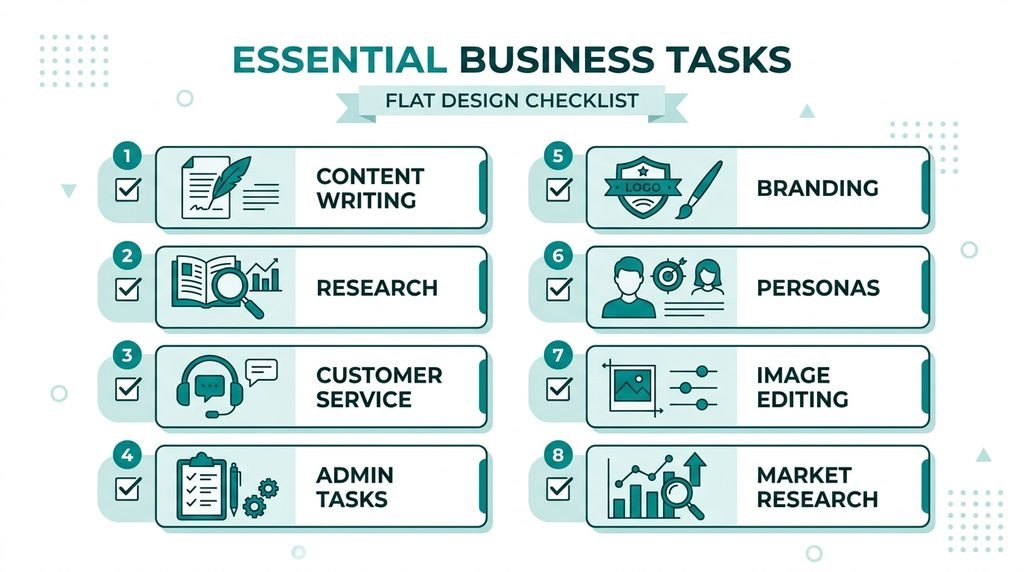
Most small businesses don’t need every feature ChatGPT offers. A handful of use cases account for most of the value.
- Drafting content and marketing copy. Product descriptions, email campaigns, and social posts, in your brand’s tone, drafted in minutes rather than hours.
- Website and competitor research. Ask ChatGPT to review a URL and flag SEO gaps, missing metadata, or slow-loading pages, useful groundwork before a proper audit.
- Customer service drafting. Response templates, apology emails, and FAQ answers that still need a human check before sending.
- Admin automation. Meeting summaries, daily task reminders, and report first-drafts through ChatGPT’s Tasks feature.
- Brand and tone-of-voice guidelines. Feed it your existing website copy and it can draft a starting-point style guide.
- Customer persona creation. Turning survey data or CRM notes into usable customer profiles for sharper targeting.
- Basic image generation and editing. Quick social graphics, background removal, or logo concepts before briefing a designer.
- Research and market summaries. Using Deep Research to condense supplier comparisons or regulatory changes into a single readable brief.
None of these replace specialist tools entirely. If lead generation is a priority, pair ChatGPT with dedicated platforms covered in our AI lead generation UK guide or our roundup of best AI tools for sales. For meeting notes specifically, a purpose-built tool like the one reviewed in our Otter.ai for business meetings guide often works better than general chat prompts.
Is ChatGPT GDPR and ICO Compliant for UK Businesses?
ChatGPT Business does not automatically make your business GDPR compliant. Compliance depends on how you configure it and what data you allow staff to input, not just which plan you buy.
Here’s what actually matters:
Data training. OpenAI states it does not train its models on ChatGPT Business workspace data. This is a meaningful improvement over the free consumer version, where data handling settings differ.
What not to input. Avoid pasting customer personal data, financial records, health information, or anything confidential into ChatGPT unless your workspace has the appropriate data processing agreement in place. Treat it the same way you’d treat any third-party software processing personal data.
ICO registration. If your business processes personal data (most do), you likely need to be registered with the Information Commissioner’s Office regardless of which AI tools you use. This is separate from ChatGPT itself. Our ICO registration guide for UK small businesses and ICO data protection fee guide cover the specifics.
Broader compliance checklist. Before rolling AI tools out to a full team, run through a proper UK GDPR compliance checklist so you know exactly where the gaps are.
AI-specific regulation. The UK doesn’t yet have a single dedicated AI law equivalent to the EU AI Act, but the direction of travel matters for businesses planning ahead. Our UK AI Act small business guide explains what’s currently in force and what’s proposed.
A simple internal rule works well for most small teams: if you wouldn’t email it to a stranger, don’t paste it into ChatGPT.
How to Get Started With ChatGPT Business
Setting up a workspace takes a few steps:
- Create an OpenAI account at chatgpt.com if you don’t already have one.
- Upgrade to a Business workspace and choose Standard or Premium seats based on expected usage.
- Invite your team and assign roles, deciding who needs admin access versus standard member access.
- Set usage and spend controls so costs stay predictable as your team scales up.
- Connect relevant apps, such as Google Drive or SharePoint, if you want ChatGPT to reference your existing files.
- Run a short pilot with two or three staff before rolling it out company-wide, so you can catch workflow issues early.
If your business is still working through the basics of setting up properly, from a registered office address to first steps after registering a company, it’s worth getting those foundations sorted before adding new software subscriptions to the mix.
ChatGPT vs Alternatives
ChatGPT isn’t the only option, and it isn’t always the right one for every task.
| Tool | Best For | Note |
|---|---|---|
| ChatGPT Business | General writing, research, admin | Broadest feature set, most flexible |
| Microsoft Copilot | Teams already using Microsoft 365 | Tighter integration with Word, Excel, Outlook |
| Google Gemini | Google Workspace users | Similar logic, built into Docs and Gmail |
| DeepSeek | Budget-conscious API use | No consumer subscription tier, pay-per-token only |
If you’re already committed to Microsoft’s ecosystem, our Microsoft 365 Copilot pricing guide is the more relevant comparison. For teams testing AI-assisted writing specifically, it’s also worth reading our Jasper AI review, which covers a tool built specifically for marketing copy rather than general use.
Common Mistakes UK Businesses Make With ChatGPT
Buying Premium seats before checking actual usage. Most small teams start on Standard seats and only upgrade once they’ve genuinely hit the usage limits.
Skipping the pilot phase. Rolling ChatGPT out to an entire team on day one, without testing it with a small group first, usually creates more confusion than value.
Treating outputs as fact. ChatGPT can produce confident-sounding answers that are wrong. Anything factual, especially figures, dates, or legal points, needs checking before it goes to a client.
Inputting sensitive data by habit. Once a team gets comfortable with a tool, people start pasting things in without thinking. Set the rule early, not after a problem happens.
Ignoring security basics. AI tools are only one part of your risk surface. Pairing them with proper safeguards, like the ones covered in our Cyber Essentials certification guide and two-factor authentication guide, matters just as much as picking the right AI plan.
FAQs
Is ChatGPT Business the same as ChatGPT Team?
Yes. ChatGPT Team was renamed ChatGPT Business on 29 August 2025. The rename didn’t change the core plan, though pricing and seat options have evolved since.
How much does ChatGPT cost for a UK business?
Business plans typically start from around £20–25 per user per month for Standard seats, rising to roughly £100–125 for Premium seats, with lower rates available on annual billing. Check OpenAI’s current pricing page for exact figures.
Is ChatGPT GDPR compliant?
ChatGPT Business doesn’t train on your workspace data, which helps with compliance, but your business is still responsible for what data staff input and for meeting your own GDPR obligations, including ICO registration where applicable.
Can I use ChatGPT instead of hiring a virtual assistant?
ChatGPT can handle drafting, research, and repetitive admin well, but it can’t manage relationships, make judgment calls, or take full ownership of a task the way a person can. Most businesses use it alongside staff, not instead of them.
Does ChatGPT Business include the API?
No. API usage is billed separately from a ChatGPT Business subscription, even though both come from OpenAI.
Final Thoughts
ChatGPT for Business makes the most sense once you have more than one person who needs shared, admin-controlled access, and once you’ve worked out roughly how much your team will actually use it. Start with Standard seats, run a short pilot, and keep a clear rule about what data never gets typed into it.
Get those two things right, and the pricing question mostly sorts itself out.

