
Most small business owners install Google Analytics once, glance at it twice, and never open it again. Usually that’s because GA4 looks nothing like the old version, and nobody explained what actually matters for a business your size.
What Is Google Analytics 4 (and Why Does Your SME Need It?)
Google Analytics 4 is a free web analytics platform from Google that tracks how people find and use your website, recording every visit as a series of individual actions called events rather than a single browsing session. For a small business, that means you can see exactly which adverts, search terms, or social posts actually bring in customers — not just how many people showed up.
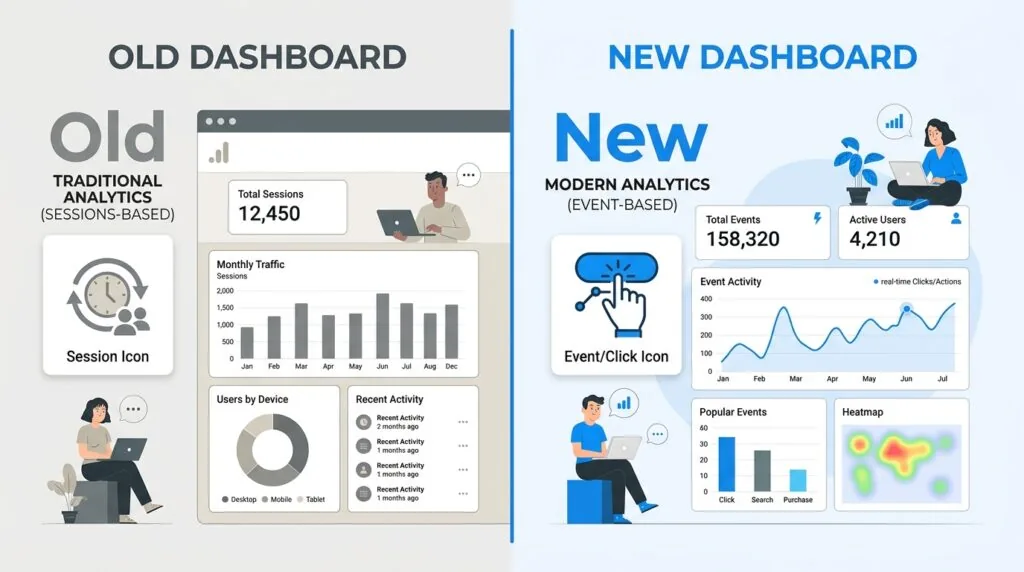
The Shift from Universal Analytics to GA4 Explained Simply
Google retired the old platform, Universal Analytics, in 2023 and replaced it entirely with GA4. If you haven’t touched your analytics since then, your old account is no longer collecting data at all.
The core difference is how each platform counts activity.
| Universal Analytics (old) | GA4 (current) | |
|---|---|---|
| Measurement unit | Sessions | Events |
| Bounce rate | Single-page visits | Replaced by engagement rate |
| Cross-device tracking | Limited | Built in |
| Data model | Website-only | Website and app combined |
| Conversions | Called “Goals” | Called “Key Events” |
You don’t need to understand every technical difference. You just need to know that GA4 is the only option now, and it’s built around tracking actions — clicks, form fills, purchases — rather than just page views.
Why Your Business Cannot Afford to Ignore Website Data
If you spend money on Google Ads, Facebook ads, or even just time writing blog posts, GA4 tells you whether any of it is working. Without it, you’re guessing.
For a local service business, that might mean seeing that most enquiries come from mobile searches in the evening. For a shop with an online store, it might mean spotting that visitors abandon checkout on the delivery page. Either way, it’s the difference between marketing decisions based on data and marketing decisions based on hope. Pairing this with a well-optimised Google Business Profile gives you a genuinely complete picture of how local customers discover you.
Quick 15-Minute GA4 Setup Guide for Small Businesses
You can get GA4 running in three steps: create an account and data stream, add the tracking code to your website, and mark your important actions as Key Events. Here’s how.
Step 1: Creating Your GA4 Account and Web Data Stream
- Go to analytics.google.com and sign in with a Google account you control — ideally one tied to the business, not a personal account, and protected with two-factor authentication.
- Click Admin, then Create Account, and name it after your business.
- Create a Property for your website and set the correct time zone and currency — this affects every report you’ll ever look at.
- Under Data Streams, choose Web, enter your site’s URL, and give the stream a name.
- Google will generate a Measurement ID, a code starting with “G-“. You’ll need this for Step 2.
Step 2: Adding the Tracking Code to Your Site (WordPress, Shopify, and Wix)
How you add the tracking code depends on your platform.
| Platform | Recommended method | Roughly how long |
|---|---|---|
| WordPress | Install the free Site Kit by Google plugin, connect your Google account, and it links your GA4 property automatically | 5 minutes |
| Shopify | In Settings, add the Google & YouTube sales channel and connect your GA4 property — this is now the supported method, since editing theme code directly is deprecated | 10 minutes |
| Wix | Go to Marketing & SEO, then Marketing Integrations, and paste in your Measurement ID | 5 minutes |
If you’re comfortable with a bit more setup, Google Tag Manager gives you more flexibility for custom tracking later, but it isn’t necessary for a first, working install. If you’re still choosing a platform to build on, our guide to building a small business website in the UK covers the options, and our ecommerce platform comparison is worth reading before you commit to Shopify or an alternative.
Once installed, open GA4’s Realtime report and browse your own site in another tab. If you see yourself listed as an active user, the tracking code is working.
Step 3: Setting Up “Key Events” (Formerly Conversions)
In GA4, the actions that matter to your business — a form submission, a phone click, a completed purchase — are called Key Events, not conversions. Google renamed the feature in March 2024 to stop it being confused with Google Ads conversions, which measure something slightly different.
To mark one:
- Go to Admin > Data display > Events.
- Find the event you want to track (GA4 already tracks things like
form_submitandclickautomatically through Enhanced Measurement). - Toggle it on as a Key Event.
You can mark up to 30 Key Events per property, and counting only starts from the moment you switch one on — it isn’t applied retroactively. If you run Google Ads, link your Ads account to GA4 so your Key Events can be imported as conversions there too.
Common setup mistakes to avoid:
- Never excluding your own visits, which quietly inflates your traffic numbers.
- Forgetting to mark any Key Events at all, so the reports never show what’s actually working.
- Assuming your old Universal Analytics data carried over — it didn’t, and GA4 only has data from when you installed it.
- Installing GA4 twice (once via a plugin, once via Google Tag Manager), which duplicates and distorts every metric.
Staying Legal: UK GDPR, Cookie Consent, and Consent Mode v2
To make GA4 compliant with UK data law, small businesses must get valid opt-in consent before GA4 sets any cookies, provide a genuine way to decline, and — if using Google Ads remarketing — configure Google’s Consent Mode v2. Skipping this isn’t a minor technicality; it’s the single most common compliance gap on small business websites.
What the ICO Requires for Analytics Cookies
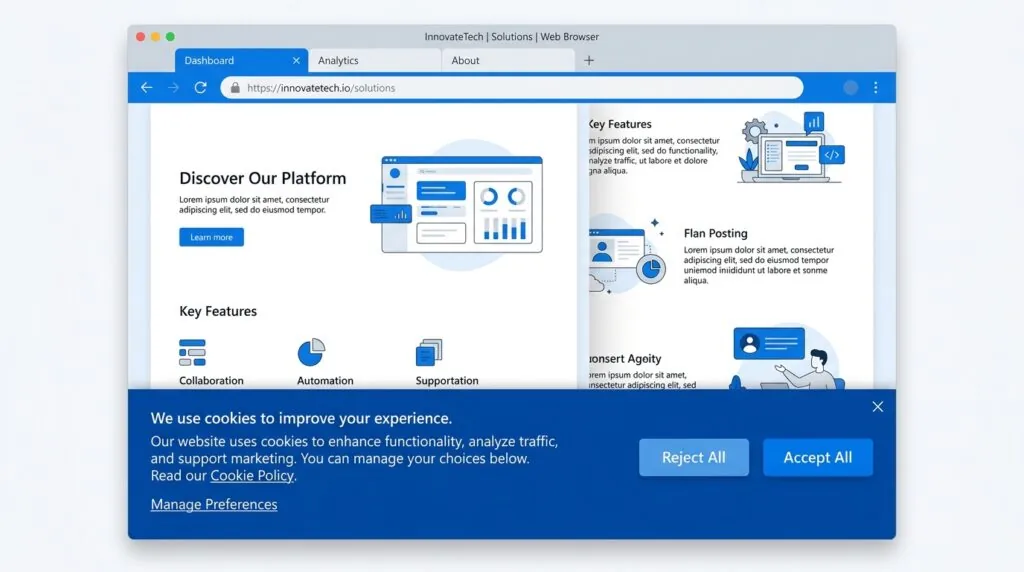
GA4 sets cookies that are not classed as strictly necessary, which means the Privacy and Electronic Communications Regulations (PECR) require consent before they’re set, and that consent has to meet the UK GDPR standard: freely given, specific, informed, and unambiguous. Pre-ticked boxes don’t count, and “by continuing to browse you agree to cookies” banners aren’t valid consent either.
This area changed significantly in 2026. The Data (Use and Access) Act 2025 introduced a narrow exemption allowing some analytics cookies to run without prior consent, provided the data is used solely to improve the service and isn’t shared for any other commercial purpose. In practice, a default GA4 setup doesn’t qualify for this exemption, because Google uses analytics data for its own advertising and product purposes and behaves as a joint controller rather than a pure data processor. Unless you’ve deliberately switched off Google Signals, advertising features, and any data-sharing settings, assume you still need a consent banner.
The stakes for getting this wrong have also risen sharply. The same Act raised the maximum PECR fine from £500,000 to £17.5 million or 4% of global annual turnover — bringing cookie violations in line with the UK GDPR’s own penalty regime. The ICO also has to register with them and may need to pay the ICO data protection fee if you’re processing personal data as a controller, which most GA4 users are.
How to Implement a Compliant Cookie Banner
A compliant banner needs to:
- Block non-essential cookies, including GA4’s, until the visitor actively consents.
- Offer “Accept” and “Reject” options with equal visual prominence — no dark patterns that make declining harder than accepting.
- Let visitors change their mind later via a visible settings link.
- Log consent records in case the ICO ever asks you to prove compliance.
Building this by hand is possible but fiddly to get right. Most small businesses use a dedicated consent management tool such as Cookiebot or CivicUK Cookie Control, and our roundup of GDPR compliance tools for small businesses compares the main options.
Configuring Google Consent Mode v2 for Small Websites
If you run Google Ads or use remarketing audiences, Consent Mode v2 has been mandatory in the UK and EEA since March 2024. Without it, Google simply stops collecting the data your ad campaigns rely on for anyone who hasn’t consented.
Consent Mode works by sending Google four signals based on what the visitor chose in your cookie banner:
| Signal | What it controls |
|---|---|
analytics_storage | Whether GA4 can store analytics cookies |
ad_storage | Whether advertising cookies can be stored |
ad_user_data | Whether user data can be sent to Google for advertising |
ad_personalization | Whether that data can be used for personalised ads and remarketing |
You have two implementation options. Basic mode blocks Google tags completely until consent is given, which is simpler but loses all data from visitors who decline. Advanced mode lets tags load in a limited, cookieless way and sends anonymous signals Google can use to model the missing data — recovering a meaningful share of otherwise-lost measurement. Most consent management platforms, including the ones already mentioned, support Consent Mode v2 out of the box, so you rarely need to code it by hand.
A compliance edge case worth knowing: if your site takes orders or enquiries from customers based in the EU, UK rules alone aren’t enough. EU visitors are still covered by the ePrivacy Directive, which is generally interpreted more strictly than the UK’s post-2026 exemptions. A UK-only consent setup can leave you non-compliant for EU traffic, so geo-targeted consent banners are worth considering if a meaningful share of your visitors are outside the UK.
What’s changing next: the ICO published finalised guidance on cookies and tracking technologies in April 2026, and from June 2026 businesses must have a formal, documented process for handling data protection complaints — not just an email inbox. Google has also signalled further changes to how Consent Mode’s advertising signals are handled later in 2026. If your consent setup was built before this year, it’s worth a fresh review rather than assuming it still holds up.
The Core GA4 Metrics Small Businesses Should Actually Monitor
You don’t need to understand every report GA4 offers. Three categories cover almost everything a small business needs to make decisions.
Traffic Acquisition (Where Do Your Visitors Come From?)
This shows which channel — organic search, paid ads, social media, direct visits, or referrals from other sites — actually brings people to your site. If you’re investing time in content and SEO, this is where you’ll see whether it’s paying off.
Engagement Rate vs. Bounce Rate
GA4 replaced bounce rate with engagement rate as its headline metric. A session counts as “engaged” if it lasts longer than 10 seconds, includes a Key Event, or involves two or more page views. Engagement rate is simply the percentage of sessions that meet that bar — so a higher number is good, unlike the old bounce rate, where lower was better. If your engagement rate is under 40%, visitors are typically leaving almost immediately, which usually points to slow load times, confusing navigation, or a mismatch between what your ads promise and what the landing page delivers.
Event Tracking & Customer Journeys
This is where Key Events pay off. Instead of just knowing someone visited your contact page, you can see the exact path they took to get there — which is useful for spotting where potential customers drop off before converting.
| Metric | What it tells you | Why it matters for a small business |
|---|---|---|
| Active users | How many distinct people visited in a period | Baseline reach and growth over time |
| Engagement rate | Percentage of sessions that show real interest | Flags a poor landing page or wrong traffic source |
| Average engagement time | How long people actively spend on your site | Signals whether content actually holds attention |
| Key event count | How many high-value actions happened | Directly ties traffic to leads, bookings, or sales |
How to Navigate and Read Your First GA4 Reports
The Acquisition Overview Report
Found under Reports > Acquisition, this breaks down visits by channel. A local plumbing business in Leeds, for example, might discover that most enquiry form submissions come from organic search for “emergency plumber” terms, while their paid social ads generate plenty of clicks but almost no Key Events — a sign that budget might be better spent elsewhere.
The Engagement Pages & Screens Report
Found under Reports > Engagement, this lists your most-visited pages alongside engagement rate and average time on page. It’s the fastest way to spot which pages hold attention and which ones visitors leave immediately — often a sign that page needs better content, a clearer call to action, or a faster load time.
Actionable Next Steps: Turning Data Into Local Growth
Once GA4 is installed, legal, and reporting properly, the value comes from acting on it. If organic search is your strongest channel, invest further in local SEO rather than spreading budget thin across every platform. If a particular landing page has a low engagement rate, rewrite it before spending more on ads that point to it. If Key Events show which enquiries turn into paying customers, feed that into a CRM system so nothing falls through the cracks.
Review your reports monthly rather than daily — GA4 data needs a reasonable sample size before trends mean anything, and checking obsessively tends to lead to reacting to noise rather than genuine patterns.
Frequently Asked Questions
How do I install GA4 on WordPress?
Install the free Site Kit by Google plugin, connect it to your Google account, and select or create a GA4 property. It links the tracking code automatically, with no manual code editing required.
Is Google Analytics free for small businesses?
Yes. GA4’s standard version is free with no usage limits that a typical small business website would ever reach. Google only charges for GA4 360, an enterprise tier aimed at very high-traffic organisations.
What are Key Events in GA4?
Key Events are the actions you’ve flagged as important to your business, such as a form submission or purchase. Google renamed “conversions” to “Key Events” in March 2024 to avoid confusion with Google Ads conversion tracking.
How do I make GA4 compliant with UK GDPR?
Get valid opt-in consent before GA4 sets any cookies, offer an equally easy way to decline, and configure Consent Mode v2 if you use Google Ads. A default GA4 setup does not qualify for the UK’s newer statistical-purposes cookie exemption, so a consent banner is still required for most businesses.
Do I need Consent Mode v2 if I don’t run Google Ads?
Not strictly, but if you only use GA4 without any Google advertising products, you still need standard cookie consent under PECR and UK GDPR. Consent Mode v2 specifically governs the four advertising and analytics signals Google Ads relies on.